
The Benefits of Using a Multisender for Solana Tokens
The Solana blockchain has become a hotspot for token projects, community building, and rewarding supporters. Whether you're launching a new SPL token or running a promotion, efficiently distributing tokens to multiple recipients is a common challenge. This is where 20lab's airdrop tool comes in - a solution designed to streamline your token distribution process. 20lab offers a comprehensive suite of token tools that empowers creators and developers to efficiently manage every aspect of their token projects.
The multisender tool enables you to send SPL tokens to multiple wallet addresses in a single operation, saving significant time and network fees. This tool is valuable for:
- Distributing airdrops to community members.
- Paying team members in project tokens.
- Rewarding contest winners or participants.
- Managing token distribution for investors.
What Makes 20lab's Multisender Tool Stand Out
The 20lab multisender tool offers several unique advantages that set it apart from other token distribution solutions:
- Smart Address Validation - our multisender automatically identifies and skips frozen wallet addresses, helping you avoid wasting fees on transactions that would fail.
- Progress Auto-Save - distribution progress is automatically saved in your browser, allowing you to safely close your browser and return to complete it whenever convenient.
- User-Friendly Interface - the intuitive design guides you through each step of the process, making token distribution accessible even to those with limited technical experience.
How to Airdrop Solana Tokens to Multiple Wallets in One Go
Step 1: Connect Your Wallet
Ensure you have a Solana wallet with the tokens you wish to distribute and SOL to cover network fees.
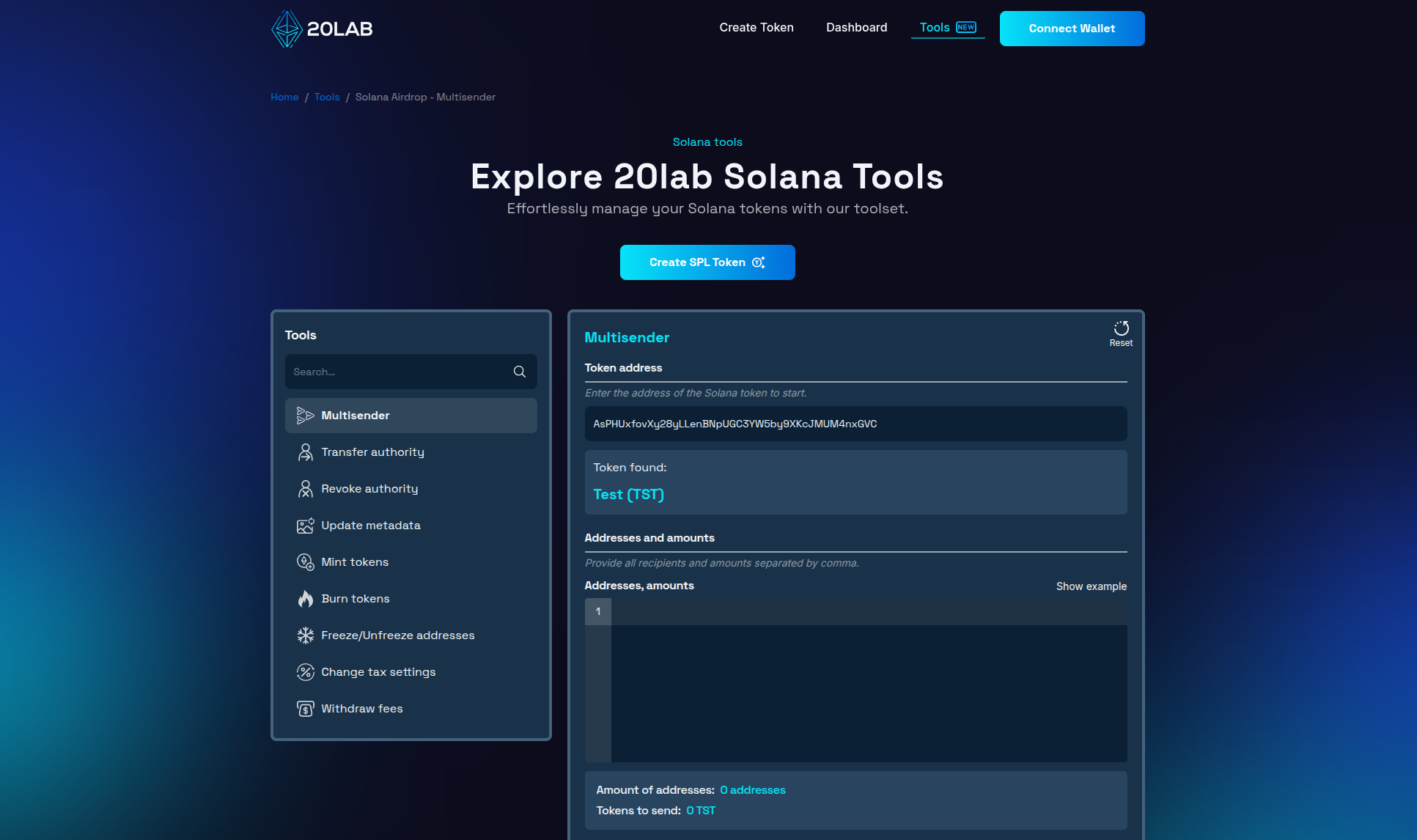
Visit the Solana multisender page and connect your wallet by clicking the "Connect Wallet" button. The platform supports major Solana wallets including Phantom, Solflare, and Backpack.
Step 2: Select Your Token
Once connected, enter the SPL token address you wish to distribute. The tool works with all SPL tokens on the Solana blockchain, including classic SPL tokens, Token-2022 program tokens, and popular tokens like USDC or BONK.
Step 3: Import Recipient Addresses
The multisender tool offers two methods for importing your recipient addresses:
- File Upload - prepare a CSV or TXT file with wallet addresses in the 1st row and token amounts in the 2nd row separated by commas, then upload it. If you are using the "Equal amounts" mode, only addresses are required.
- Text Input - paste your formatted list as "address,amount" or just addresses if you are using "Equal amounts" mode, with each entry on a new line.
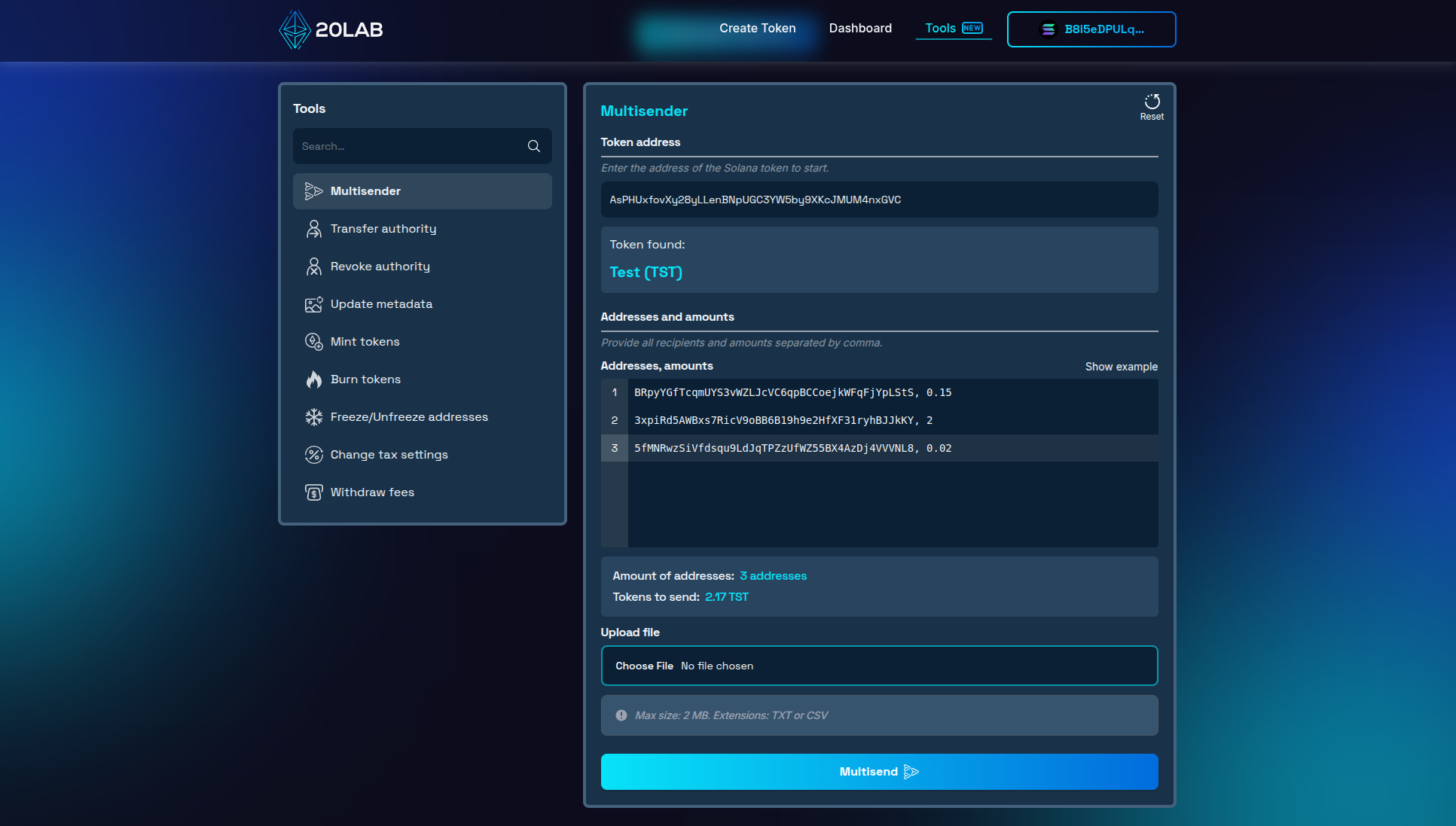
Step 4: Review and Confirm
After clicking "Multisend", the system validates all addresses and displays all fees transparently before you confirm.
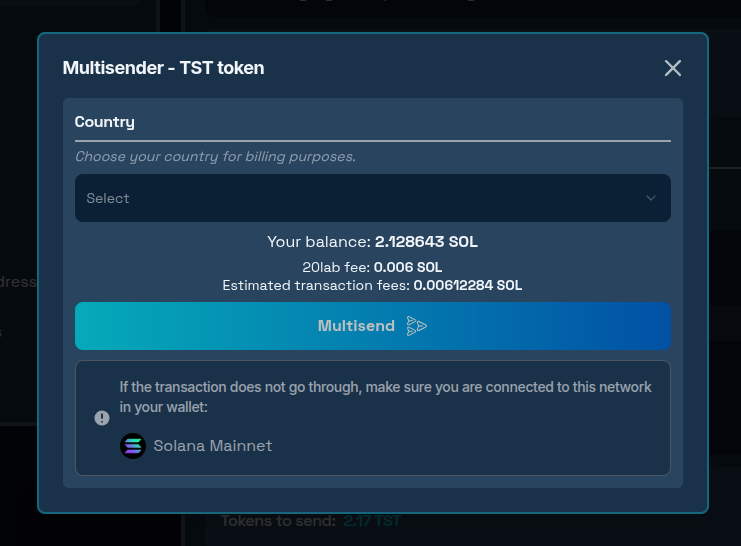
Once you've reviewed the details:
- Click "Multisend" again to initiate the distribution.
- Confirm the transaction in your wallet.
- Monitor the progress through the transaction tracking interface.
For large distributions, the multisender automatically splits recipients into batches. For each Solana airdrop operation there is a 1000 addresses limit, but you can initiate more operations after the previous one completes.
To track progress:
- Click "Check Progress" in the sidebar menu.
- View the status of all transactions.
- Each record shows the transactions and distribution amounts.
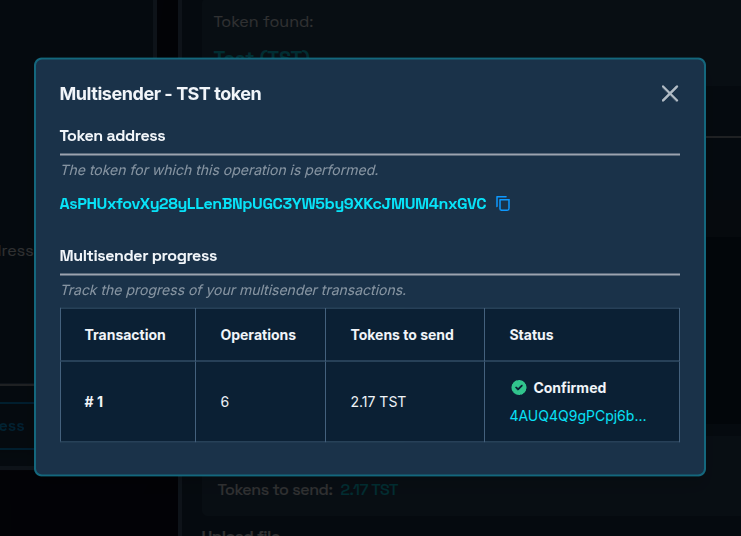
This tracking interface makes it easy to monitor multiple distribution transactions and ensure all token transfers are processed correctly.
Key Steps to Successfully Airdrop Solana Tokens
The processing time for your distribution depends on several factors such as: number of recipients (larger batches are processed sequentially), current Solana network congestion and Solana token type (standard SPL tokens typically process faster)
Under normal conditions, each batch completes in approximately 10-15 seconds. You can watch the progress in real-time through the transaction tracking window.
If a transaction fails:
- Only the specific failed batch is affected,
- Other batches continue processing,
- You can retry failed batches later.
Common reasons for failure include insufficient token balance, not enough SOL for fees or tokens with the non-transferable extension. Frozen recipient addresses will be automatically skipped by the multisender tool.
The Solana multisender tool involves network fees (standard Solana transaction fees) and service fees (based on the number of operations). Despite these fees, the multisender significantly reduces total costs compared to individual transfers.
Conclusion
The 20lab airdrop tool transforms what could be a tedious, expensive process into a streamlined operation. By batching token transfers, you can efficiently distribute tokens to your community while saving time and network fees.
Whether you're creating a new meme coin project on Solana, rewarding loyal community members, or paying contributors, this tool simplifies token management on the Solana blockchain.
Ready to distribute your tokens? Explore our Solana tools today and experience the convenience of batch token sending on Solana! If you have questions about using Solana tools, don't hesitate to reach out to us via our Telegram channel.


