
How Solana Is Revolutionizing the Scalability and Efficiency of Blockchain Projects
Solana stands out for its impressive set of features. Its high throughput allows it to process thousands of transactions per second, making it one of the fastest blockchains in the industry. This speed is complemented by extremely low transaction costs, typically a fraction of a cent, making Solana accessible to a wide range of applications and users. The platform achieves this performance through its unique Proof of Stake mechanism, called Proof of History (PoH), which helps maintain both high speed and low cost.
Beyond its technical capabilities, Solana has a rich ecosystem supporting a wide range of decentralized applications, including DeFi protocols, NFT marketplaces, and Web3 games. For developers, Solana offers a friendly environment with support for multiple programming languages and a growing suite of developer tools aimed at making blockchain development more accessible and efficient.
In addition to its core features, Solana introduces the concept of SPL tokens (Solana Program Library tokens). These are Solana's equivalent to Ethereum's ERC-20 tokens, providing a standardized way to create and manage fungible and non-fungible tokens on the Solana blockchain. SPL tokens allow developers to easily create custom cryptocurrencies, stablecoins or tokenized assets with minimal overhead.
This flexibility, combined with Solana's high performance and low costs, makes it an attractive platform for token-based projects, from decentralized finance applications to loyalty programs and beyond. Whether you're looking to launch a new cryptocurrency or tokenize real-world assets, Solana's SPL token standard offers a powerful and efficient solution.
How to create your own Solana token
Creating your own token on Solana has never been easier, thanks to generator platforms like 20lab.app. This user-friendly token generator simplifies the process so that even those with zero or minimal coding experience can launch their own Solana tokens. Here's how to get started:
Choose a token type
20lab.app allows users to create ERC-20, SPL, and Sui tokens. ERC-20 is the token standard for Ethereum-like blockchains, SPL is used on Solana, and Sui tokens operate on the Sui blockchain. The choice between these standards often depends on the specific needs of your project, its target audience, and which blockchain ecosystem you want to participate in.
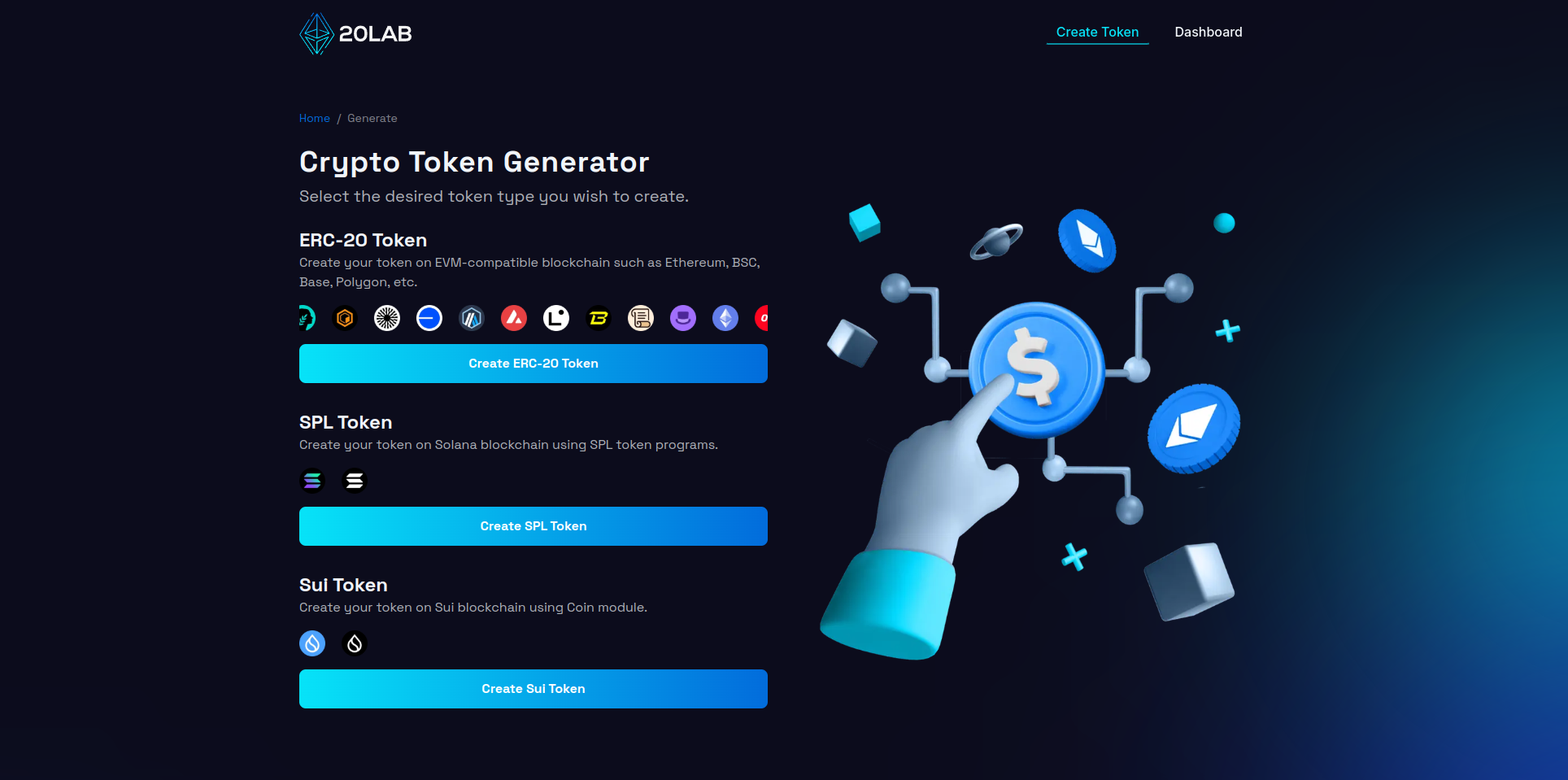
Click on the "Create SPL Token" to proceed to the Solana token generator.
Connect your wallet
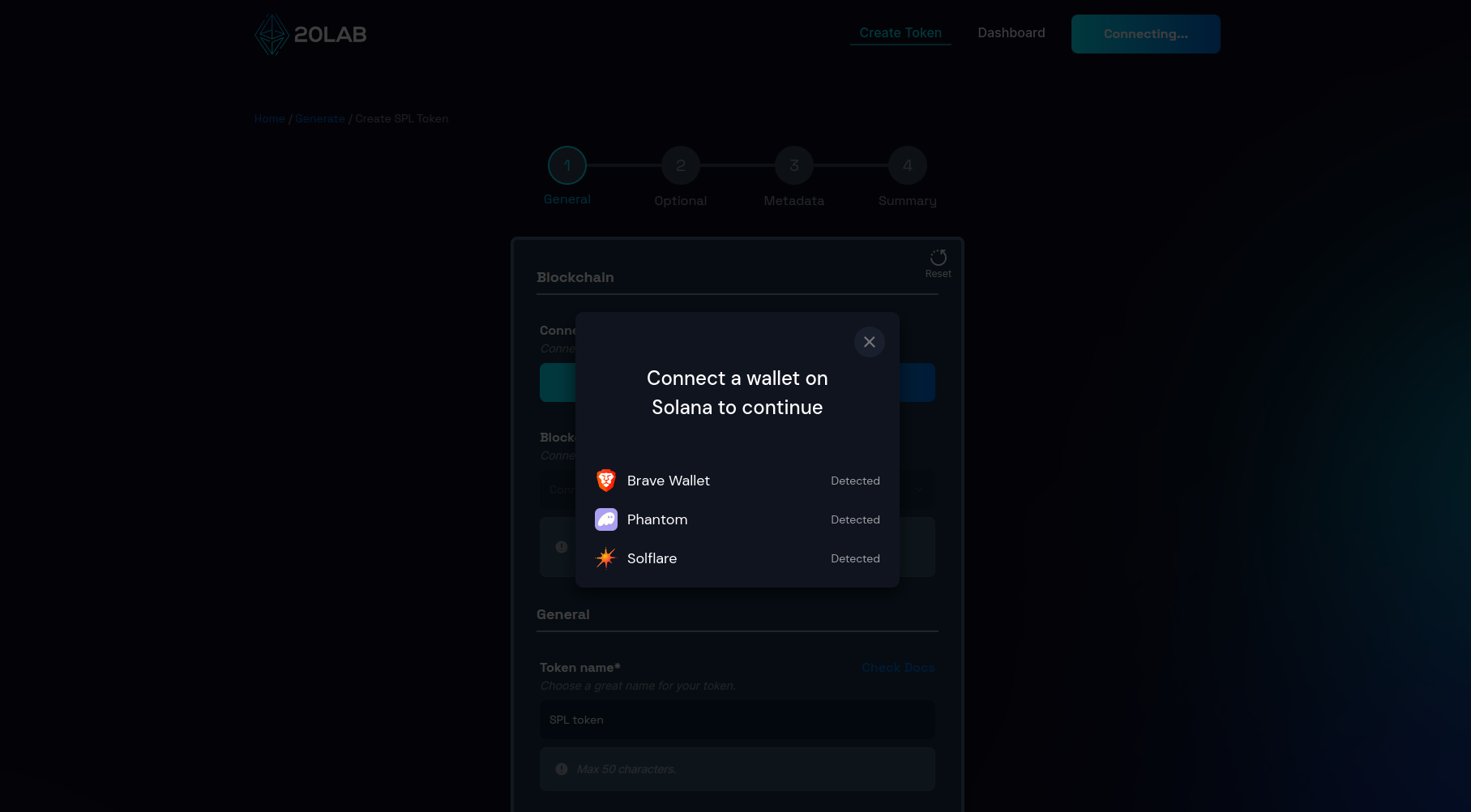
To interact with most blockchain platforms, including token generators, you'll need to connect to a Solana wallet. Popular wallets include: Phantom, Solflare, and many other options. Note that not every web3 wallet supports the Solana blockchain, as EVM (Ethereum-like) blockchains and Solana are completely different. If your wallet supports it, you should not encounter any errors and you should be able to connect it easily.
To connect your wallet on 20lab.app, just click the "Connect Wallet" button. You will see a window that will guide you through all the steps. This includes approving the connection request in your wallet app.
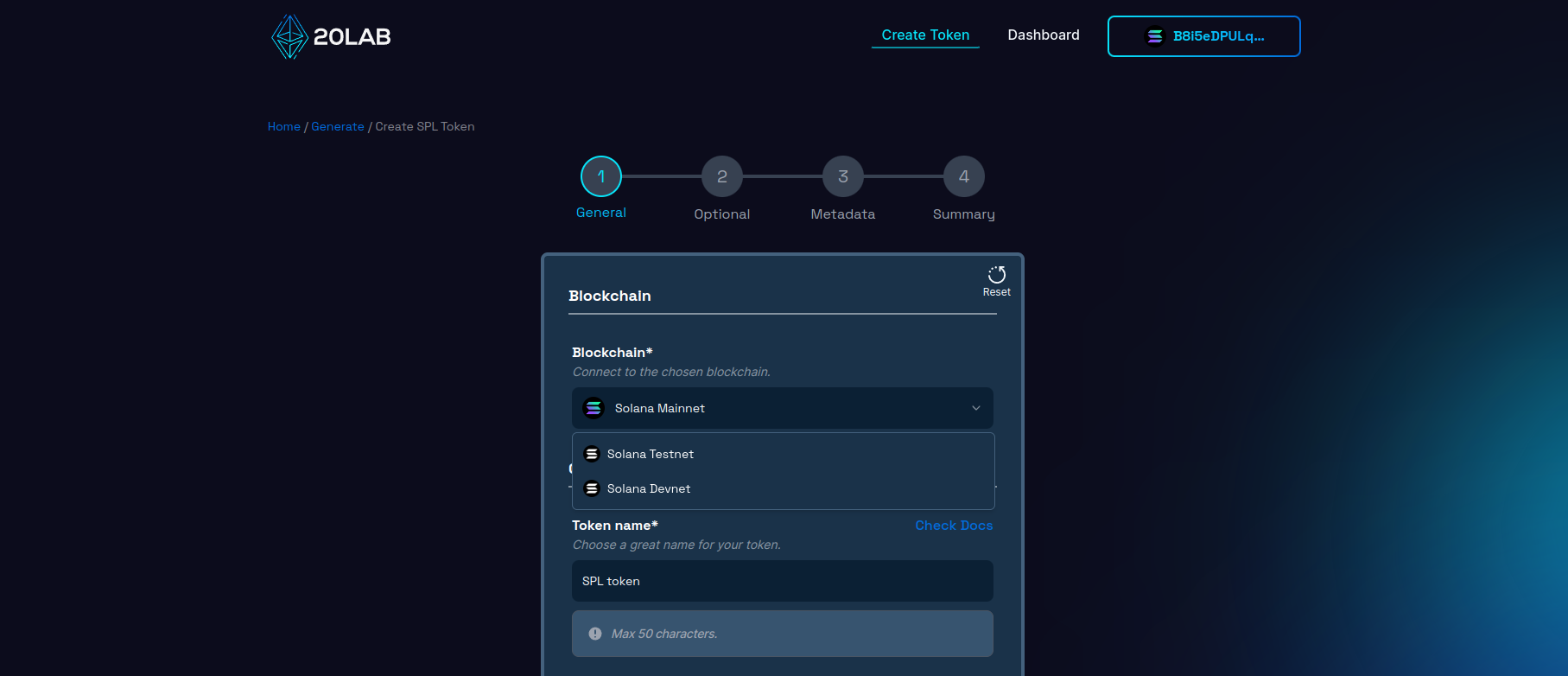
After successful connection, you may be automatically connected to a blockchain other than Solana Mainnet, especially if you have enabled developer settings in your wallet. To change this, click on the blockchain drop-down list and find the right Solana network. After switching, you will also need to check whether your wallet is connected to the same network, as many Solana wallets do not yet support this type of synchronization.
If you are not ready for a Mainnet deployment or just want to test everything first, you can create your Solana token for free on Solana Testnet or Solana Devnet with no additional fees on top of the transaction fee.
Add general token information
The next part is to choose the most important characteristics of your token, which we can all agree are the token name and symbol.
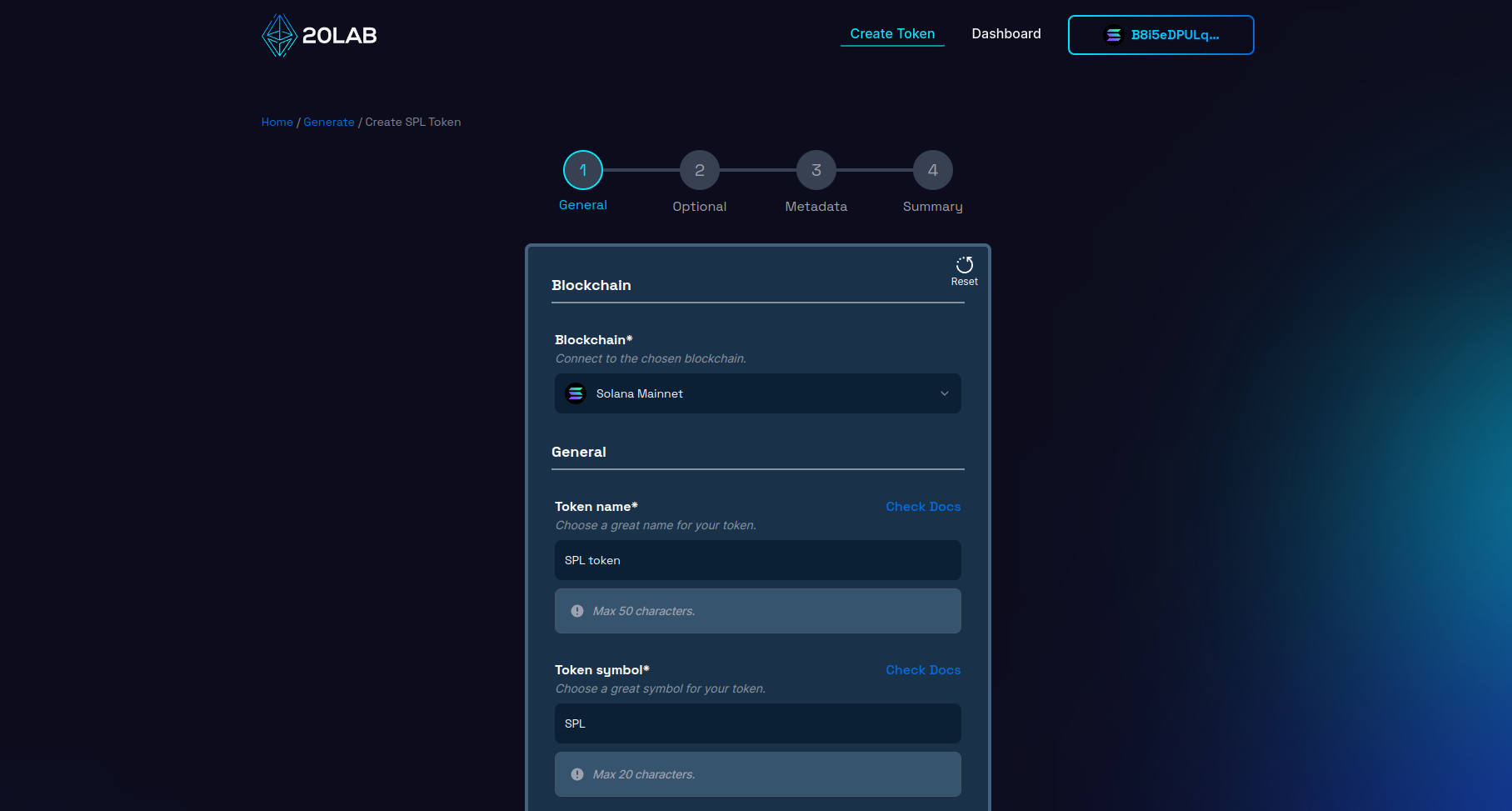
You are free to choose any name and symbol, but it is recommended to use unique ones that won't collide with already existing tokens. To check this, you can search popular cryptocurrency listing sites and see if similar tokens already exist, these sites are eg: CoinMarketCap or CoinGecko.
Other very important specifications of your token are: Initial supply and Decimals.
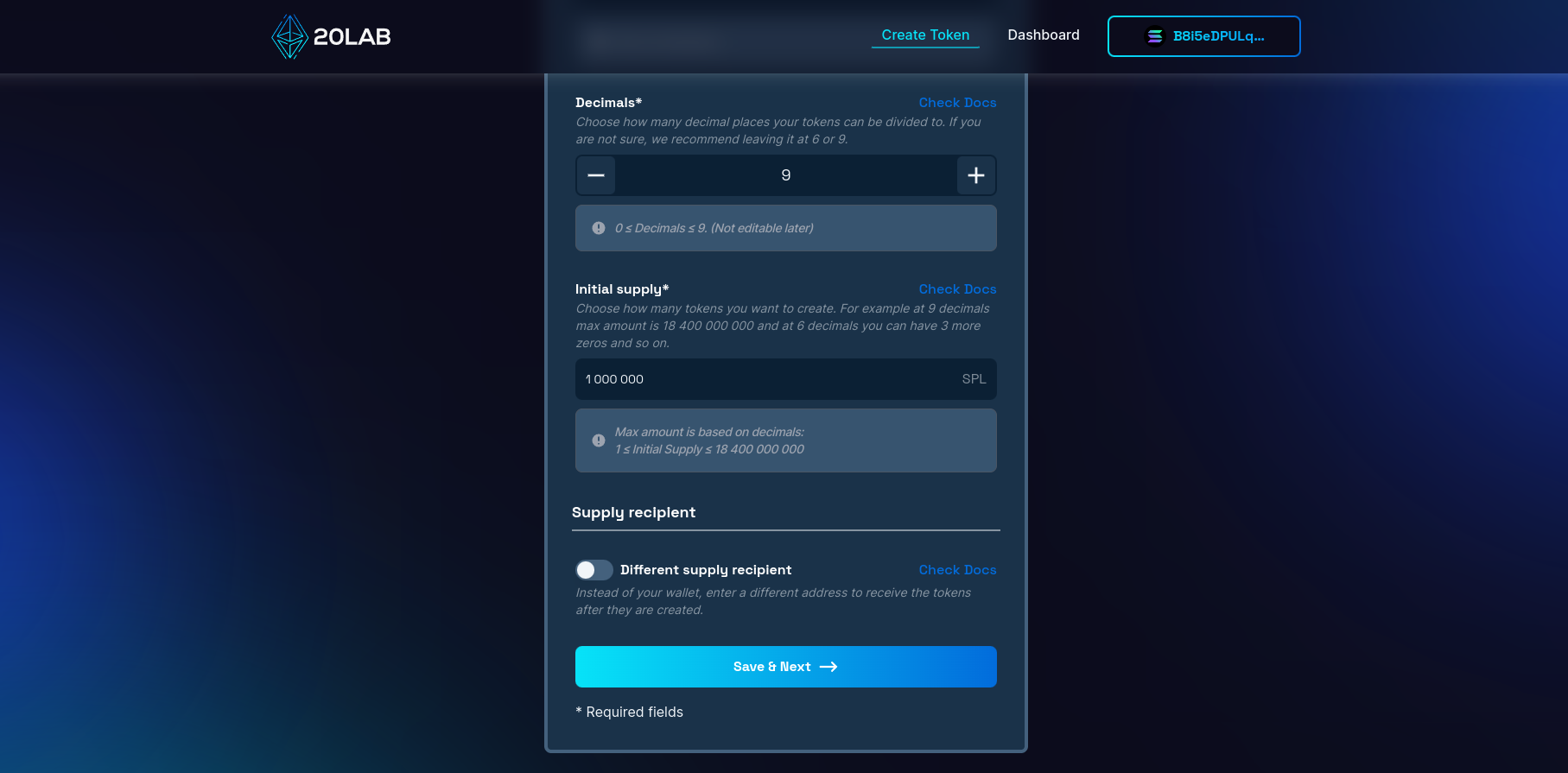
The initial supply of your Solana token is how many tokens are created at the start. Normally, you will not be able to create more tokens after deployment unless you choose to enable the mintable feature.
Decimals is how many decimal places your token can be divided into. For example, if you want to have 0.01 as your smallest unit like USD or EUR, then you should choose 2 decimals. For Solana, most tokens choose to have 9 or 6 decimals and this is actually the most popular value so your token's data will be displayed correctly in all places.
In addition, since Solana uses smaller variables to store balance data, the larger the supply you want to have, the fewer decimal places you can choose. On 20lab.app you will automatically see how decimals affect the initial supply limit.
For Solana tokens, you can also customize which wallet should receive the above initial supply. By default, your connected wallet will receive all after token creation, but you are free to configure this option according to your specific needs.
Let's click "Save & Next" to proceed further.
Select optional features
In the next section you will be able to choose popular features of Solana tokens, which include:
Choosing them depends only on the needs of your project. In 20lab we've taken care to make their configuration as easy as possible.
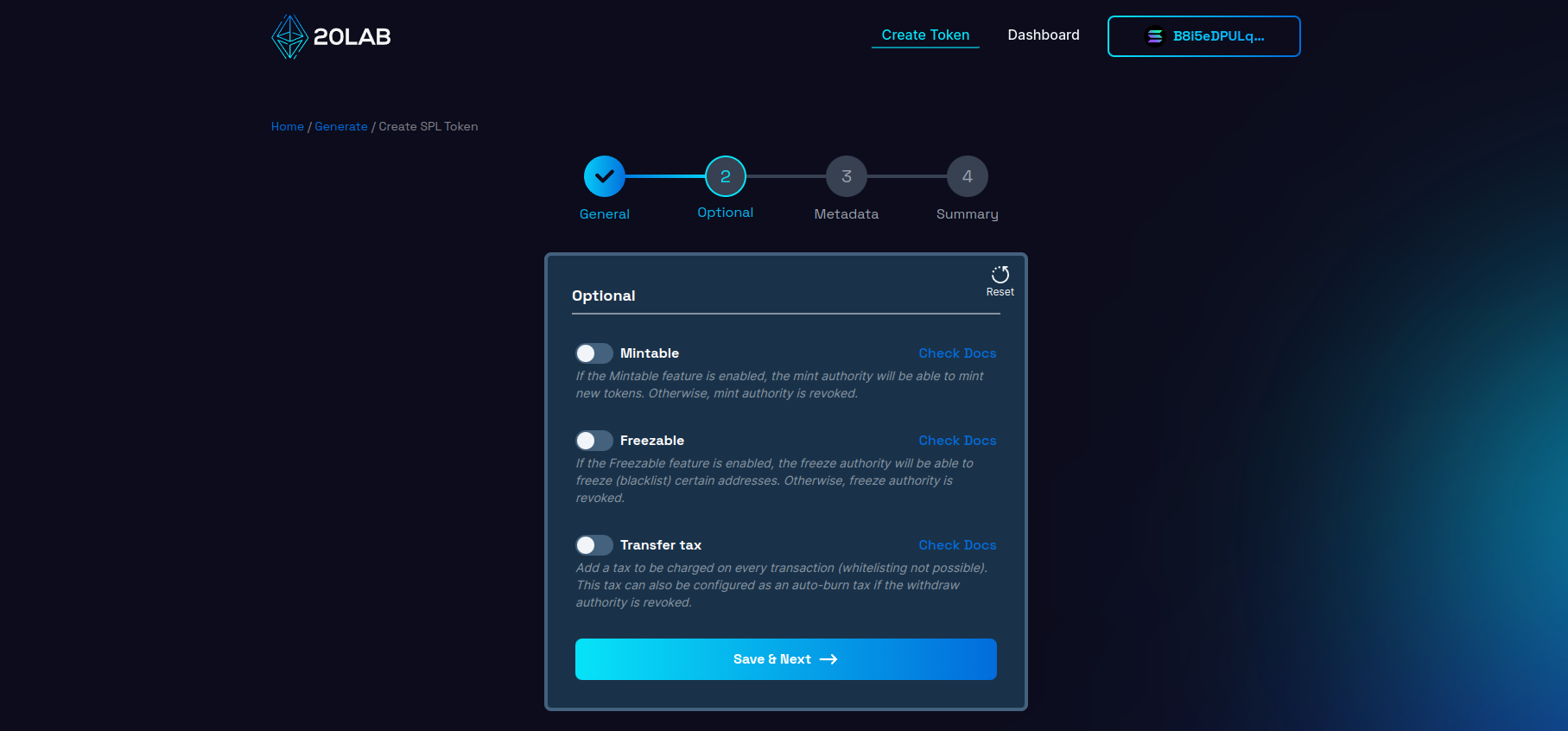
I'm going to enable the mintable feature for my token. This will allow my "Mint authority" wallet to create more tokens whenever I want. This feature can also be disabled at any time by revoking mint authority.
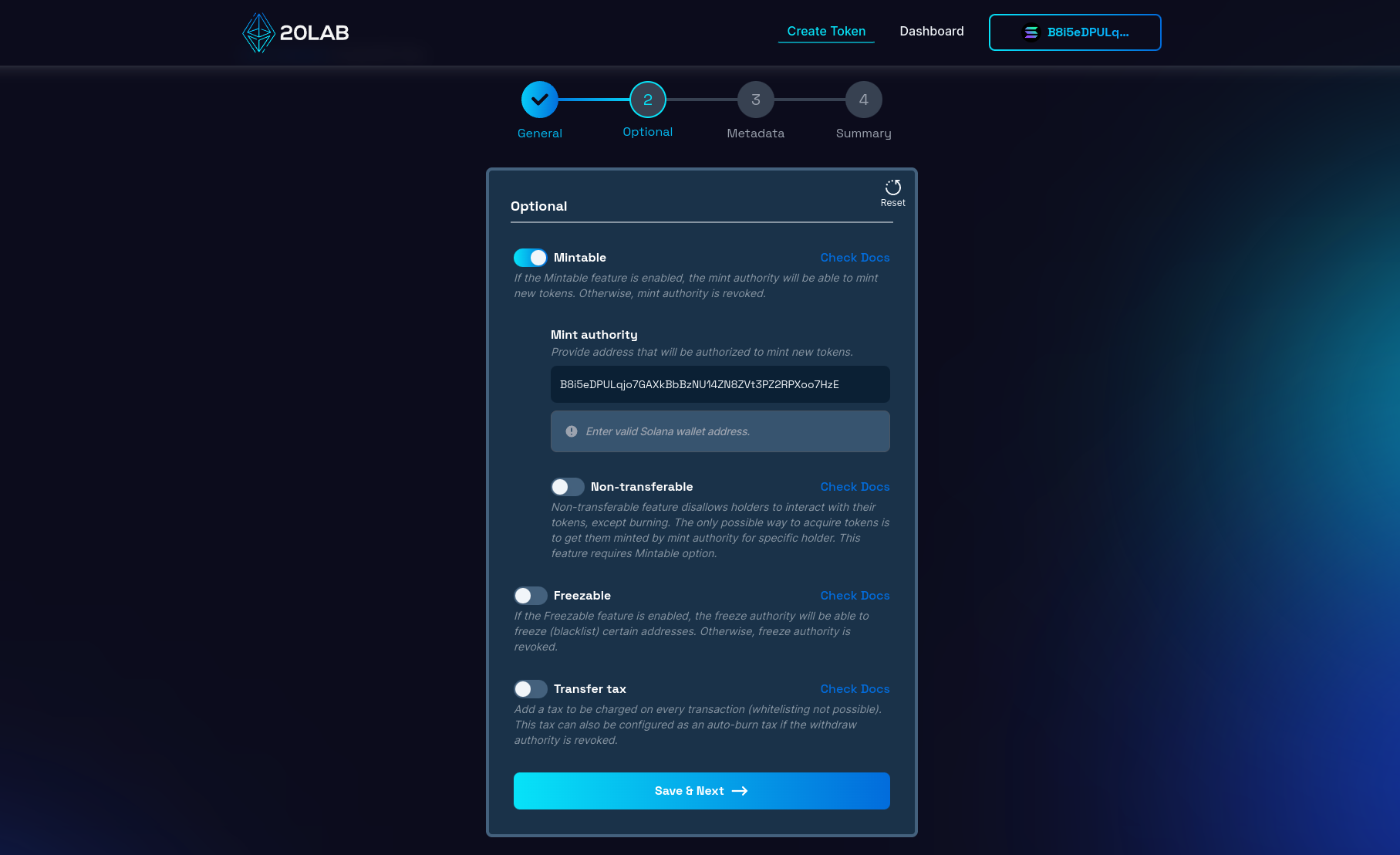
Adding metadata
Tokens on Solana support adding metadata directly to your token and displaying this information publicly. In the metadata you can store many things related to your project, such as:
- Name and symbol
- Logo
- Description
- Website & social links
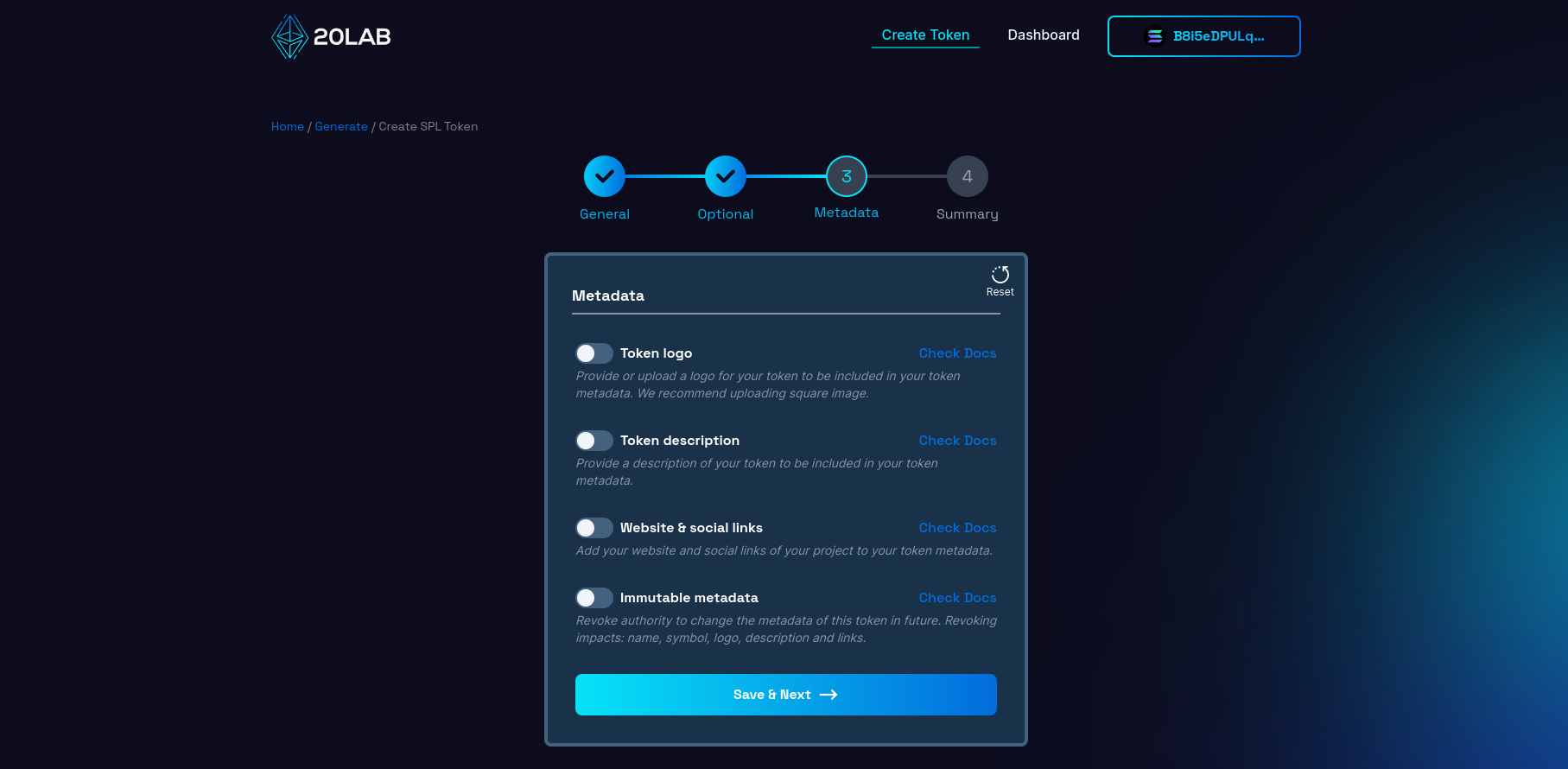
As shown in the image above, you can easily choose which fields to include or skip. Also, if you enable the "Immutable metadata" option, you will not be able to change them after your token is created.
Summary and deployment
Let's go to the last page called "Summary". Here you can see all the features, values and information about your token before you create it. It's a good place to double-check that everything is correct, because once something is put on the blockchain, it usually can't be removed and will stay there forever.
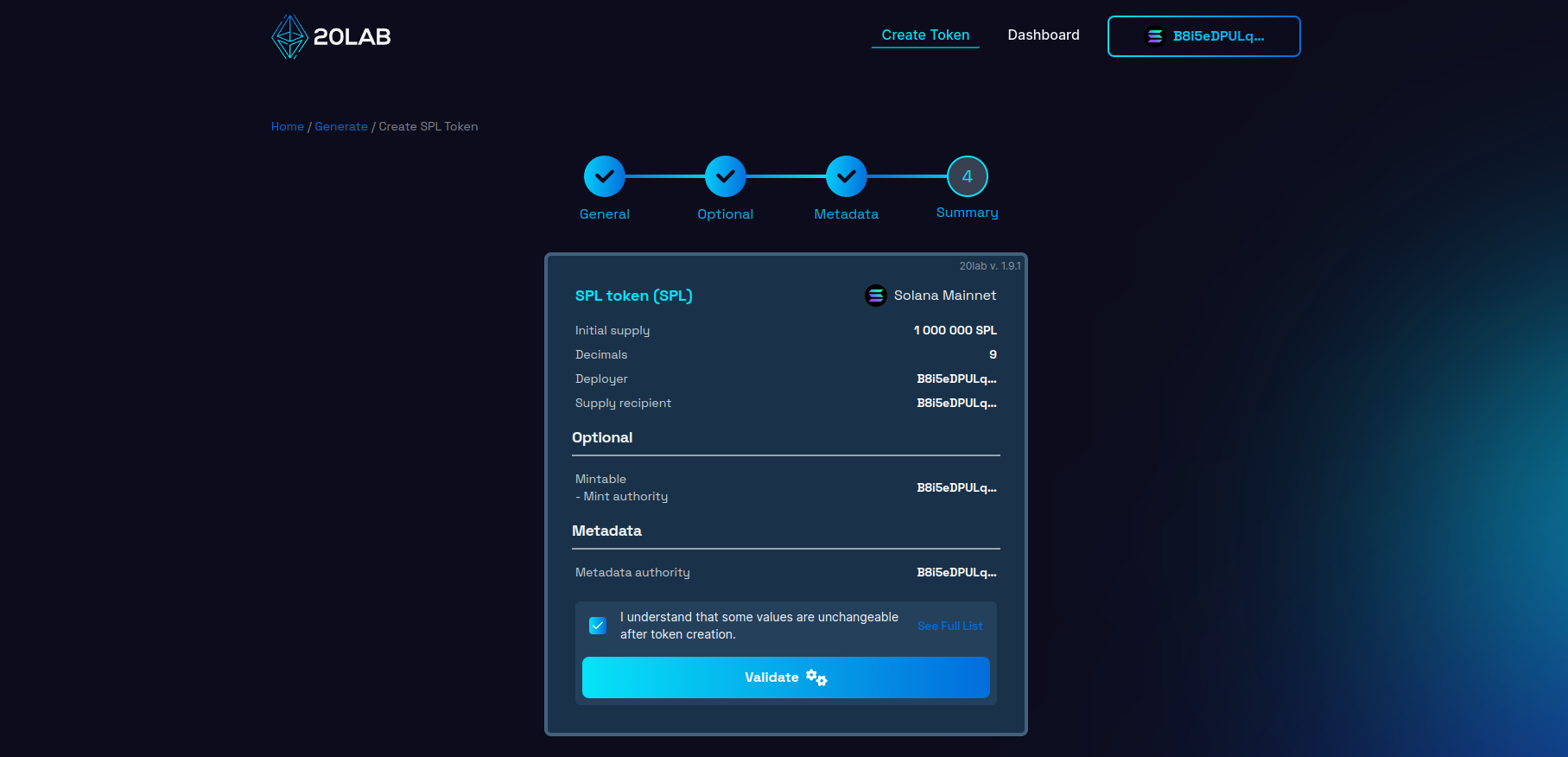
If all seems right, click on "Validate" for the deployment window to appear.
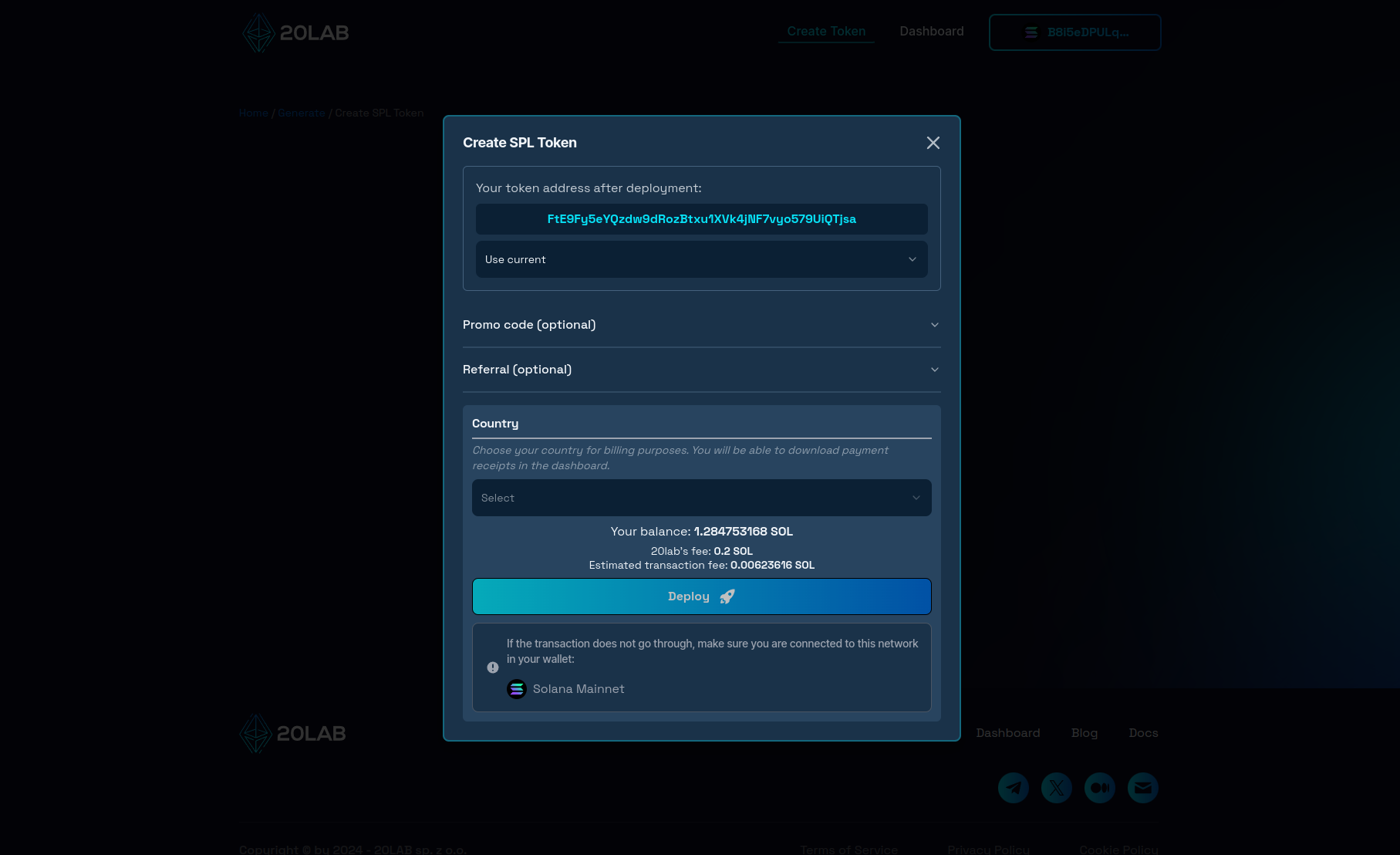
This window is a final step in the token creation process. Here you can see what your token address will be after generation and customize it by searching for a desired prefix, for example. The only thing left is to click "Deploy", confirm the transaction in your wallet and wait a few seconds until your token is officially live on the Solana blockchain!
How to Manage Functions of Your Solana Token
After successful creation, you can go ahead and open the dashboard page of your token. Dashboard allows to view all the token data in a user-friendly way.
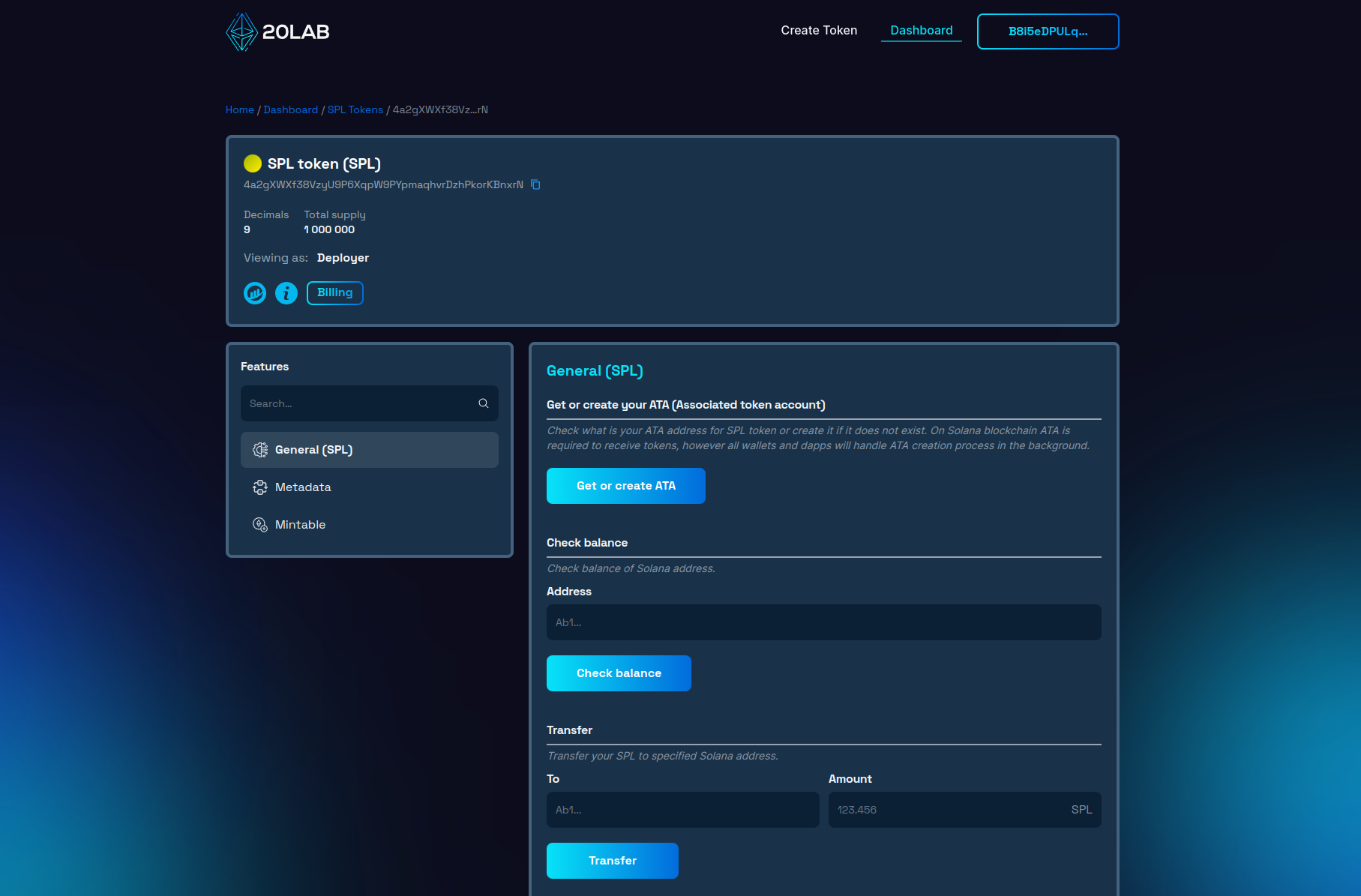
For a token with the above configuration, we have 3 function categories available:
- "General" contains functions that are common to all Solana tokens.
- In "Metadata" are functions that allow you to change all fields in your metadata and also change the metadata authority.
- In "Mintable" you can easily mint new tokens to a specified address and manage your mint authority.
Conclusion
Creating Solana token has never been more accessible than it is today, thanks to platforms like 20lab.app. Gone are the days when launching a token required extensive coding skills or hiring a blockchain developer. With 20lab's intuitive interface, anyone can design and launch their own ERC-20, SPL or Sui token in minutes, and then easily manage all of its features.
Whether you're starting a new project or experimenting with blockchain technology, 20lab simplifies the process so you can focus on the utility and potential impact of your token, rather than its technical implementation.
If you have any questions, we are happy to assist you. Join our Telegram channel.


