
In the world of blockchain technology, Solana has emerged as a powerful platform for creating and managing digital assets. One of the most popular token standards on Solana is the SPL (Solana Program Library) token, which offers a number of features to enhance functionality and security. Among these features, the ability to create a freezable SPL token stands out as a critical option for many token projects.
Whether you're a veteran developer or new to the Solana ecosystem, understanding how to create a freezable SPL token can be a game-changer for your project. This comprehensive guide will walk you through the process of creating a freezable Solana token, exploring the intricacies of freeze authority and discussing its implications for both token creators and holders.
NOTE: If you already have an SPL token created, check out our guide on using the Solana Freeze address tool to easily freeze and unfreeze addresses in your existing token.
What are Freezable Tokens?
Freezable tokens are a specialized type of digital asset that incorporate a unique security feature known as "freeze authority". In the context of Solana and SPL tokens, this feature allows the token creator or a designated authority to temporarily restrict the transfer of tokens from specific wallet addresses.
Freezable tokens operate on several key principles. At the core is the concept of freeze authority, which is a special permission assigned to an address, typically controlled by the token creator. This authority has the power to freeze and unfreeze token transfers for specific wallets. The freezing mechanism is selective, allowing for precise control over token movements by targeting individual wallet addresses. When an address is frozen, it cannot transfer its own tokens and receive tokens until the freeze authority unfreezes it. In the Solana ecosystem, freezable tokens are implemented as part of the SPL token standard, ensuring compatibility with the broader Solana infrastructure.
The applications for freezable tokens are diverse and significant. As a security measure, the ability to freeze addresses can prevent unauthorized token transfers in case of suspicious activity or potential hacks. Some jurisdictions require the ability to freeze assets, making this feature crucial for regulatory compliance. Token creators can also use freezable tokens to implement vesting schedules, where tokens are gradually released over time. In certain DAO structures, freezing capabilities can be integrated into governance mechanisms, adding another layer of control and security.
When creating an SPL token on Solana with freeze authority, token creators must consider several important factors. Many decentralized exchanges require that freeze authority is revoked before a token is listed, or will display a notice that the token has freeze authority that has not yet been revoked. This requirement ensures that no single entity can manipulate token transfers on their platform, thus maintaining the integrity of trading.
While freeze authority can enhance security, it also introduces an element of centralization. To maintain community trust, token creators should be transparent about the existence and intended use of this feature. It's also important to understand that some actions related to freeze authority, such as complete revocation, cannot be undone. These permanent decisions require careful consideration before implementation.
How to Create Your Freezable Token on Solana
Creating a freezable SPL token on Solana has never been easier, thanks to 20lab's user-friendly SPL token generator. This powerful tool simplifies the process, allowing you to launch your own freezable token without extensive technical knowledge. Let's walk through the steps to create your SPL token using 20lab.
Step 1: Choose Token Type and Connect Wallet
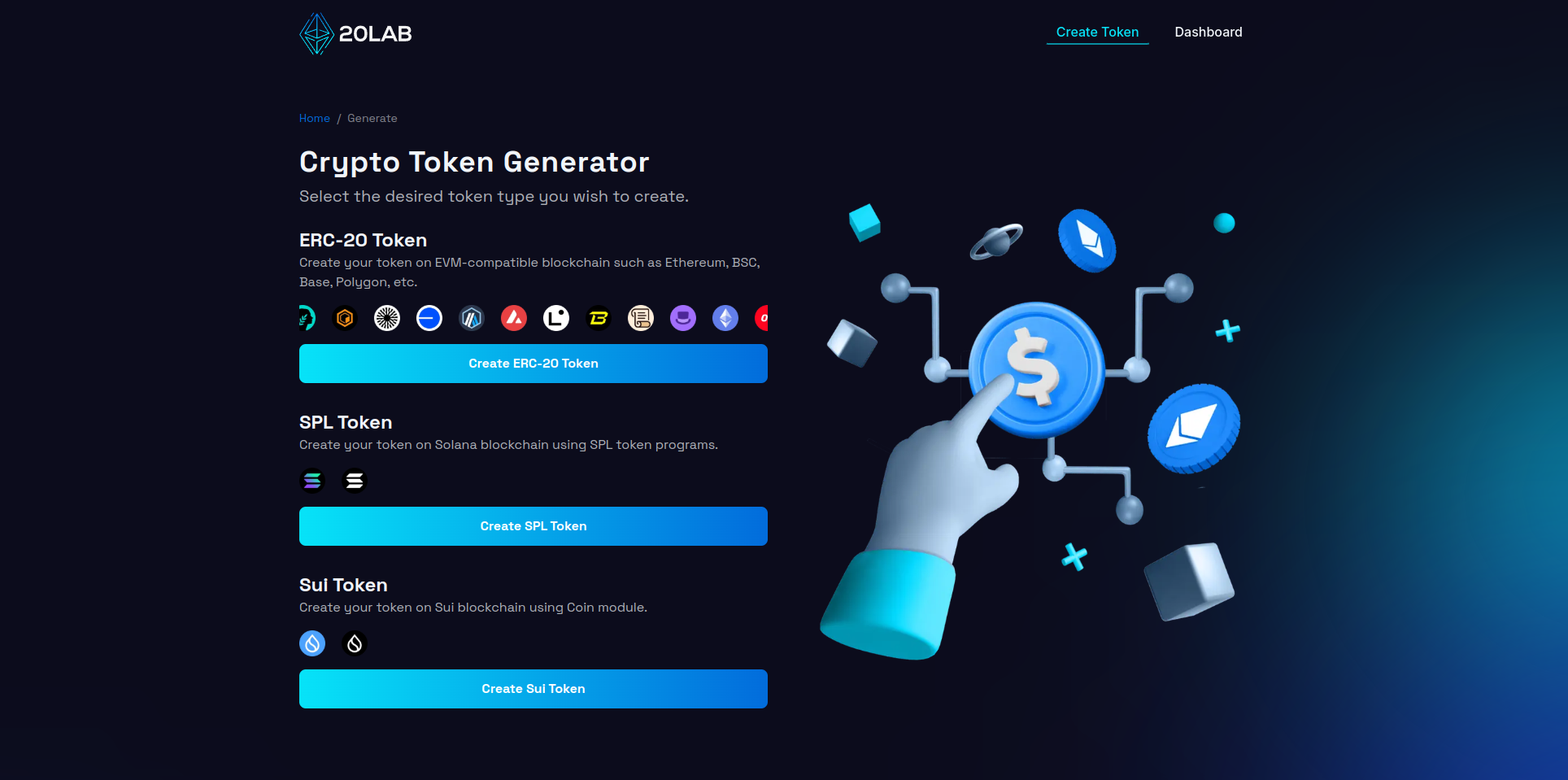
To begin creating your SPL token, first visit 20lab.app in your web browser. Open the app and navigate to the "Create SPL Token" option, which will take you to the token generator page.
Once there, you'll need to connect your Solana wallet. Click on the "Connect Wallet" button and select your preferred wallet from the options provided, which include popular choices like Phantom, Solflare, or Backpack. Follow your wallet's instructions to authorize the connection. Once you've successfully connected, you'll see your wallet address in the top right corner of the page.
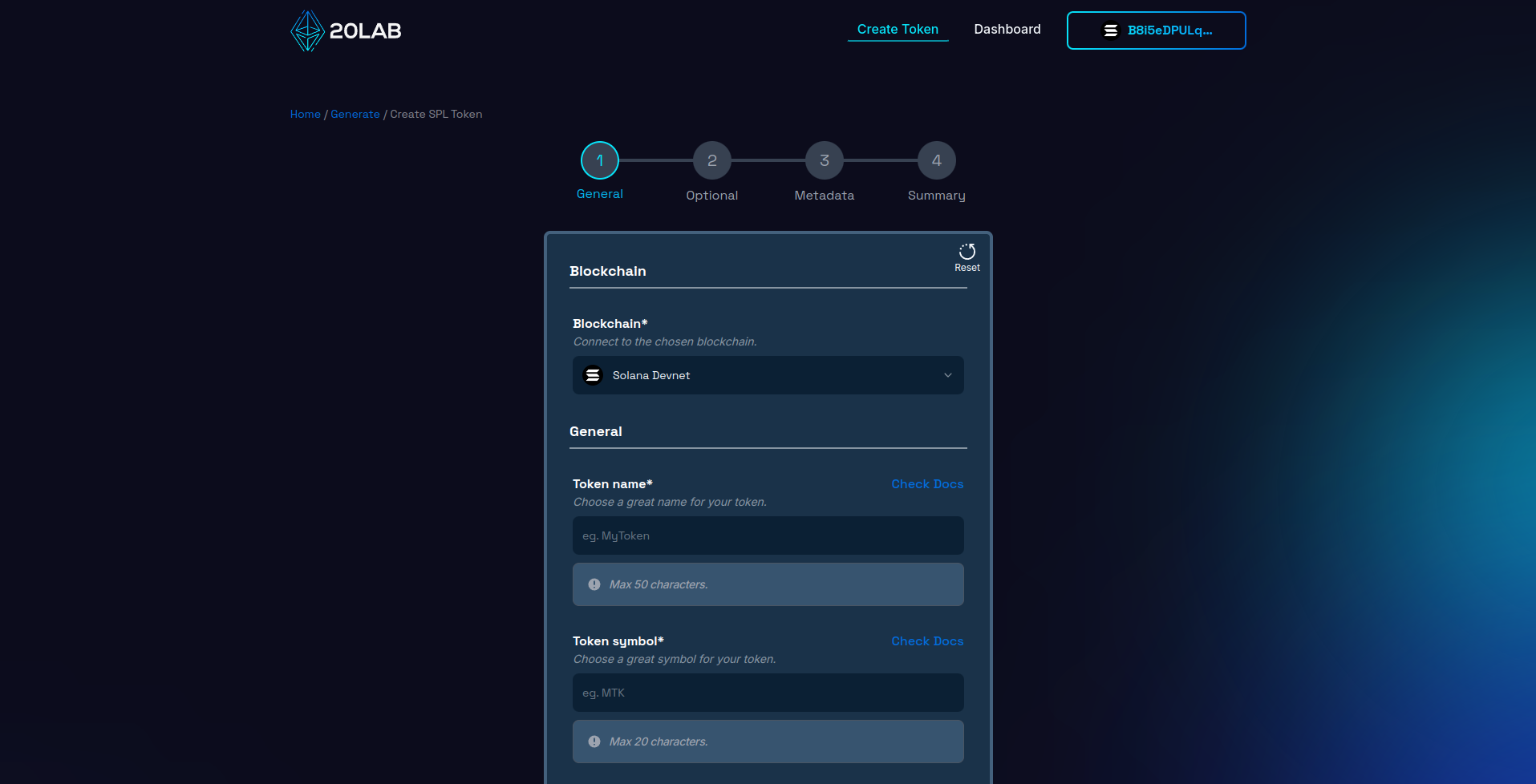
Next, make sure you're connected to the appropriate Solana network. You can choose between Mainnet, Testnet or Devnet, depending on the current stage of your project and your needs. Use Mainnet to launch your actual token, or Testnet/Devnet for testing and development purposes. Make sure that the blockchain in your wallet matches the one selected on the 20lab interface, as at the time of writing, many Solana wallets don't support this type of synchronization.
Step 2: Add General Token Information
Configuring your freezable SPL (Solana) token is a crucial step in defining its core attributes. Begin by entering a unique, descriptive name for your token and creating a short, memorable symbol. It's advisable to research existing Solana tokens to ensure your choice stands out within the ecosystem.
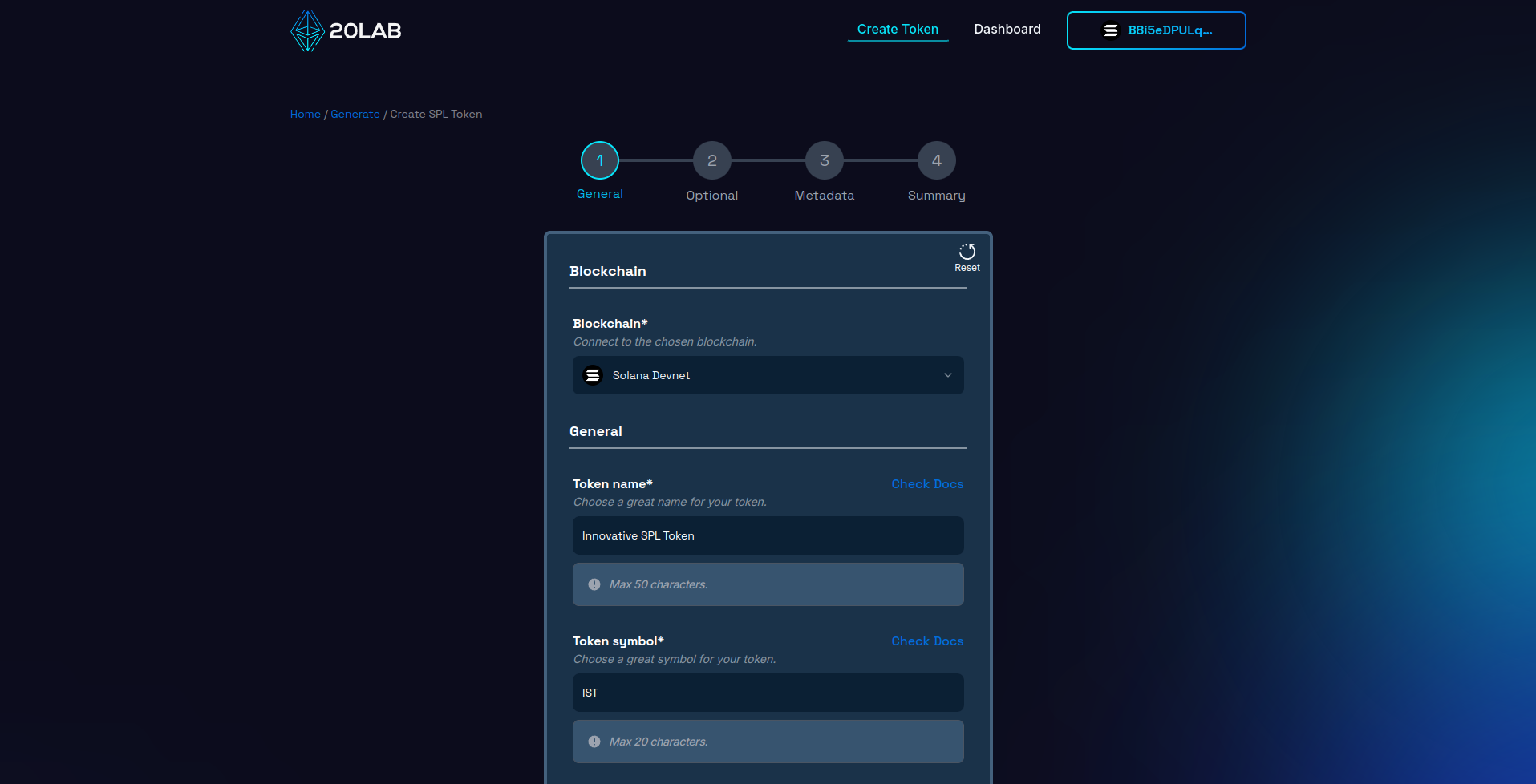
Next, determine the total supply of your token. For freezable tokens, it's important to consider this amount carefully, as it may not be easy to change later. The total supply should be in line with your project's goals and tokenomics. For example, you might choose a supply of 1,000,000 tokens if you want a relatively scarce asset, or a larger amount if you plan on wider distribution.
When it comes to decimals, SPL tokens typically use 6 or 9 decimal places, which matches the divisibility of SOL. This allows for micro-transactions and precise token allocation, which is essential for various use cases within the Solana ecosystem. Since Solana uses a smaller variable size to store balance data, choosing a smaller decimal also allows for a larger overall supply, which can be beneficial for your freezable token distribution strategy.
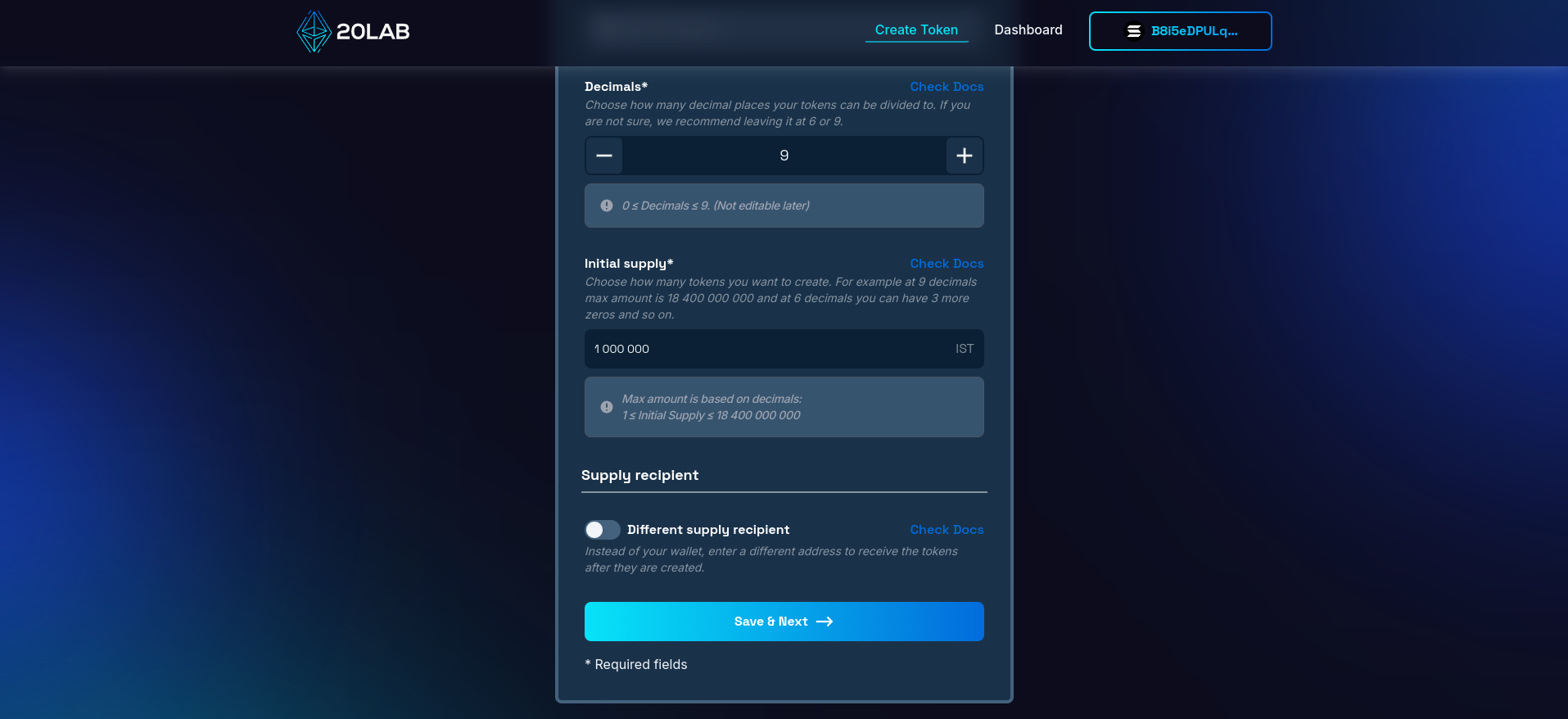
An important decision is choosing which wallet will receive the initial supply. This supply recipient will hold all tokens at launch, but will have no other permissions unless directly assigned later. You can use your personal wallet or a dedicated project wallet. For freezable tokens, it's important to consider the implications of this choice, as the initial holder may also be granted freeze authority.
Step 3: Enable Freezable Option
On the 20lab token creation form, navigate to the next section. There you'll find an option called "Freezable". This is an important setting for creating a token with enhanced security and compliance features:
- When you enable the Freezable option, you're creating a token that can freeze certain wallet addresses in the future, preventing them from transferring tokens. A freeze authority is assigned to a specific wallet.
- If you leave this option unchecked, your token will not have the ability to freeze addresses, and the freeze authority will be revoked by default.
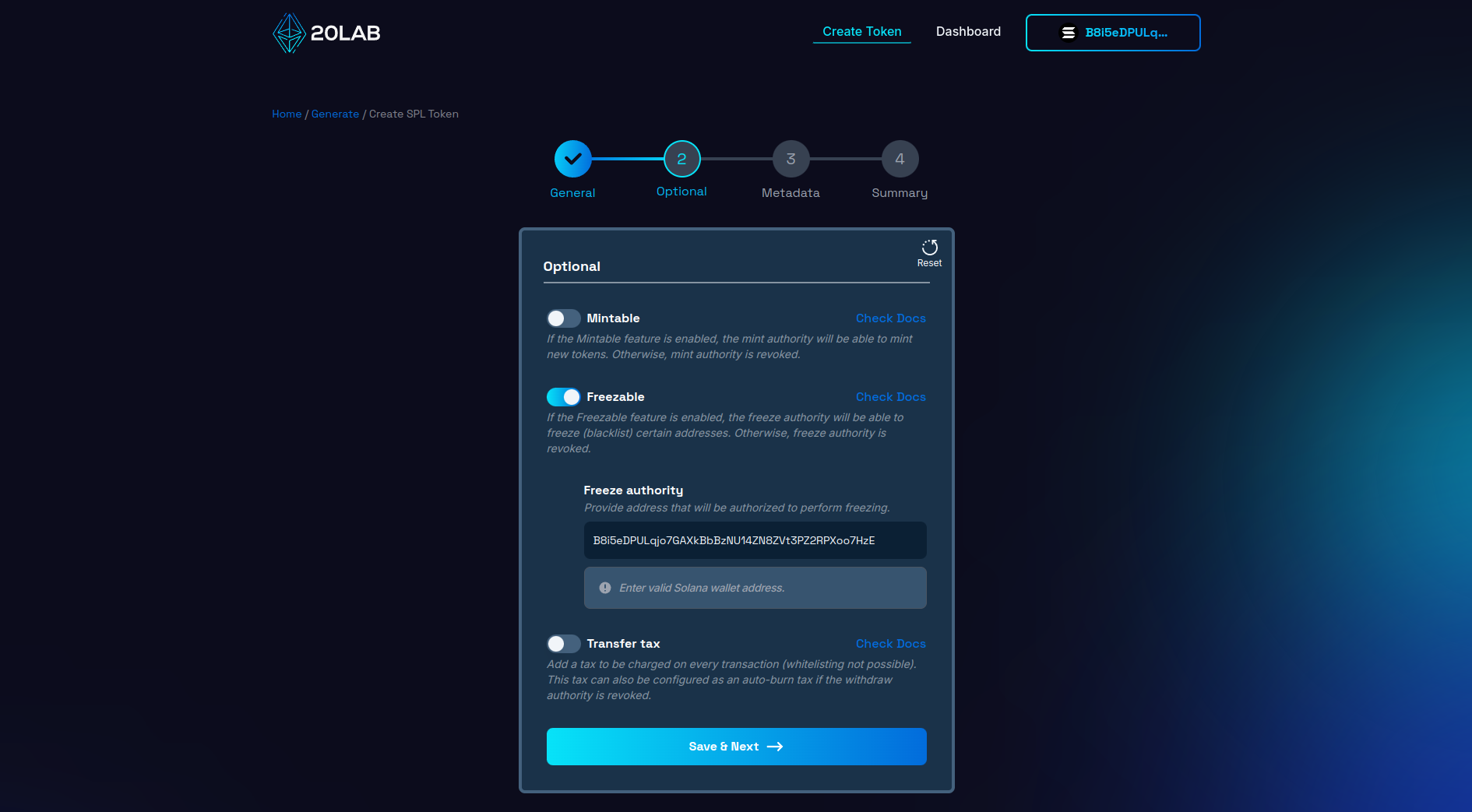
Remember, the ability to freeze addresses is a powerful feature that should be used responsibly. Excessive or arbitrary freezes can lead to mistrust among token holders and potentially impact the usability of your token. It's important to have a clear policy on when and how to use the freeze feature and communicate this transparently to your token holders.
Step 4: Review and Deploy
As you reach the final step of creating your freezable SPL token, take a moment to carefully review all of the settings on the "Summary" page. This crucial step serves as your final checkpoint before deployment. Review each detail to ensure accuracy and alignment with your project goals.
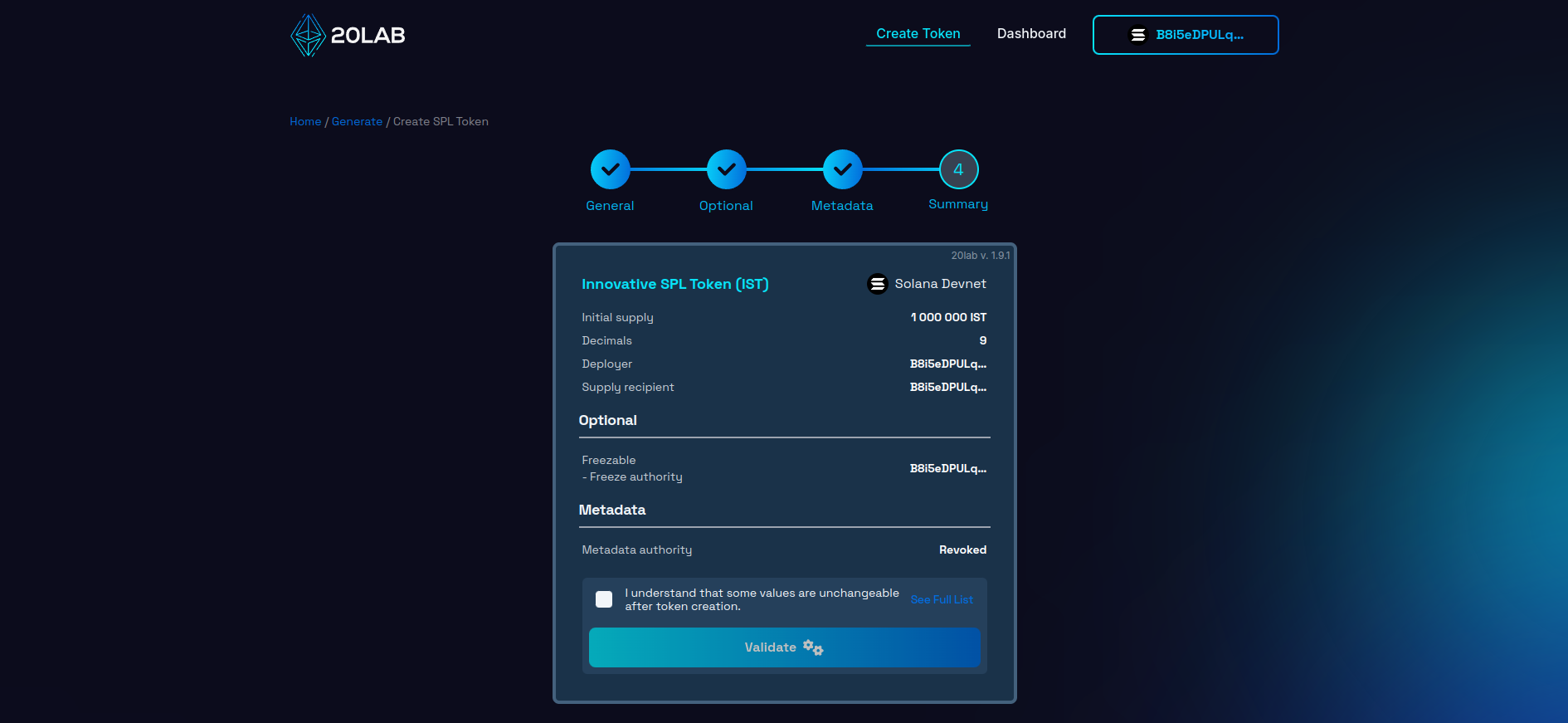
After completing a thorough review, click the "Validate" button to begin deployment. This action triggers a final validation, an important safeguard that can identify any technical issues before your token is committed to the Solana blockchain.
If everything is in order, you're ready to launch your token. Confirm the action and your connected Solana wallet will prompt you to approve the transaction. This approval is the final step in creating your freezable SPL token on the Solana blockchain.
Remember, once created, many of these parameters cannot be changed. Your careful attention during this review process will ensure that your token enters the Solana ecosystem exactly as you intended.
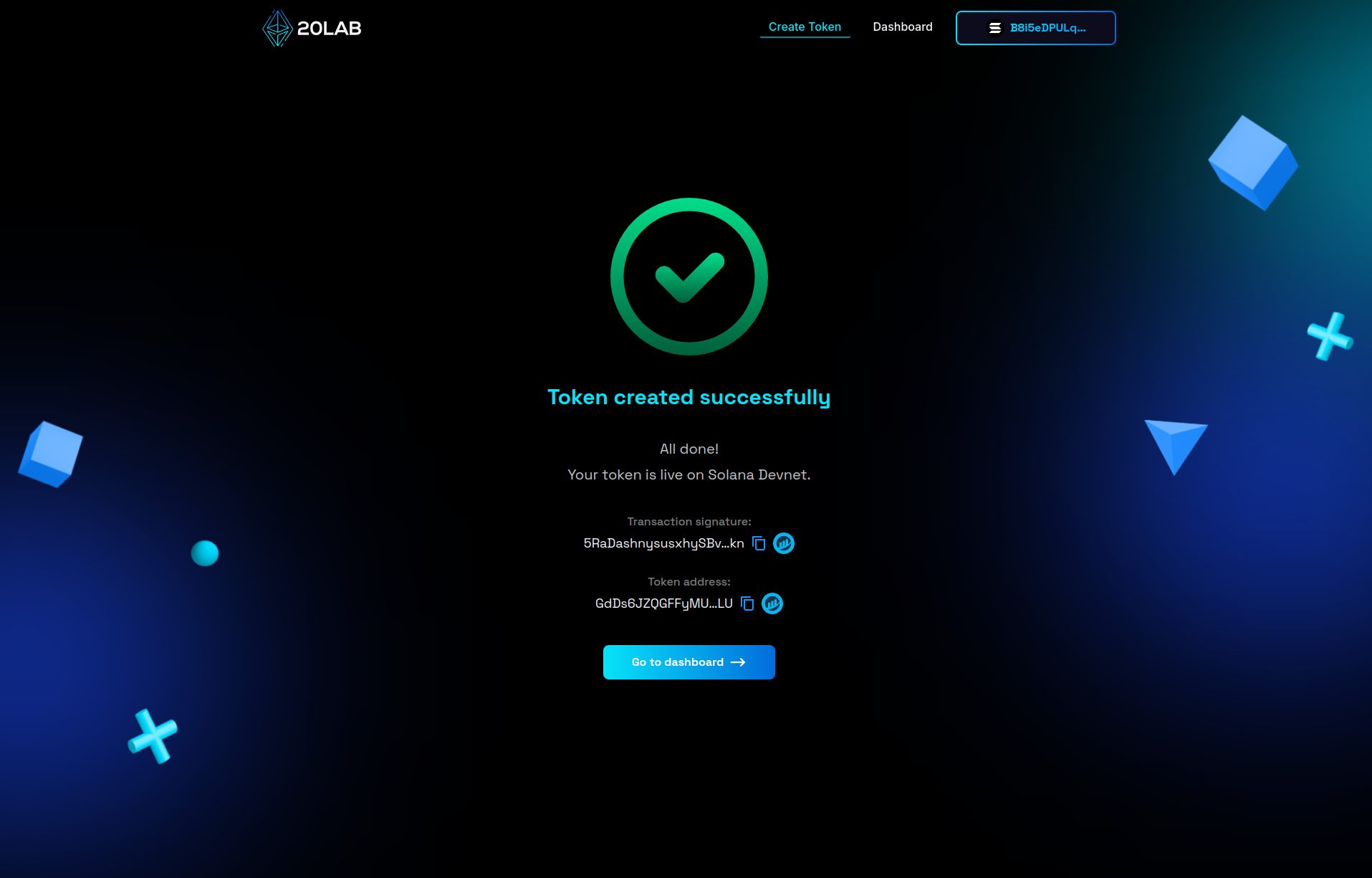
Dashboard Panel for Your Freezable Token
After creating your SPL token on 20lab, you'll have access to a comprehensive dashboard that allows you to manage and interact with your token. This dashboard provides a number of features to help you maintain and use your freezable Solana token effectively.
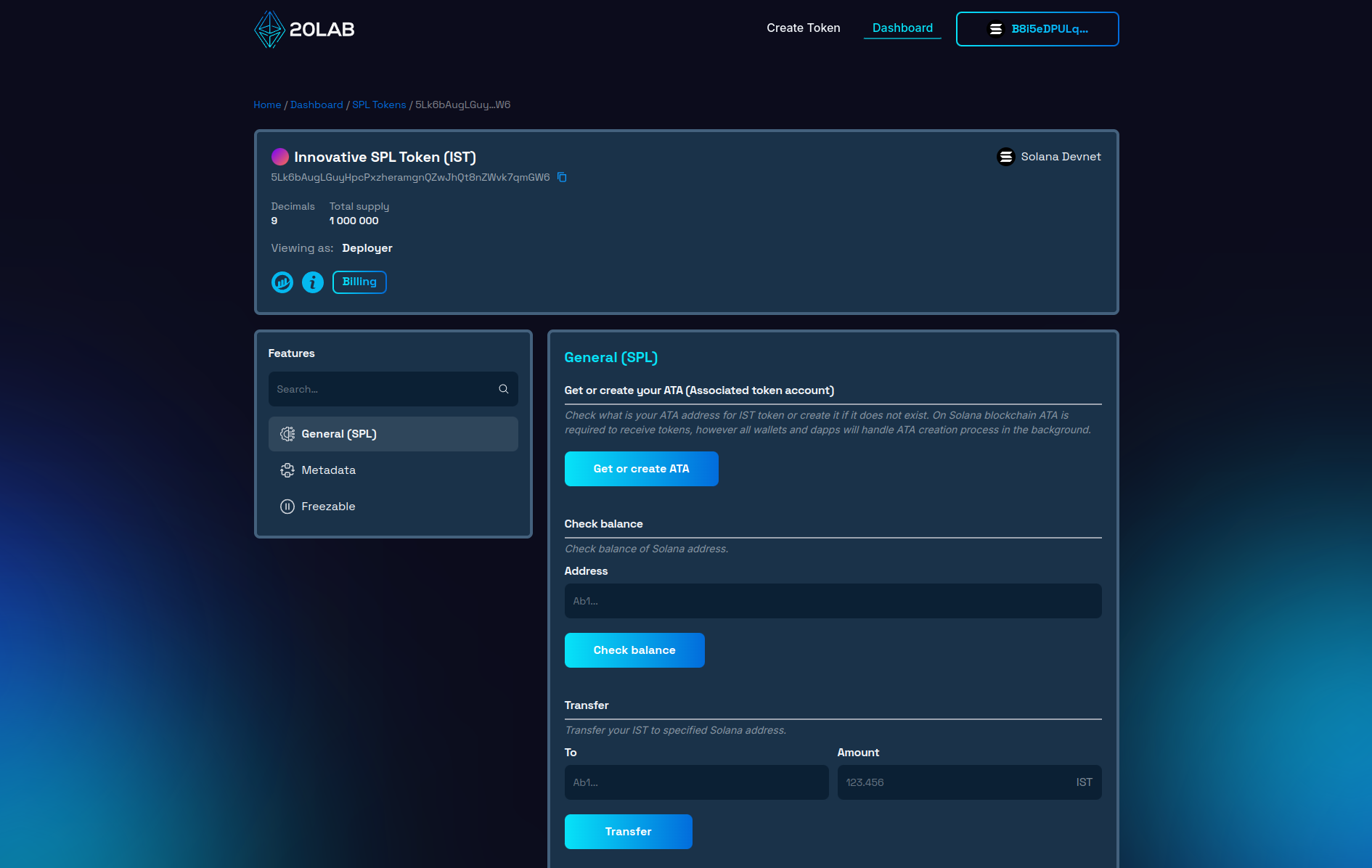
Token Overview
At the top of the dashboard, you'll find an overview of your token, including: token name and symbol, token address, decimal places, total supply, and network (Solana Devnet in the example).
General SPL Features
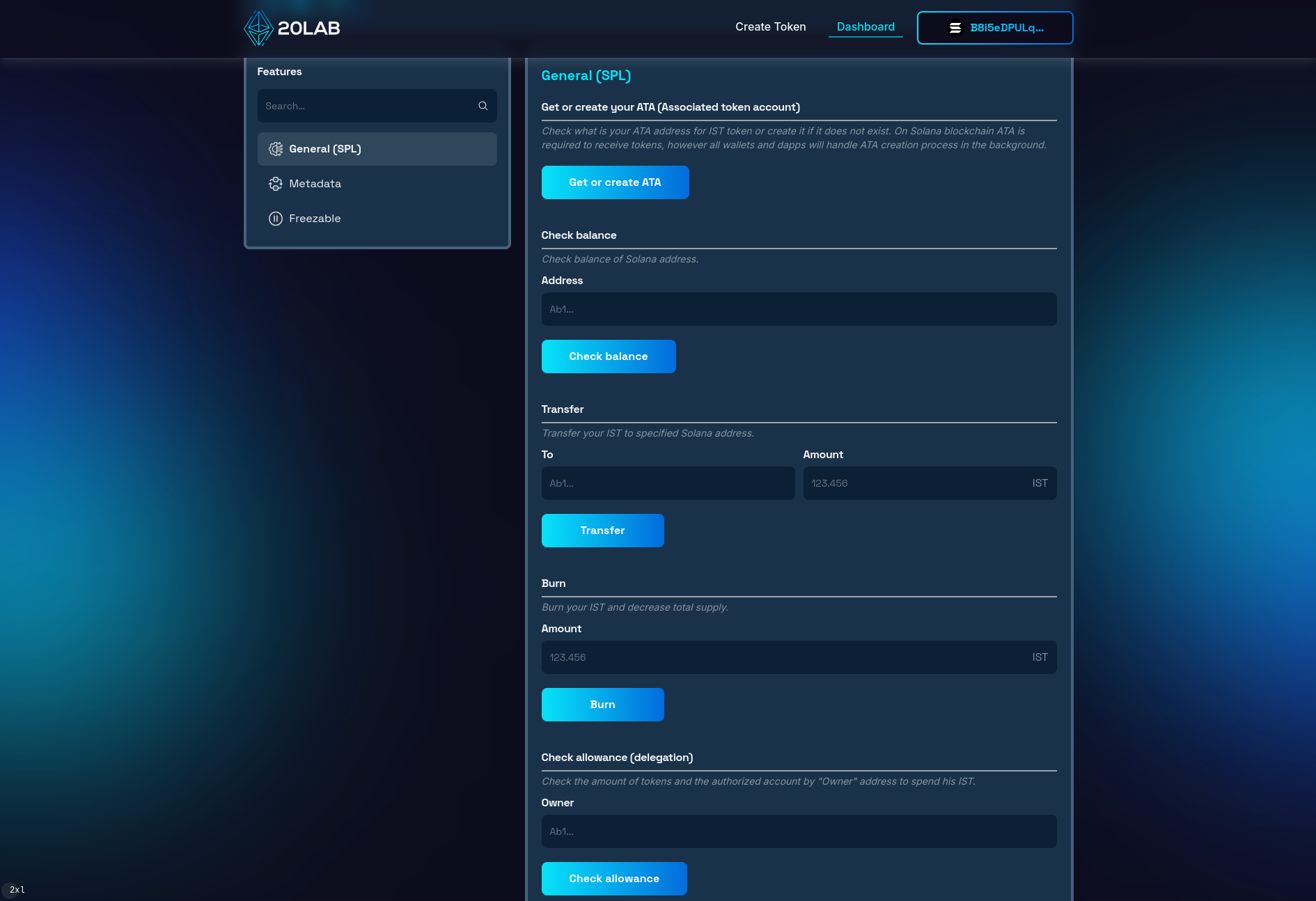
The General (SPL) section of the 20lab dashboard provides essential functions for managing your SPL token. Here you can get or create an Associated Token Account (ATA), check the balance of specific addresses, transfer tokens, burn and approve tokens.
Freezable Feature
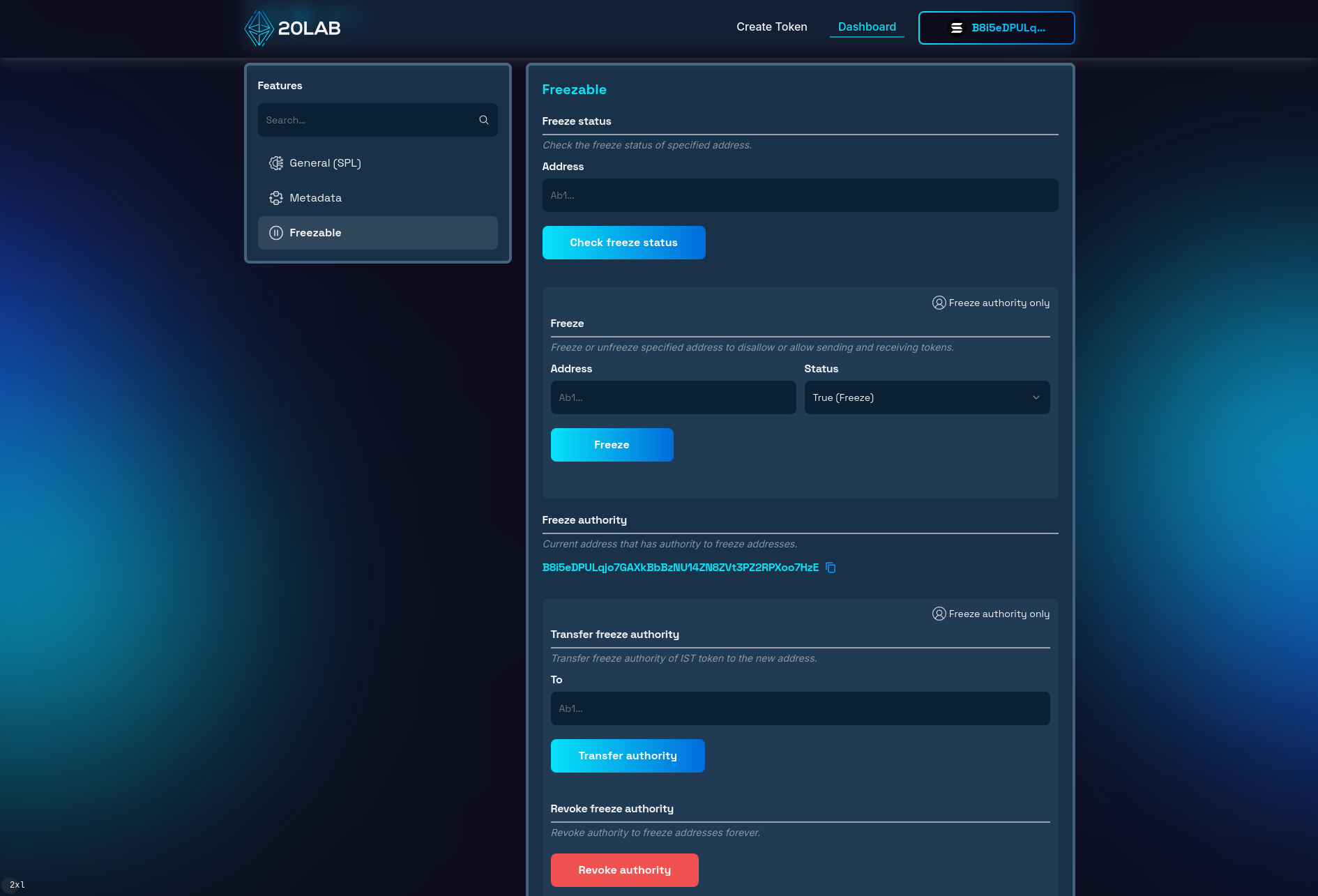
For freezable tokens, the dashboard provides specialized controls in the "Freezable" section. These functions give you full control over the security and compliance aspects of your token.
In the Freezable section, you'll find tools to:
- Check freeze status: Verify if a specific address is currently frozen.
- Freeze addresses: Restrict token transfers from selected wallet addresses.
- Unfreeze addresses: Remove transfer restrictions from previously frozen addresses.
- Freeze authority management: View, transfer to another wallet, or permanently revoke freeze authority.
Freezing an Address
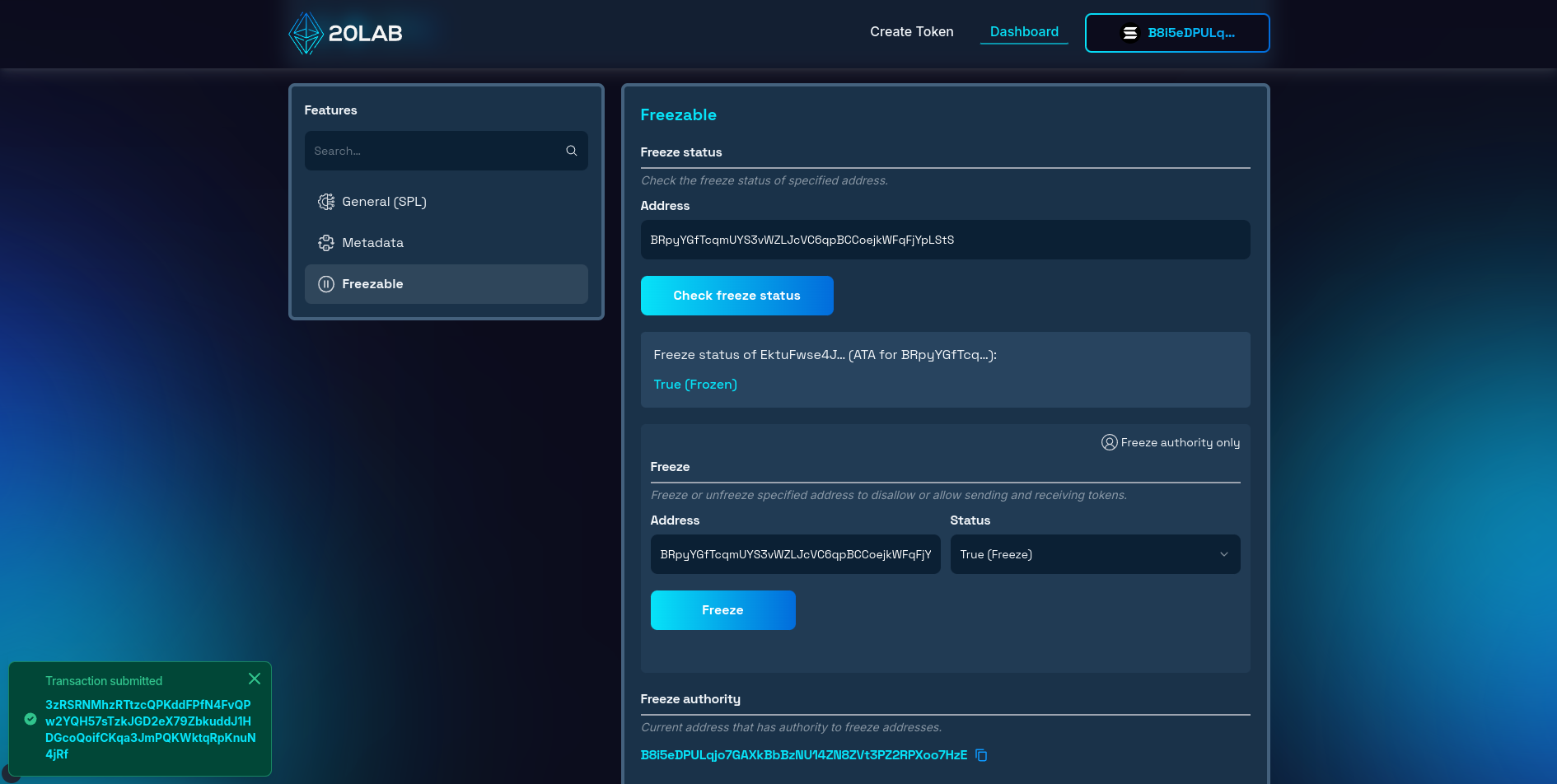
As a quick test, let's try freezing an address. To do this, follow these steps:
- Enter the address you want to freeze into the freeze function and set the right status.
- Click the "Freeze" button.
- Confirm the transaction with the wallet that has the freezing authority.
After successful confirmation, you will see the status of the address change to frozen in the dashboard. The owner of this address will not be able to transfer or receive tokens until the address is unfrozen.
Let's try sending a small amount of tokens to this frozen address to see if it really can't receive any tokens.
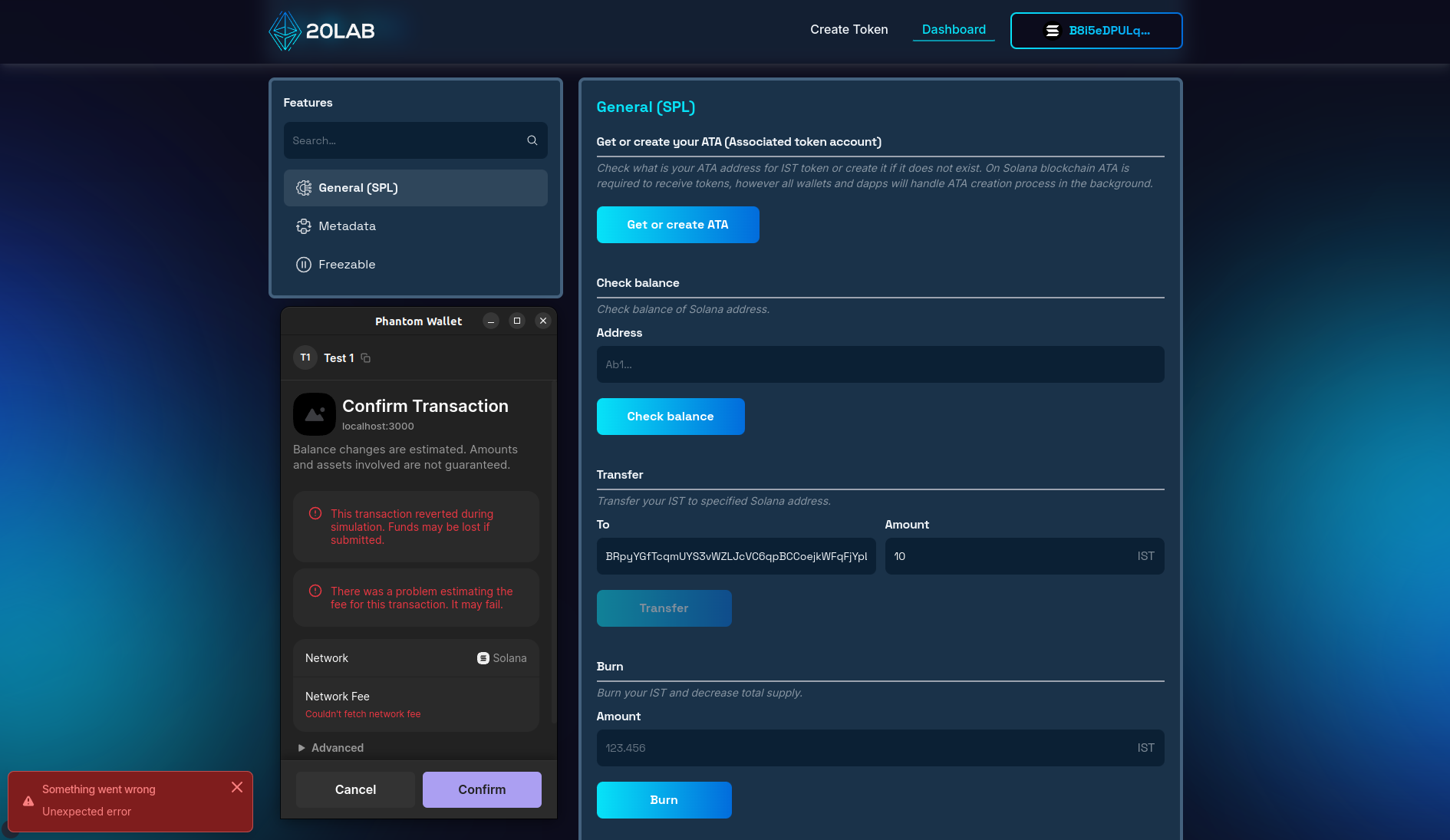
As we can see, the transfer attempt ends with the error in transaction estimation, which means it's likely to fail. If we try to send this transaction on Solana Devnet, it doesn't even reach the blockchain and quickly stops with an error. For Solana Mainnet, on the contrary, it would be recorded on the blockchain, but we will see an error: "Frozen account". In both cases we cannot transfer any tokens to the frozen address.
Conclusion
As we've shown in this guide, creating a freezable SPL token on Solana is a simple yet powerful process that opens up a world of possibilities for developers, entrepreneurs and project creators in the Solana ecosystem.
Using 20lab's user-friendly interface, you can launch your own freezable token without extensive technical knowledge. From setting up the basic parameters of your token, to enabling the freezable functionality, and managing your token's freezing authority after creation, 20lab provides all the tools you need in a comprehensive Solana token creation platform.
The ability to freeze addresses adds an extra layer of security and compliance to your project, allowing you to protect your token ecosystem and maintain trust with your community. 20lab's intuitive dashboard makes managing these advanced features accessible to creators of all experience levels.
So why wait? Dive in, experiment on the Testnet or Devnet, and when you're ready, launch your freezable token on the Solana Mainnet. The world of decentralized finance and blockchain applications is waiting for your innovative ideas. With 20lab and Solana, you have the platform and tools to safely and efficiently bring your vision to life.
If you have any questions about creating or managing your SPL token, don't hesitate to reach out to us via our Telegram channel.


