
The security and compliance landscape for token projects on Solana sometimes requires project teams to temporarily restrict token transfers for specific wallets. Whether you're responding to suspicious activity, implementing compliance measures, or safeguarding your token ecosystem, having reliable tools to manage token freezing is essential. 20lab offers a comprehensive suite of token tools that includes a powerful freeze account utility designed specifically for SPL (Solana) tokens.
This guide will walk you through the process of freezing and unfreezing Solana token accounts using 20lab's specialized tools, making this critical security function accessible even to those with limited technical knowledge.
When and Why You Might Need to Freeze Solana Addresses
Freezable token capabilities serve several important purposes in the Solana ecosystem.
Security Response
When suspicious activity is detected or potential exploits are discovered, freezing affected accounts can prevent further unauthorized transfers. This immediate response capability can be crucial during security incidents, giving project teams time to investigate and resolve issues before token holders experience losses.
Regulatory Compliance
For tokens operating in regulated environments, compliance requirements might necessitate temporarily restricting transfers for certain addresses. This functionality helps projects maintain their regulatory standing while serving their broader community.
Anti-Fraud Measures
When fraud is reported or detected, freezing suspected accounts during investigation periods prevents potential scammers from moving or liquidating tokens before appropriate action can be taken.
Protocol Governance
In some cases, community governance might vote to temporarily restrict certain addresses that violate established community guidelines or pose risks to the protocol's integrity.
How to Use Freeze Address Tool to Effectively Blacklist Solana Wallets
The 20lab's freeze address tool makes it straightforward to implement account freezing for your Solana token.
Why Choose 20lab for Freezing Solana Token Accounts
What makes 20lab's freeze address tool essential for your Solana token management? The platform offers several unique advantages that set it apart from other solutions:
- Authority Status Verification - the tool automatically identifies and displays the current freeze authority holder, providing immediate verification of your permissions before you attempt any freezing operations.
- Batch Processing Capabilities - unlike many alternatives, 20lab allows you to freeze multiple addresses simultaneously through CSV/TXT uploads or manual batch entry, saving significant time when implementing broader security measures.
- Transaction Optimization - the system intelligently identifies already frozen accounts and informs about duplicates, that can reduce unnecessary transactions and minimizing associated fees.
- Progress Tracking Interface - a dedicated transaction tracking window provides real-time visibility into the status of each freeze operation, especially valuable when processing larger batches.
- Unified Token Management - the freeze tool is part of 20lab's comprehensive token management suite, allowing seamless integration with other functions like tax configuration, authority transfers, and SPL token creation.
- User-Friendly Design - the intuitive interface guides you through each step of the process, making account freezing accessible to both technical and non-technical team members.
Step 1: Connect Your Wallet
First, ensure you're using the wallet that holds the freeze authority for your token. This is typically the wallet used to create the SPL token or any wallet to which the freeze authority has been transferred.
Visit the 20lab freeze address tool and connect your wallet by clicking the "Connect Wallet" button. The platform supports major Solana wallets including Phantom, Solflare, and Backpack.
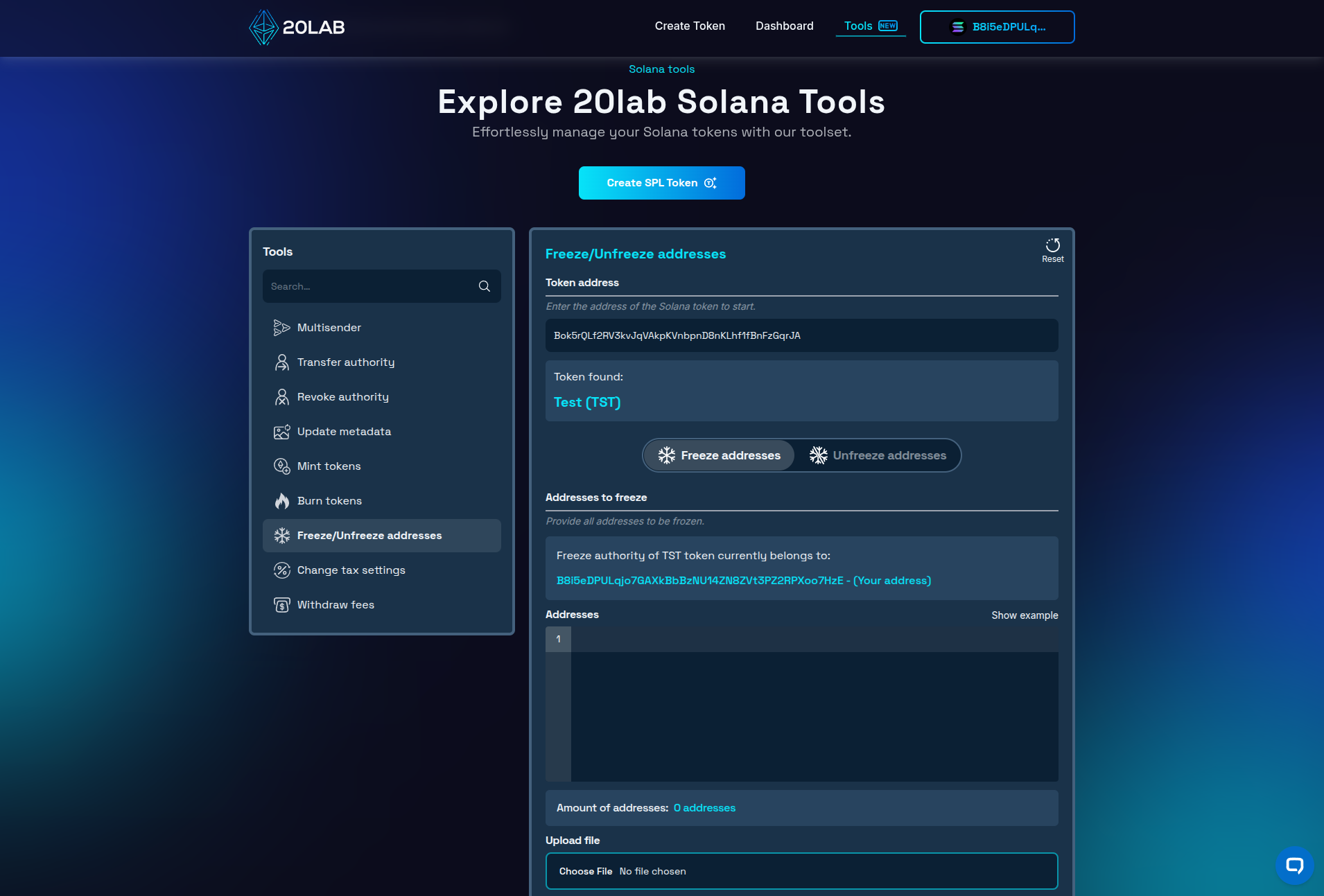
Step 2: Enter Your Token Address and Choose Mode
Once connected, enter your token's mint address in the designated field. This identifies which token's accounts you'll be freezing. After that, choose whether you would like to perform freezing or unfreezing on the addresses provided in the next step.
Step 3: Import Addresses to Freeze
The freeze tool offers two methods for specifying addresses to freeze:
- Single Address: Enter a single wallet address that you want to freeze.
- Batch Processing: Upload a CSV/TXT file containing multiple addresses you want to freeze or input them manually, 1 address per line. This approach is particularly useful when implementing compliance measures that affect multiple addresses simultaneously.
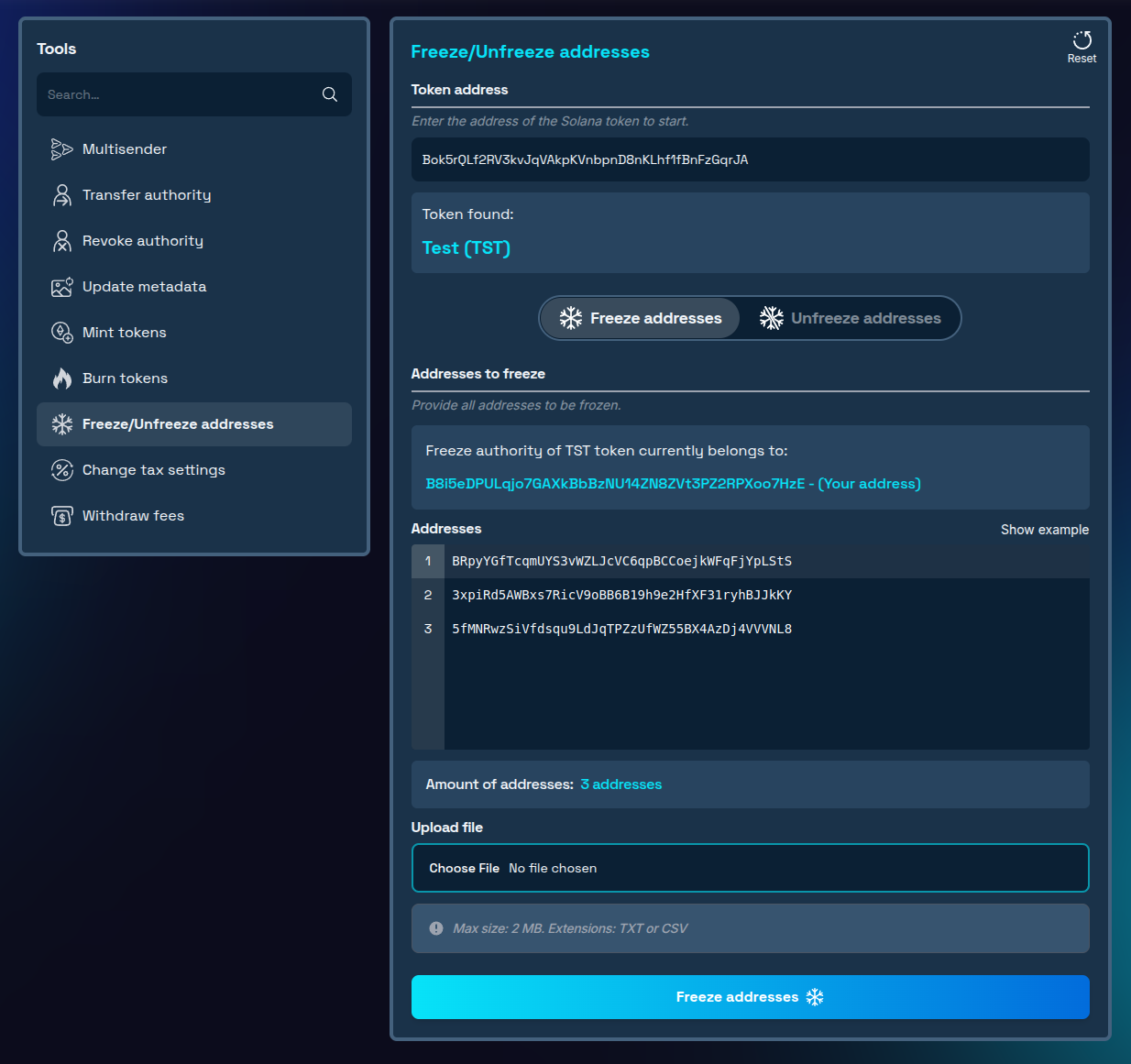
Step 4: Review and Confirm
After entering the addresses, and clicking "Freeze addresses" the system will validate them and display a transaction confirmation dialog showing:
- Amount of addresses that can be skipped because they are already frozen or unfrozen (removing them will decrease the fees),
- If there are any duplicated addresses (removing duplicates will also decrease the fees),
- Amount of batch transactions,
- Any associated service and transaction fees.
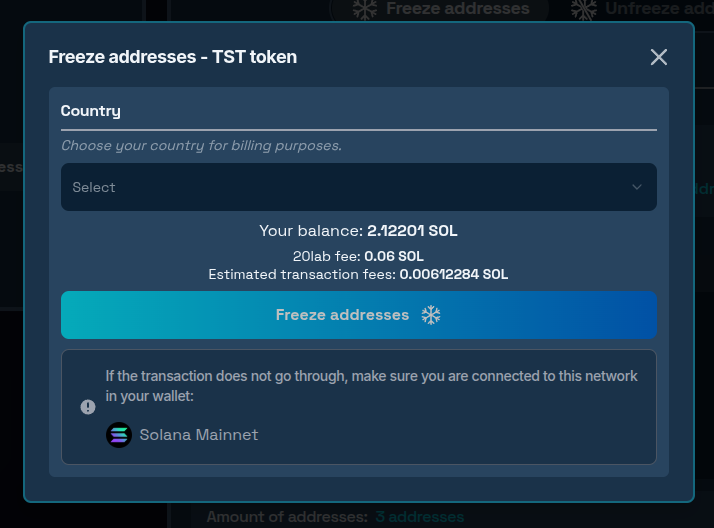
Step 5: Execute the Freeze Operation
Once you've confirmed the details:
- Click "Freeze addresses" again to initiate the operation
- Approve the transaction in your wallet
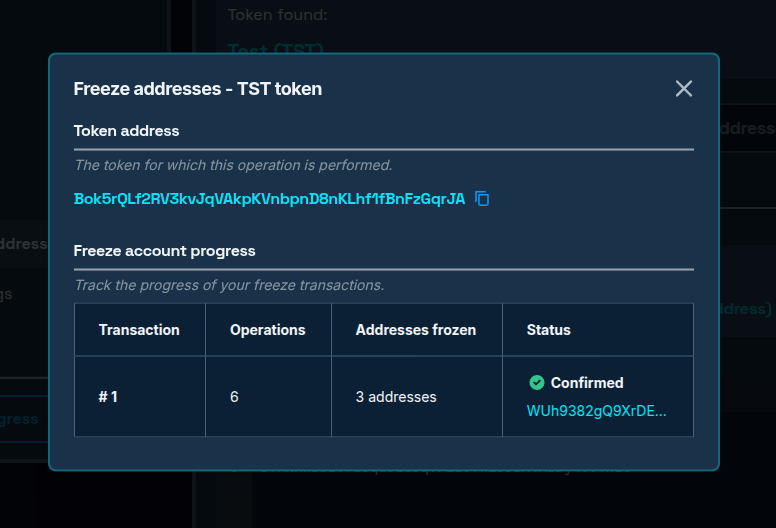
- Monitor the process through the transaction tracking interface
For large batches of addresses, the tool automatically splits them into manageable groups to ensure successful processing within Solana's transaction limits.
Best Practices for Responsible Freeze Management
To maintain community trust while protecting your token ecosystem:
- Establish Clear Policies: Document and publish the specific circumstances under which accounts might be frozen.
- Implement Due Process: Create a fair system for users to appeal freeze decisions.
- Communicate Transparently: When accounts are frozen, provide clear explanations (while respecting privacy).
- Regular Audits: Periodically review frozen addresses to ensure they should remain frozen.
Conclusion
The 20lab freeze address tool provides token creators and managers with essential security functionality for protecting their token ecosystems. By understanding when and how to use this capability responsibly, you can maintain both security and community trust.
Whether you're launching a new Solana token project, responding to security threats, or implementing compliance measures, this tool simplifies the process of freezing and unfreezing accounts on the Solana blockchain.
Ready to enhance your token's security? Explore our Solana tools today and experience the convenience of account management on Solana! If you have questions about using Solana tools, don't hesitate to reach out to us via our Telegram channel.


