
Reclaim Your Assets from Raydium and Meteora Pools
At some point, every liquidity provider faces the same question: when and how do I get my assets back? Maybe your project has hit a milestone and you need capital elsewhere. Maybe market conditions shifted. Or maybe you simply want to collect the trading fees you've been accumulating and reassess. Whatever the reason, knowing how to remove liquidity from a Solana pool doesn't have to be a stressful process.
20lab's Solana remove liquidity tool gives you a clean, flexible way to exit any supported pool - partially or fully - without touching a single DEX interface. Let's break down exactly how it works.
What is 20lab's Solana Remove Liquidity Tool?
The Solana Remove Liquidity tool lets any liquidity provider redeem their LP tokens and withdraw their share of a Solana pool's assets. It's designed for:
- Partial or Full Exits: Step out of 25%, 50%, 100%, or any custom percentage of your position - the rest stays in the pool and keeps earning.
- Automatic Fee Collection: Every swap fee your liquidity earned is bundled into your withdrawal. One transaction, everything included.
- Flexible Timing: No lock-up periods, no waiting. You decide when to exit and act on it immediately.
- Cross-Protocol Coverage: Works with Raydium Legacy AMM and CPMM, and Meteora DAMM V1 & V2 - the same protocols supported by 20lab's full liquidity toolset.
What Actually Happens When You Remove Liquidity
Before you remove liquidity from a Solana pool, it's worth understanding where your money has been and what form it comes back in - this part matters more than most guides acknowledge.
Every time a trader swapped through your pool, the AMM rebalanced the ratio of the two assets. This means the token composition of your position has been shifting continuously - more of whichever asset became relatively cheaper, less of whichever became more expensive.
Unlike some yield farming setups that require a separate harvest step, Solana AMM pools roll accumulated fees directly into the pool's reserves. Your LP tokens grow in redemption value over time. When you redeem them, fees and principal come back together in one transaction - nothing left behind.
Your LP tokens are destroyed as part of the withdrawal transaction. This is correct behavior, not an error. They were proof of your claim on the pool; once the claim is settled, the tokens have no further purpose. If your LP token balance drops to zero after withdrawal, everything works as intended.
Step-by-Step Guide: How to Remove Liquidity with 20lab
Prerequisites
- LP tokens in the connected wallet - these are the tokens issued when you originally added liquidity to the Solana pool.
- The Pool ID of the pool you want to exit.
- A small amount of SOL to cover the network transaction fee.
Step 1: Open the Tool and Connect Your Wallet
Go to 20lab's Solana Remove Liquidity tool. Hit "Connect Wallet" and select the wallet holding your LP tokens (make sure you're on Solana Mainnet or Devnet before proceeding).
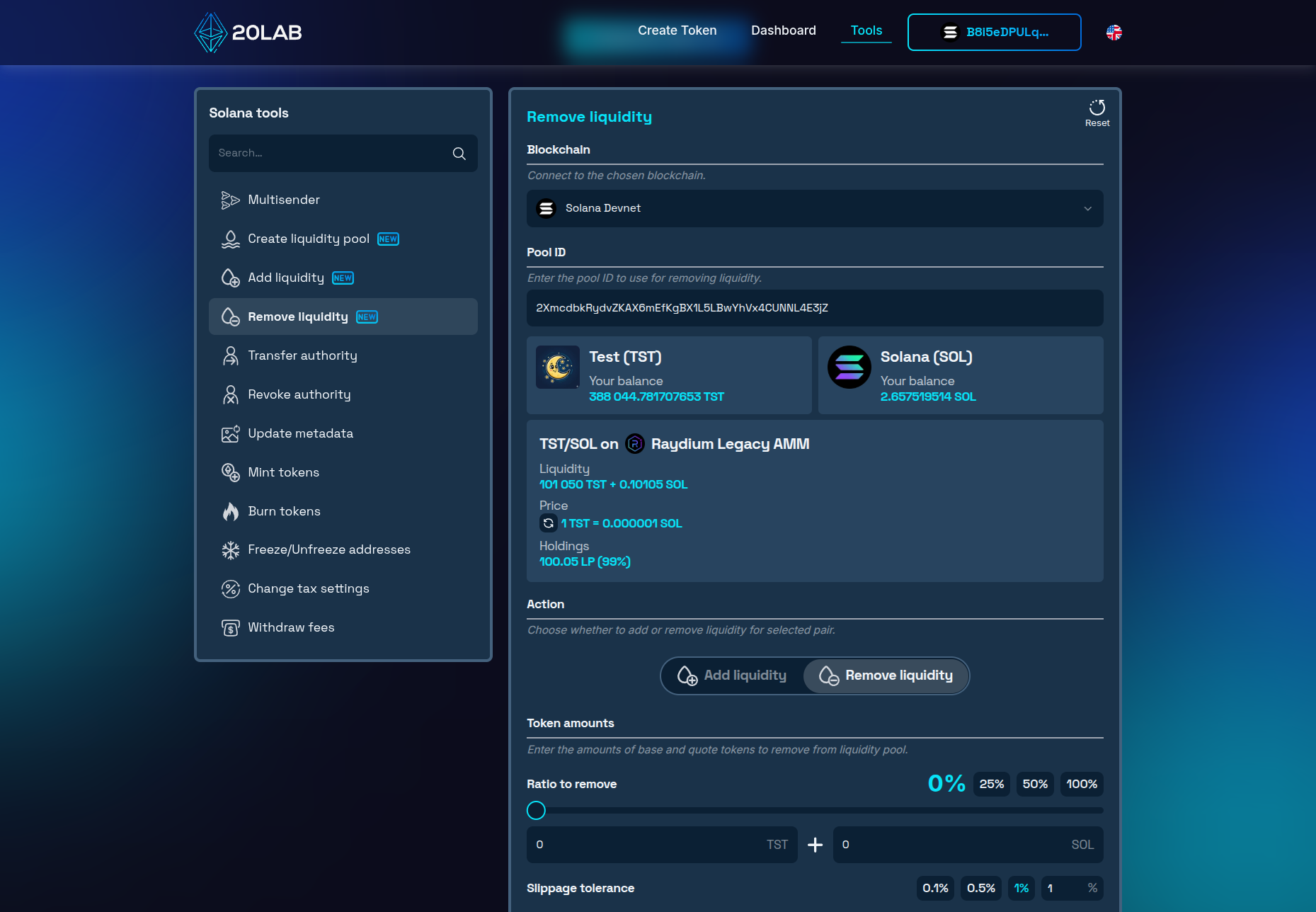
Step 2: Enter the Pool ID
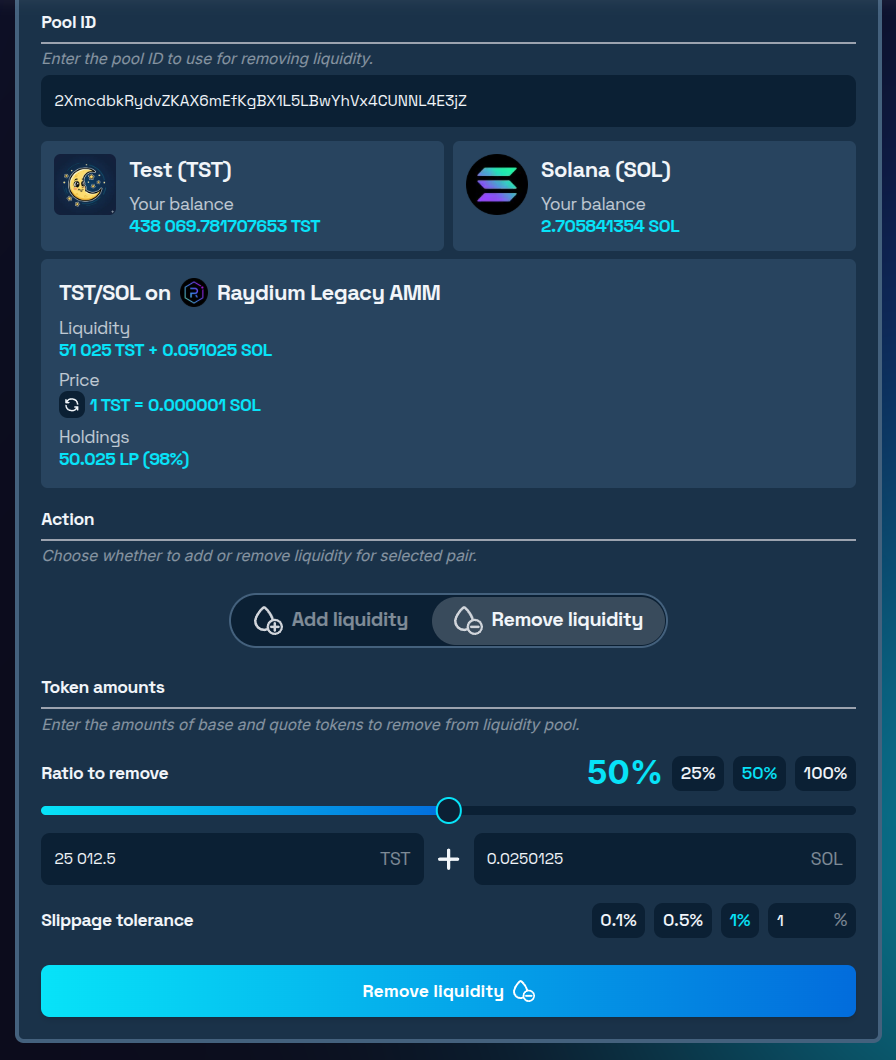
- Paste the Pool ID of the pool you're exiting into the designated field. Protocol detection is automatic - the tool identifies whether it's Raydium Legacy AMM, Raydium CPMM, or Meteora DAMM and loads the right interface.
- Check your position summary: Your current LP token balance ratio and the estimated value of your position at today's pool ratio appear immediately.
Step 3: Choose How Much to Withdraw
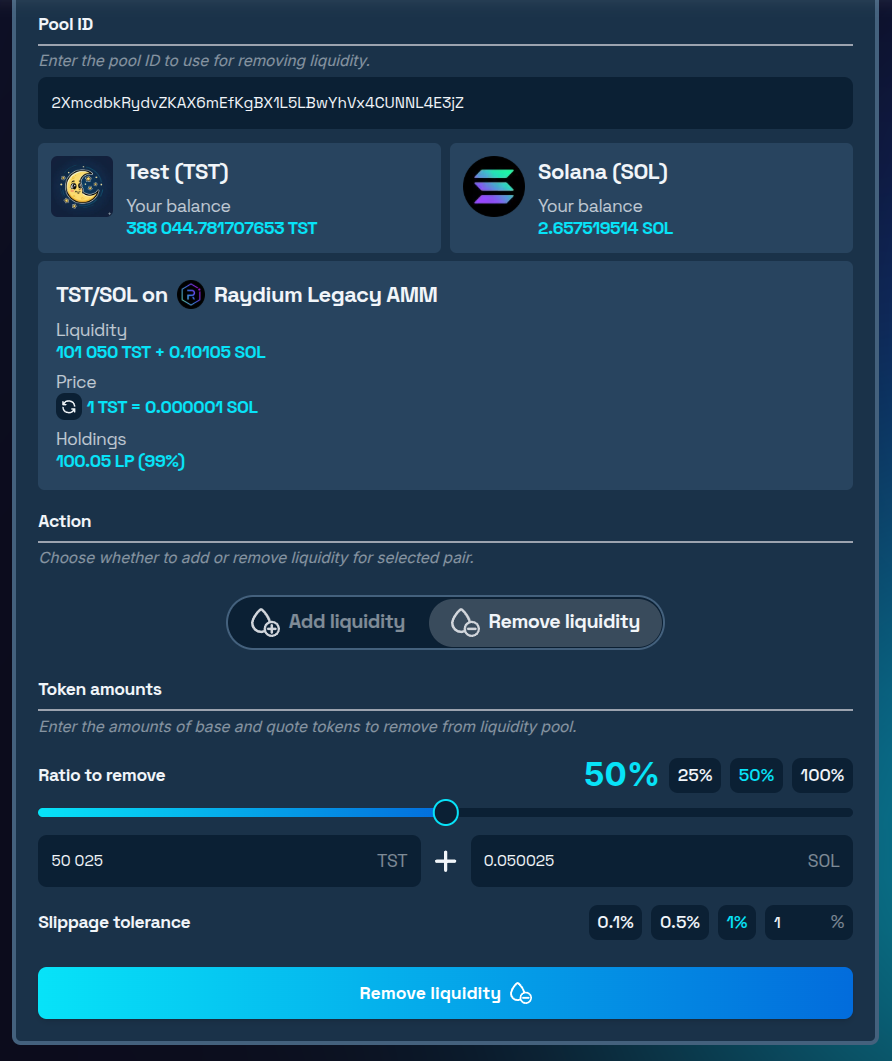
- Pick a preset ratio - 25%, 50%, or 100% - or type in a custom percentage and watch the token breakdown update in real time. As you adjust the ratio, the tool recalculates the exact amounts of each token you'll receive.
- Set slippage tolerance: 0.5% works for most situations. Bump it to 1% if the pool has low depth or if prices are moving fast.
Step 4: Submit the Transaction
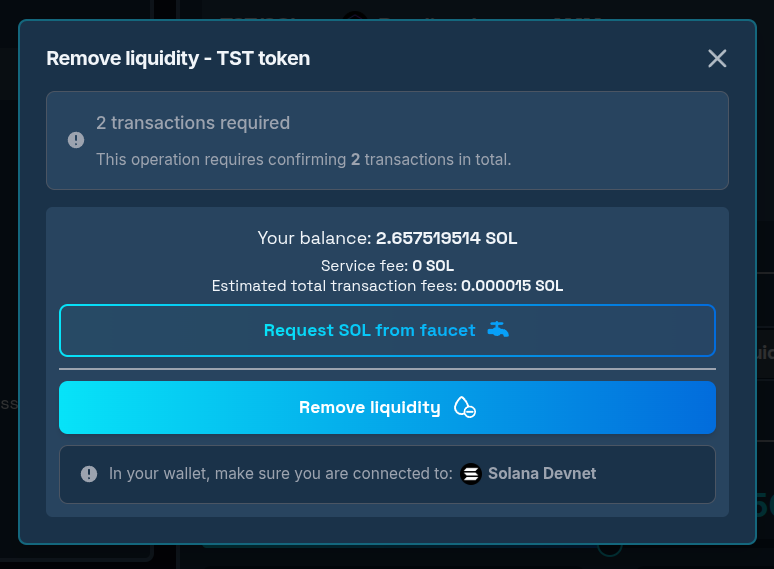
- Click "Remove liquidity" if the amounts to remove look correct. In the transaction confirmation window you will see the amount of required transactions for this operation. Review and approve all of them in your wallet.
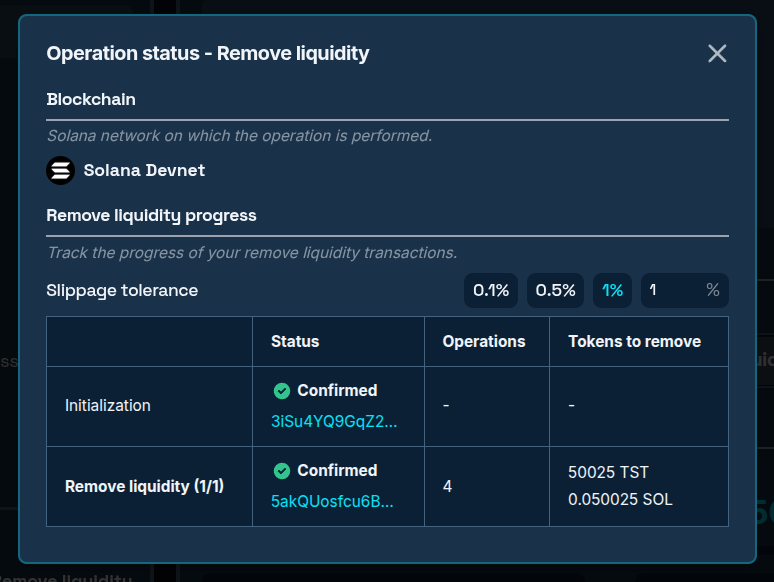
- Confirmation takes seconds. Once all transactions land, the operation window shows all your transaction hashes with success summary.
Step 5: Check Your Wallet
Once confirmed, both tokens will be back in your wallet at the amounts the preview showed - your LP tokens will be gone, burned in the same transaction, which is expected behavior. Fees are already included in what you received, so no separate collection step is needed.
After closing the operation window, the pool info will automatically update to reflect your new LP holdings ratio, and the pool's overall liquidity figure will decrease accordingly.
Conclusion
Liquidity provision has a lifecycle - and knowing how to remove liquidity from a Solana pool cleanly is just as important as knowing how to enter. The Solana Remove liquidity tool handles the mechanics so you can focus on the decision itself: how much to withdraw, when to do it, and what to do with the assets once they're back in your wallet.
When you're ready to put that capital back to work, 20lab's Add liquidity tool is right there. And if you're starting a new pool entirely, Solana Create liquidity pool tool has you covered.
Got questions about your specific situation? Our team is available on Telegram - join the channel and ask us directly.


