
On July 1, 2026, Robinhood launched the public mainnet of Robinhood Chain, its own permissionless, EVM-compatible Ethereum Layer-2. Because the network is fully Ethereum-compatible, you are not limited to trading the assets Robinhood issues. You can create and deploy your own Robinhood crypto token on it - a standard ERC-20 - the same way you would on Ethereum, Base, or Polygon.
This guide walks through exactly how to do that, whether you have never written a line of code or you are a developer who wants full control.
What "Robinhood Crypto Token" Actually Means
There are two very different things this phrase can refer to, so let's be precise.
Robinhood itself issues Stock Tokens on Robinhood Chain - tokenized equities and ETFs that track real securities and can be traded around the clock. Those are official Robinhood products.
This guide is about the other kind: an ERC-20 token that you create and deploy yourself on Robinhood Chain. It is not affiliated with or endorsed by Robinhood. The network is simply open infrastructure, and your token lives on it the same way any token lives on Ethereum.
Why Robinhood Chain Is a Good Place to Deploy a Token
Robinhood Chain isn't just another EVM chain running the same boilerplate as every other rollup. A few specifics about how it's actually built matter for what you're deploying into:
- Arbitrum Orbit architecture, tuned for speed. The network runs on Arbitrum's Orbit stack, using interactive fraud proofs (the BoLD protocol) to resolve disputes and posting compressed transaction batches back to Ethereum. Robinhood has targeted block times of roughly 100 milliseconds - fast even by L2 standards.
- No separate gas token to acquire. Unlike many Orbit chains that launch with a custom gas token, Robinhood Chain skips that step entirely. Every transaction, including your deployment, is paid in ETH.
- Genuinely fair sequencing. Per Robinhood Chain's own documentation, transaction order is set strictly by arrival time at the sequencer, so no one can pay a premium to jump ahead of your transaction.
- Real liquidity infrastructure on day one. This isn't a chain waiting for an ecosystem to show up later. Uniswap is running a dedicated AMM on Robinhood Chain as a public liquidity venue.
- Built around compliance and real-world assets. Every transfer on the chain runs through Chainalysis's KYT monitoring by default, and the network is explicitly positioned around tokenized real-world assets like equities.
What You Need Before You Start
Gather these before deploying so the process is smooth:
- An EVM-compatible wallet such as MetaMask, Coinbase Wallet, or Trust Wallet. Robinhood Wallet supports the chain natively, and any standard wallet can connect by adding the network manually.
- A small amount of ETH to cover gas for deployment.
- Your token basics decided in advance: name, symbol, initial supply, and number of decimals.
How to Create a Robinhood Crypto Token
The easiest way to launch a token is with a no-code token generator, which handles the smart contract for you and walks you through a guided interface. No programming required. Platforms such as 20lab.app let you create fully customizable ERC-20 tokens across EVM networks and manage them afterward from an owner dashboard. Here is the full flow.
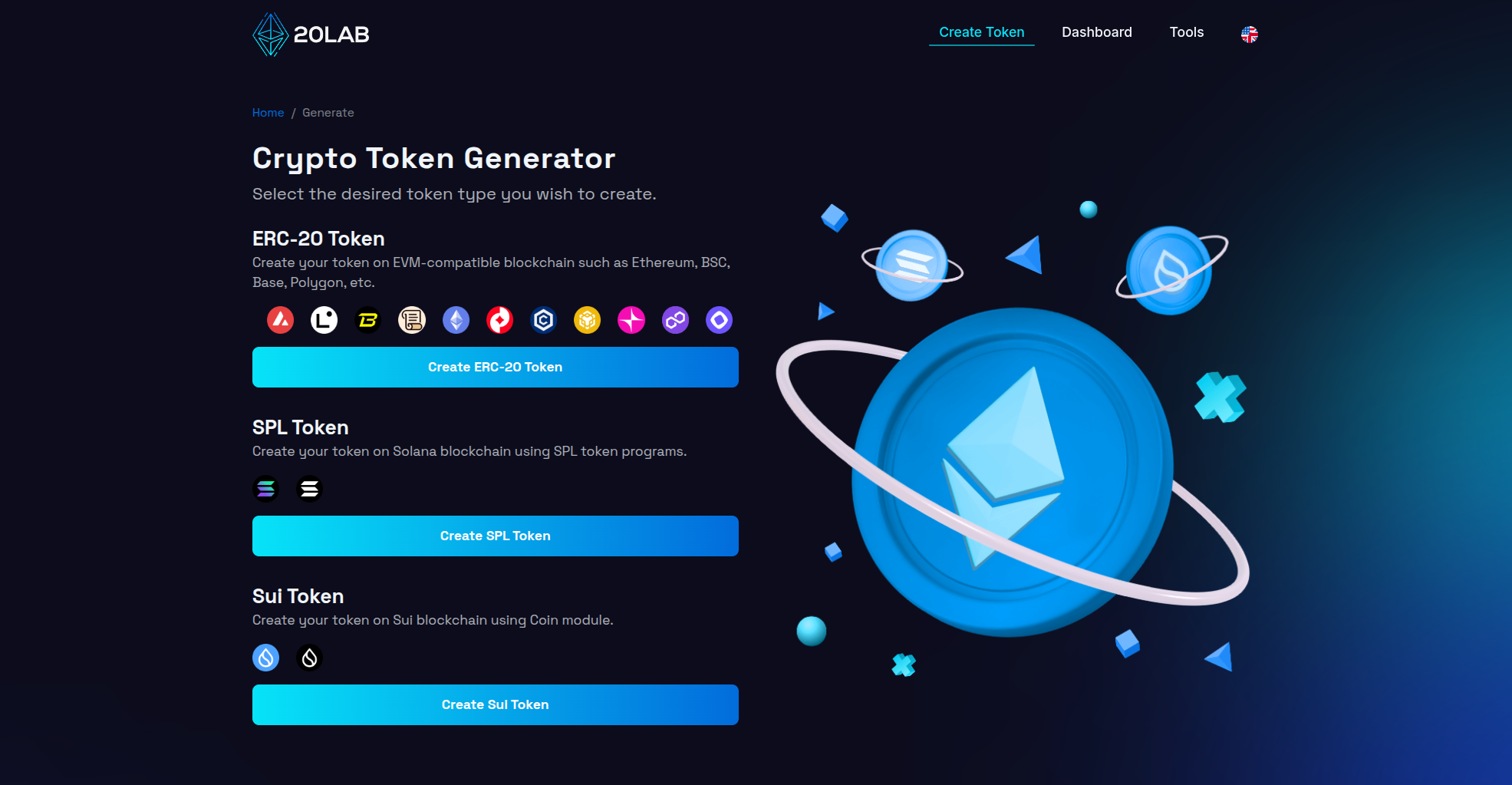
Choose Your Token Standard
Robinhood Chain is an EVM chain, so you want the ERC-20 standard, the same standard used across Ethereum-compatible networks.
Connect Your Wallet and Select Robinhood Chain
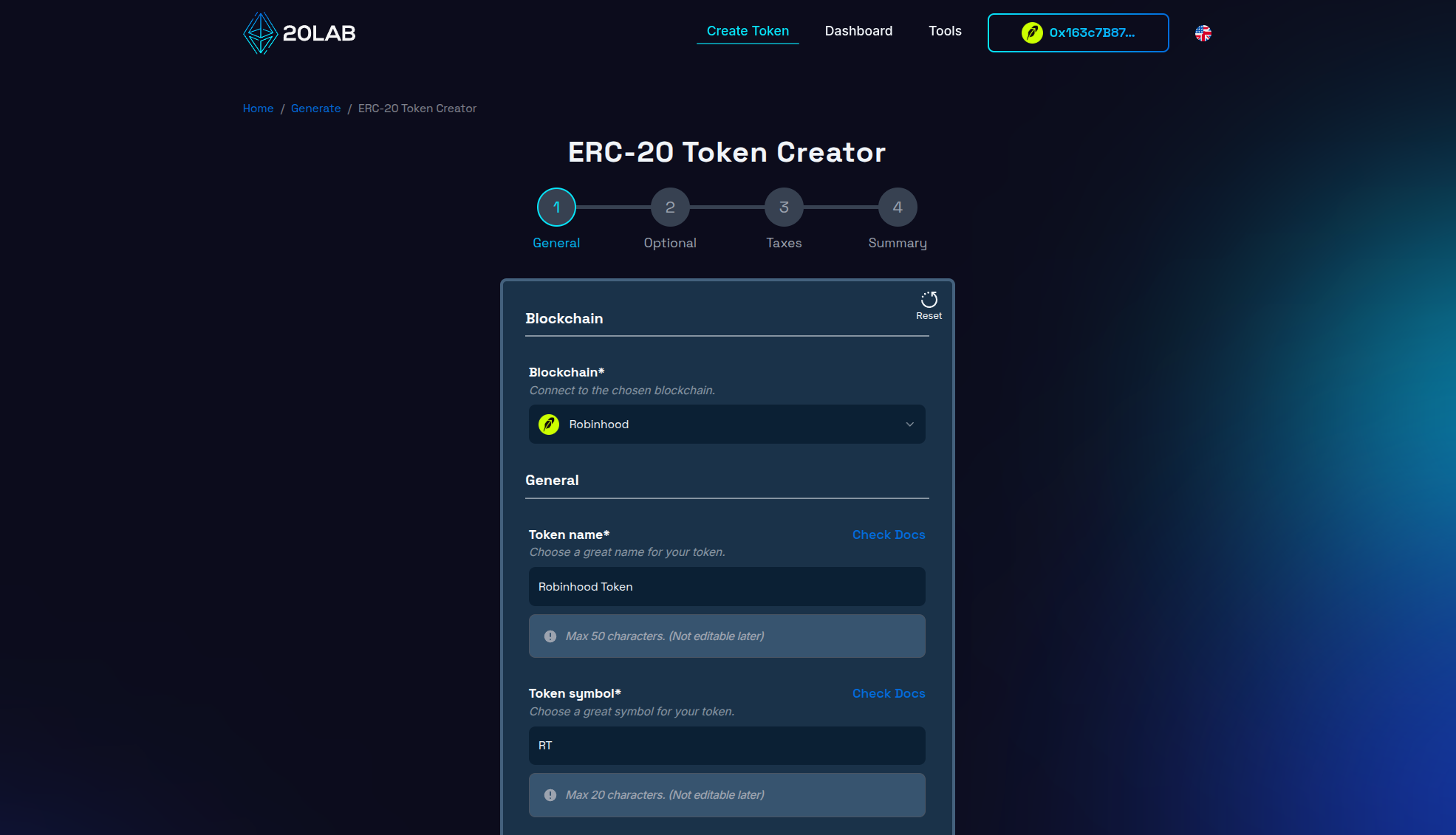
Click "Connect Wallet" and approve the connection request in your wallet app - popular options like MetaMask connect in a couple of clicks. Then open the network selector and choose Robinhood Chain, approving the network switch in your wallet if prompted.
Add Your Token Details
Choose a unique name and ticker that will not collide with existing tokens. Check listing sites like CoinMarketCap and CoinGecko first to avoid duplicates and confusion.
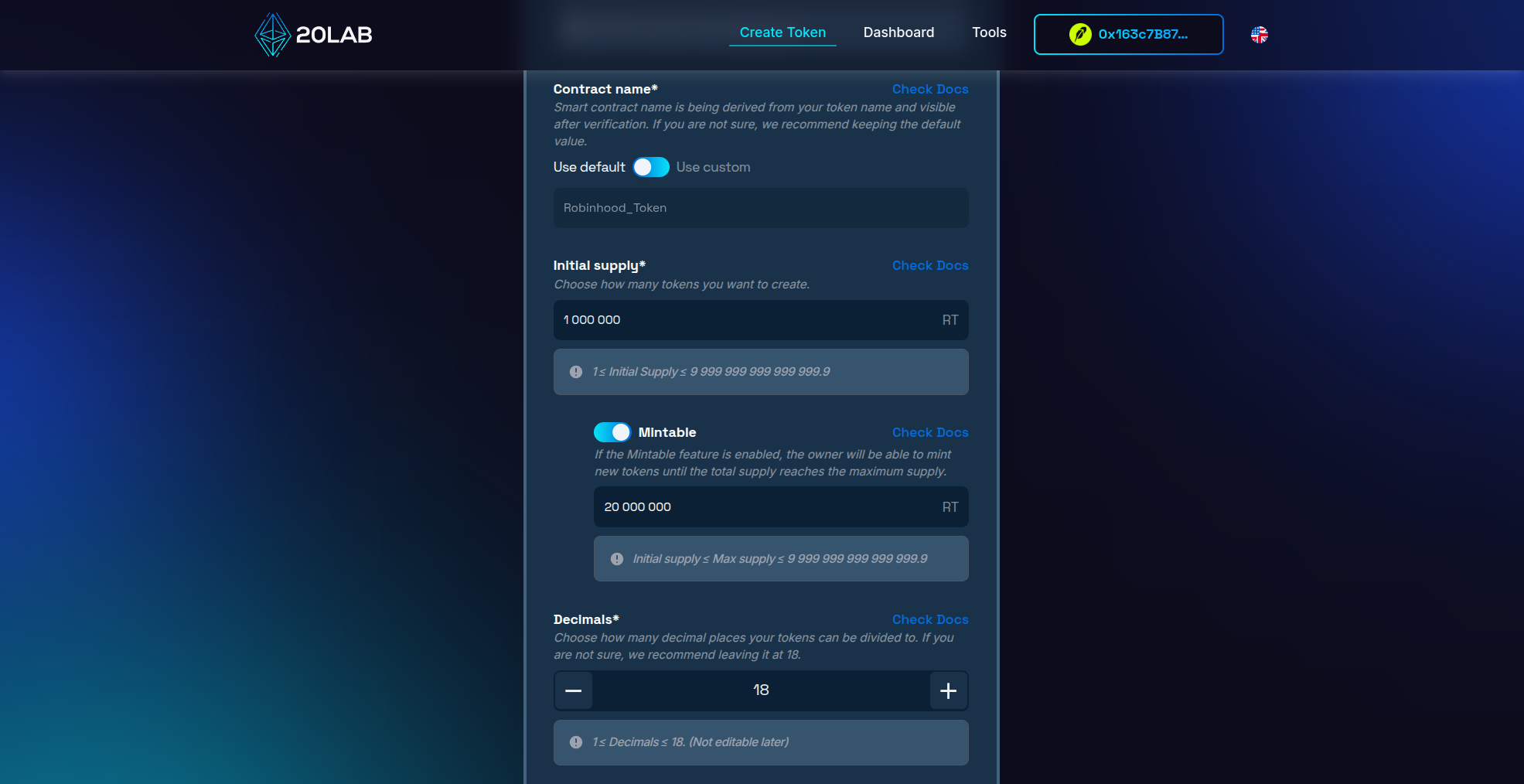
Next, set your initial supply and decimals. Initial supply is how many tokens exist at launch. Unless you enable a mintable feature, this also becomes your permanent total supply, since you will not be able to create more later. Decimals control how divisible each token is - 18 decimals is the near-universal standard on EVM chains and ensures your token displays correctly everywhere.
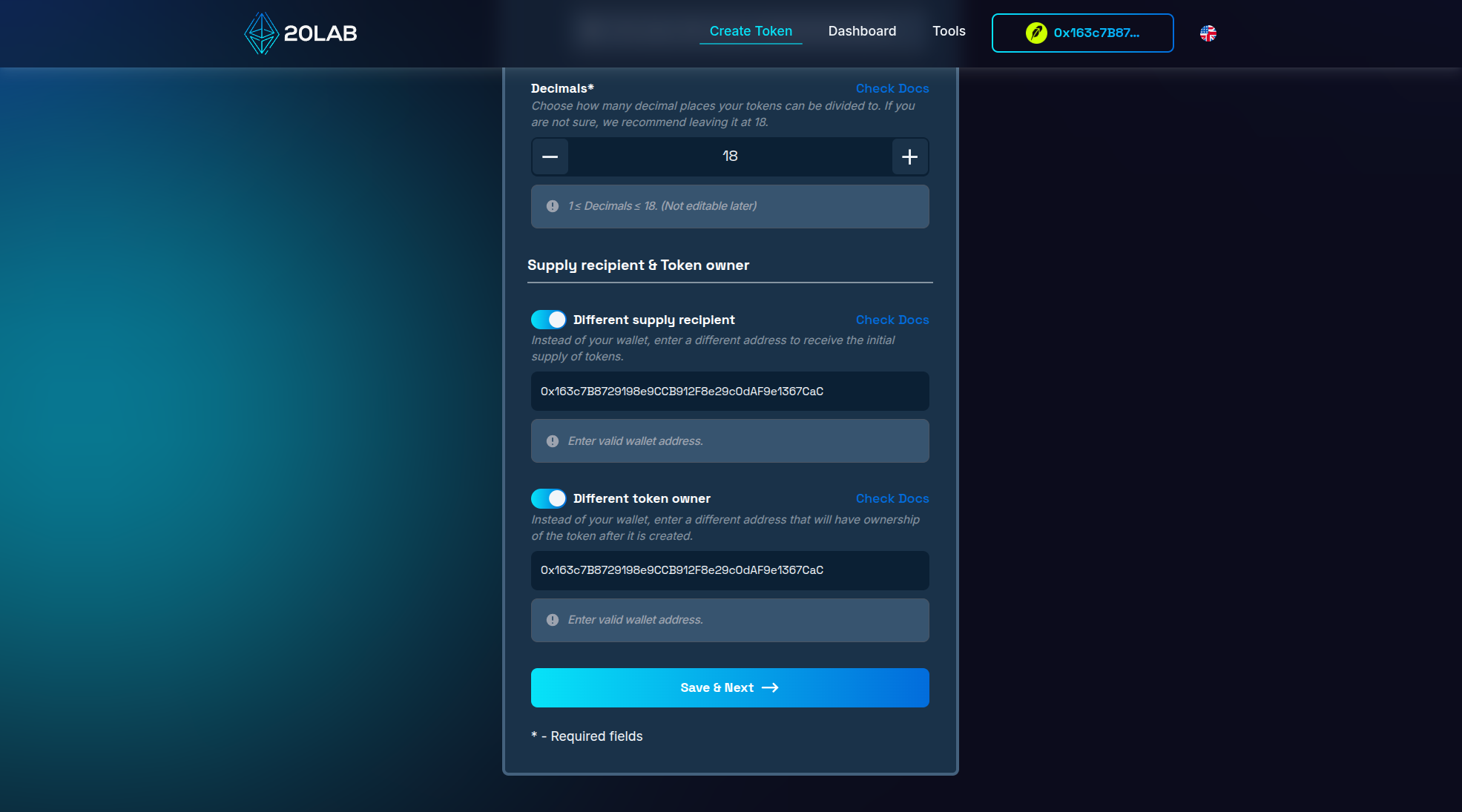
Finally, configure the owner and supply recipient. By default, your connected wallet receives the initial supply and becomes the token owner. The owner is an authorized wallet that can perform special actions - for example, minting new tokens if you enabled that feature. You can point the supply and ownership to different addresses if your project needs it.
Select Optional Features
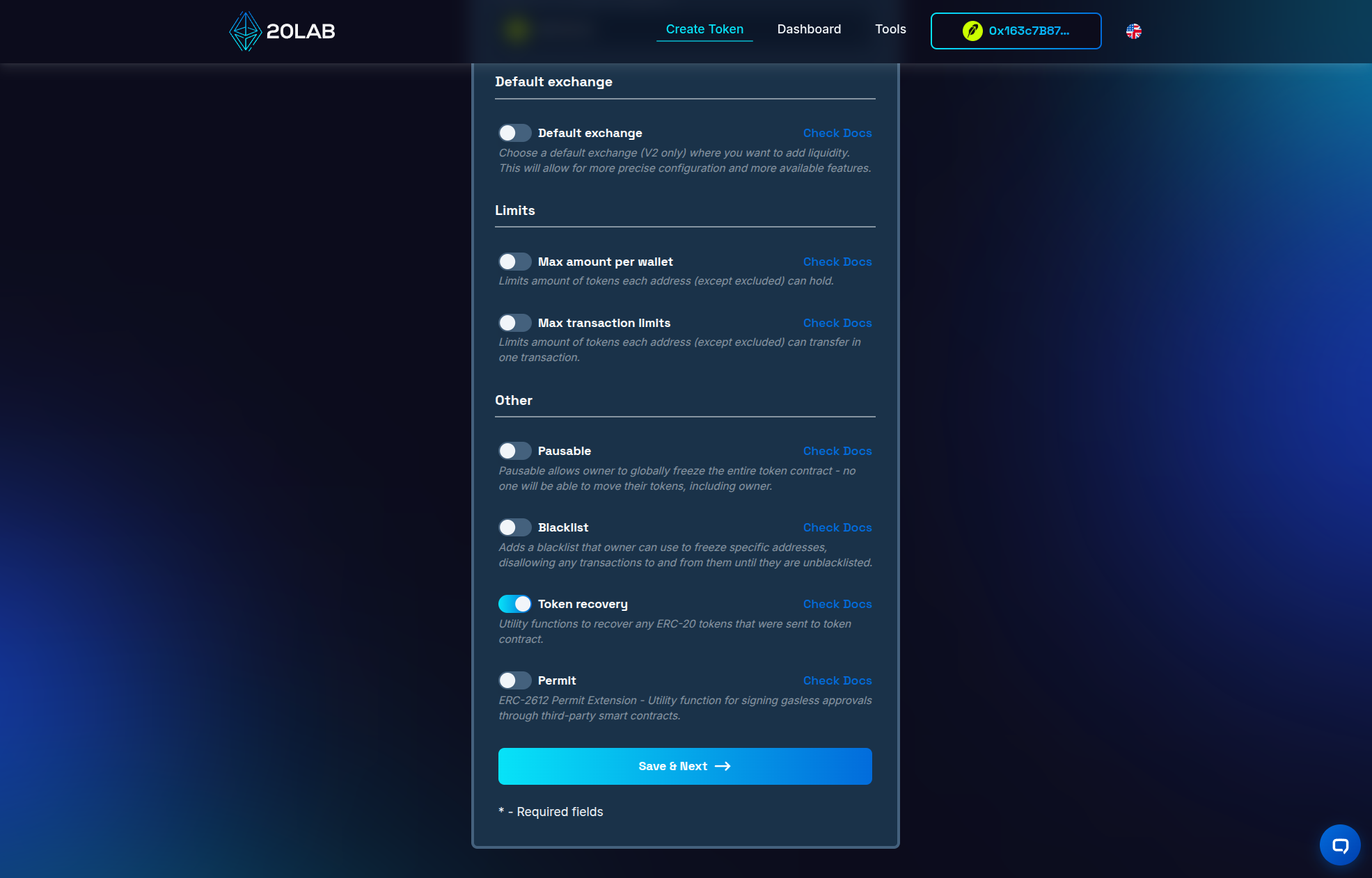
For a simple token, most features can stay off. One worth keeping on is token recovery, which lets the owner wallet retrieve ERC-20 tokens accidentally sent to the contract so they are not lost forever.
Review the Summary and Deploy
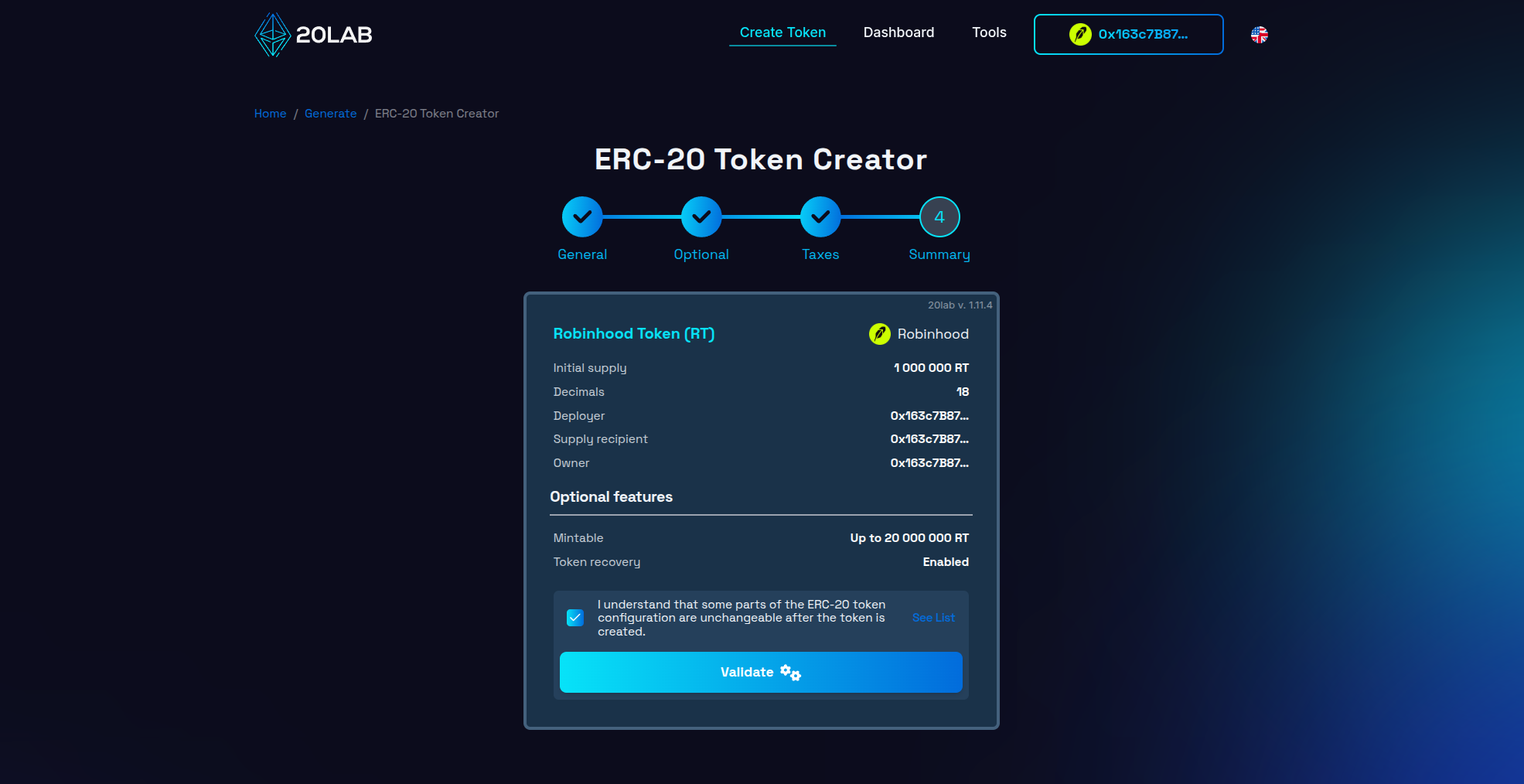
On the summary screen, double-check every value. Blockchain deployments are effectively permanent, so anything you get wrong here stays onchain. When it all looks right, click deploy, confirm the transaction in your wallet, and wait a few seconds for your token to go live.
Tips for a Successful Token Launch
- Pick a unique name and symbol. Duplicate tickers confuse holders and hurt discoverability. Search CoinMarketCap and CoinGecko before committing.
- Test on the testnet first. It is free and lets you check the entire flow before spending real ETH.
- Double-check before deploying. Optional features, supply, decimals - none of these can be quietly fixed after the fact.
- Understand owner permissions. If you enable features like mintable or pausable, be clear about what the owner wallet can do, and consider renouncing ownership once your token is stable if decentralization matters to your community.
How to Manage Your Robinhood Crypto Token After Deployment
Once your token is live, open your token's dashboard to view its data and control any owner functions. From there, a few steps typically come next:
- Verify the contract so its source code is publicly readable - usually the first move after deployment.
- Add liquidity on a supported DEX. Robinhood Chain already has one running as a dedicated venue from day one, so adding liquidity on Uniswap is the most direct route.
- Distribute tokens to your community using a multisender.
- Transfer or renounce ownership, or recover stuck tokens, whenever your project needs it.
On 20lab, all of this is available through the dashboard or tools without any further coding.
The Bottom Line
Creating your own Robinhood crypto token is genuinely accessible. Robinhood Chain is a permissionless, fully EVM-compatible Ethereum Layer-2 with fast, first-come-first-served sequencing, ETH-only gas, and real liquidity live from day one - an ERC-20 you deploy there behaves like one on Ethereum, just faster and cheaper to run. With a no-code token generator, you can go from idea to a live token in minutes, without writing a single line of Solidity.
Whether you're starting a new project or experimenting with blockchain technology, 20lab simplifies the process so you can focus on the utility and potential impact of your token, rather than its technical implementation.
If you have any questions, we are happy to assist you. Join our Telegram channel.


