
What Is Solana Token Minting?
Minting Solana tokens refers to the process of creating additional token supply for existing SPL tokens on the Solana blockchain. For project creators and token managers, this capability is essential for maintaining healthy tokenomics and responding to ecosystem demands.
Unlike the initial token creation process, minting allows authorized parties to increase the circulating supply of an existing token, providing flexibility as your project grows and evolves.
Tools You Need to Mint Solana Tokens Quickly and Safely
To successfully mint additional Solana tokens, you'll need access to:
- A wallet with mint authority - only the designated mint authority can create new tokens.
- Your token's mint address - the unique identifier for your token on the Solana blockchain.
- A token minting interface - tools like 20lab provide user-friendly ways to execute minting operations.
The minting process requires minimal technical knowledge when using purpose-built tools, making supply management accessible even for non-developers on the project team.
Common Use Cases for Projects That Mint Solana Tokens
Projects typically mint additional tokens for several strategic reasons:
Ecosystem Growth
As your project's user base expands, you may need to increase token supply to maintain liquidity and support new participants.
Scheduled Token Emissions
Many projects implement vesting schedules or regular distribution events that require minting tokens at predetermined intervals.
Strategic Partnerships
When forming new partnerships, allocating freshly minted tokens can facilitate collaboration without disturbing existing token allocations.
Treasury Replenishment
Projects often need to replenish treasury reserves to fund ongoing development, marketing initiatives, or community incentives.
Supply Adjustment
After burning tokens or to implement revised tokenomics, minting allows precise control over circulating supply.
Why 20lab's Solana Mint Tool Stands Out
What makes 20lab's minting tool essential for your Solana token? The platform offers several unique advantages that set it apart from other solutions:
- Authority Status Display - the tool automatically identifies and displays the current mint authority holder, providing immediate verification of your permissions before you attempt any minting operations.
- Unified Token Management - the Solana mint tool is part of 20lab's comprehensive token management suite, allowing seamless integration with other functions like authority transfers, SPL token creation, and configuration updates.
- User-Friendly Design - the intuitive interface guides you through each step of the process, making minting accessible to both technical and non-technical team members.
Step-by-Step Guide: How to Mint Solana Tokens
Follow these simple steps to mint additional tokens for your SPL token:
- Visit minting tool and connect your wallet: Visit 20lab's Solana mint tokens tool to start and ensure you're using the wallet that holds the mint authority. Only the mint authority holder is permitted to perform minting operations for Solana tokens.
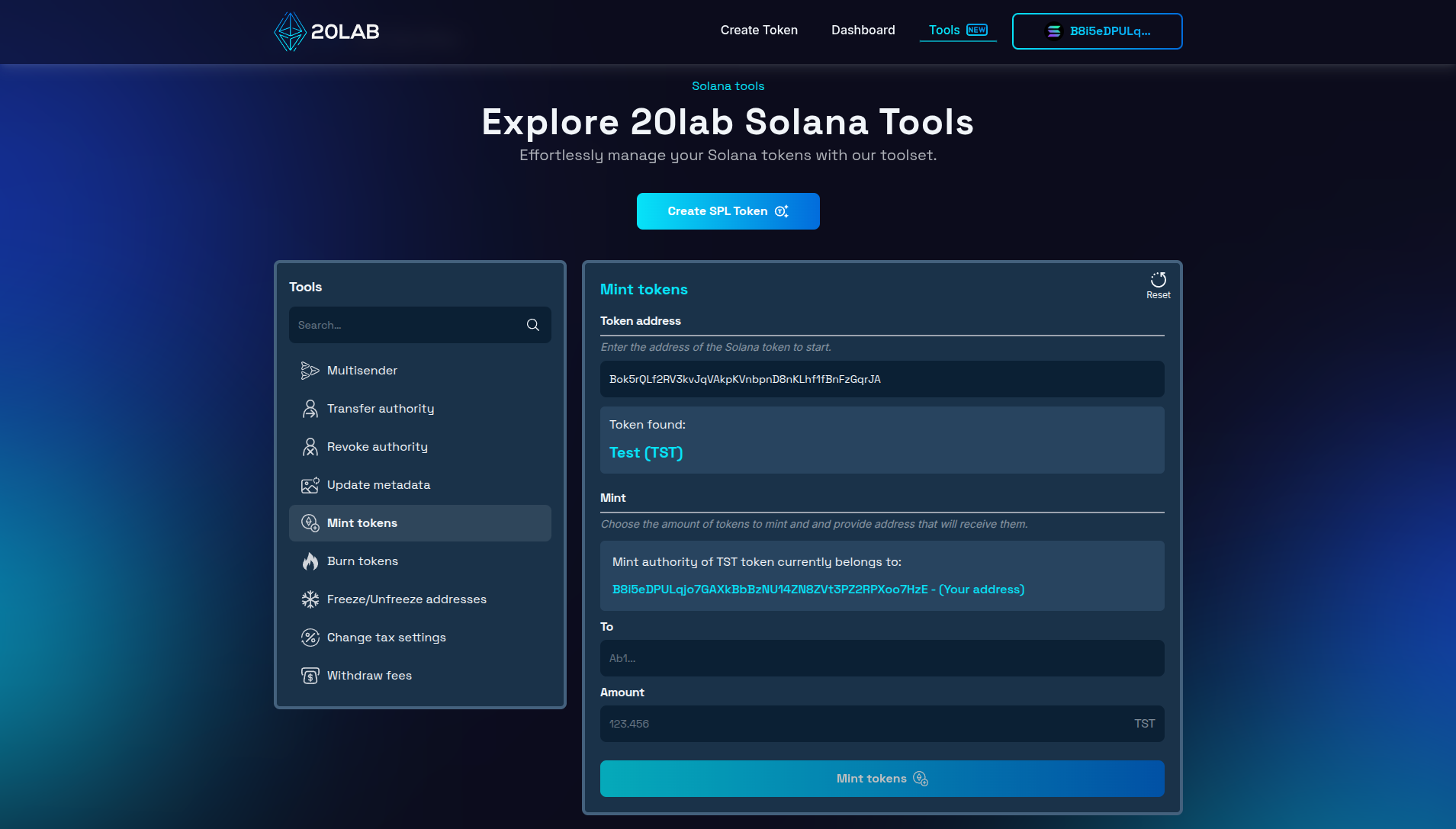
- Enter token address: Input your token's mint address in the minting tool. You will instantly see which wallet holds the mint authority. If your currently connected wallet holds this authority, you can proceed to the next steps.
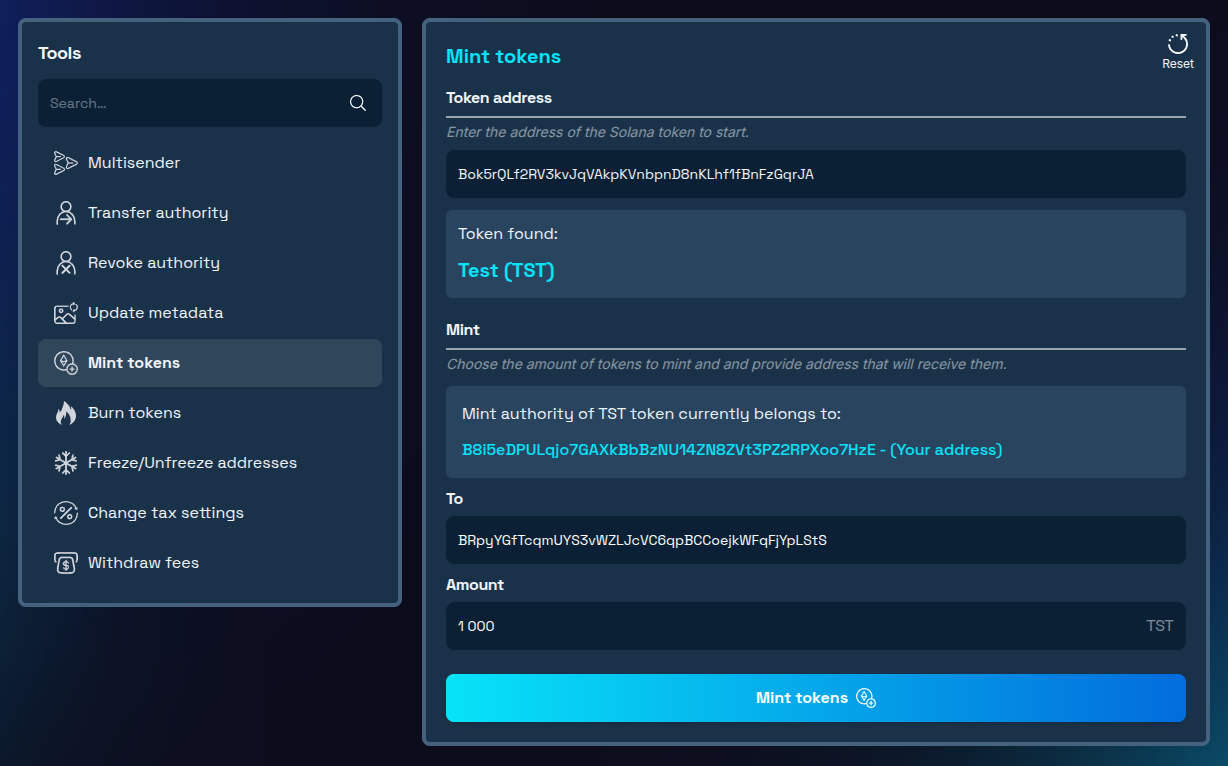
- Specify amount and destination address: Determine how many tokens to mint and enter the wallet address that will receive the newly created tokens.
- Confirm transaction: Review all details and approve the transaction in your wallet.
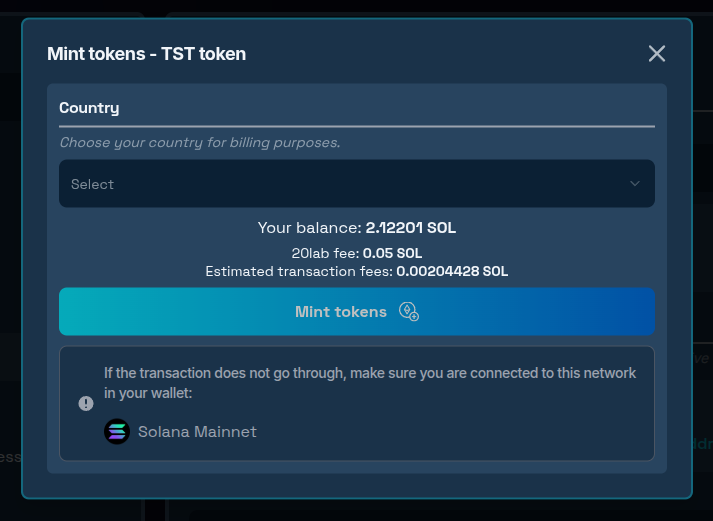
Once confirmed, the transaction will be processed on the Solana network, typically completing within seconds. The specified wallet will receive the newly minted tokens, with a token account automatically created if one doesn't already exist.
Immediately after minting completes, your token's total supply will automatically update to reflect the increase.
Minting to Multiple Recipients
If you need to mint tokens to multiple addresses rather than a single recipient, the process remains straightforward. First, normally mint the total amount to a wallet you control. Then, use a Solana multisender tool with file upload support for efficient distribution.
What to Know Before You Mint Solana Tokens for Your Project
Authority Requirements
Only the designated mint authority can create new tokens, typically the original token creator, a transferred wallet address, a multisig wallet, or a program-controlled authority. If the mint authority has been revoked, no new tokens can be minted!
Supply Limitations
While Solana's technical limit is 2⁶⁴-1 tokens (over 18 quintillion), responsible management means adhering to your tokenomics plan, maintaining transparency, and considering market impact before performing large minting operations.
Impact on Token Holders
Minting affects existing holders through dilution, potential market value changes, shifts in governance weight, and altered distribution metrics, even though their token balances remain unchanged.
Transparency Considerations
All minting activities are permanently recorded on the Solana blockchain through block explorers, real-time supply metrics, wallet activity logs, and analytics platforms, ensuring accountability to your community.
Conclusion
The mintable Solana tokens grant projects a valuable flexibility in managing token supply. When used responsibly and transparently, token minting enables projects to scale, fund development, incentivize participation, and adapt to changing market conditions.
Whether you're implementing a predetermined vesting schedule or responding to new growth opportunities, understanding the proper use of minting tools ensures you can manage your token supply effectively while maintaining community trust.
Ready to mint additional tokens for your Solana project? Explore our Solana tools today and experience professional-grade token management! If you have questions about using Solana tools, don't hesitate to reach out to us via our Telegram channel.


