
In the evolving landscape of blockchain technology, adaptability is essential. When developing tokens on the Sui network, incorporating minting functionality from the start can be crucial for your project's success. Mintable tokens on Sui provide a powerful capability: the ability to create additional tokens after initial deployment, offering projects the flexibility and scalability they need.
Why Mintable Tokens Matter on Sui
Imagine launching a token on the Sui blockchain, then discovering that your project needs more tokens to accommodate user growth or ecosystem expansion. With fixed supply tokens, you'd be constrained by your initial setup. But with a mintable Sui token, you have the flexibility to adjust your token supply as your project grows.
Mintable tokens on Sui are especially valuable for:
- Dynamic DeFi protocols that require an adjustable token supply.
- GameFi projects with evolving in-game economies.
- Community initiatives that scale with participation.
- Projects that require flexibility in token distribution strategies.
In this guide, we'll walk you through creating your own mintable token on the Sui blockchain using 20lab's Sui token generator - an easy-to-use tool that eliminates the need for complex coding. You'll learn how to configure your token parameters, implement minting capabilities, and effectively manage your token through an intuitive dashboard. Whether you're a blockchain entrepreneur, project manager, or someone new to the Sui ecosystem, this tutorial will show you how to deploy a token that can adapt to your project's evolving needs.
How to Create Your Mintable Sui Token
We'll be using the 20lab.app platform to create our mintable Sui token. This easy-to-use Sui token generator streamlines the token creation process and makes it accessible to everyone - whether you're a developer, project owner, or just getting started in the Sui ecosystem.
Step 1: Choose Token Type and Connect Wallet
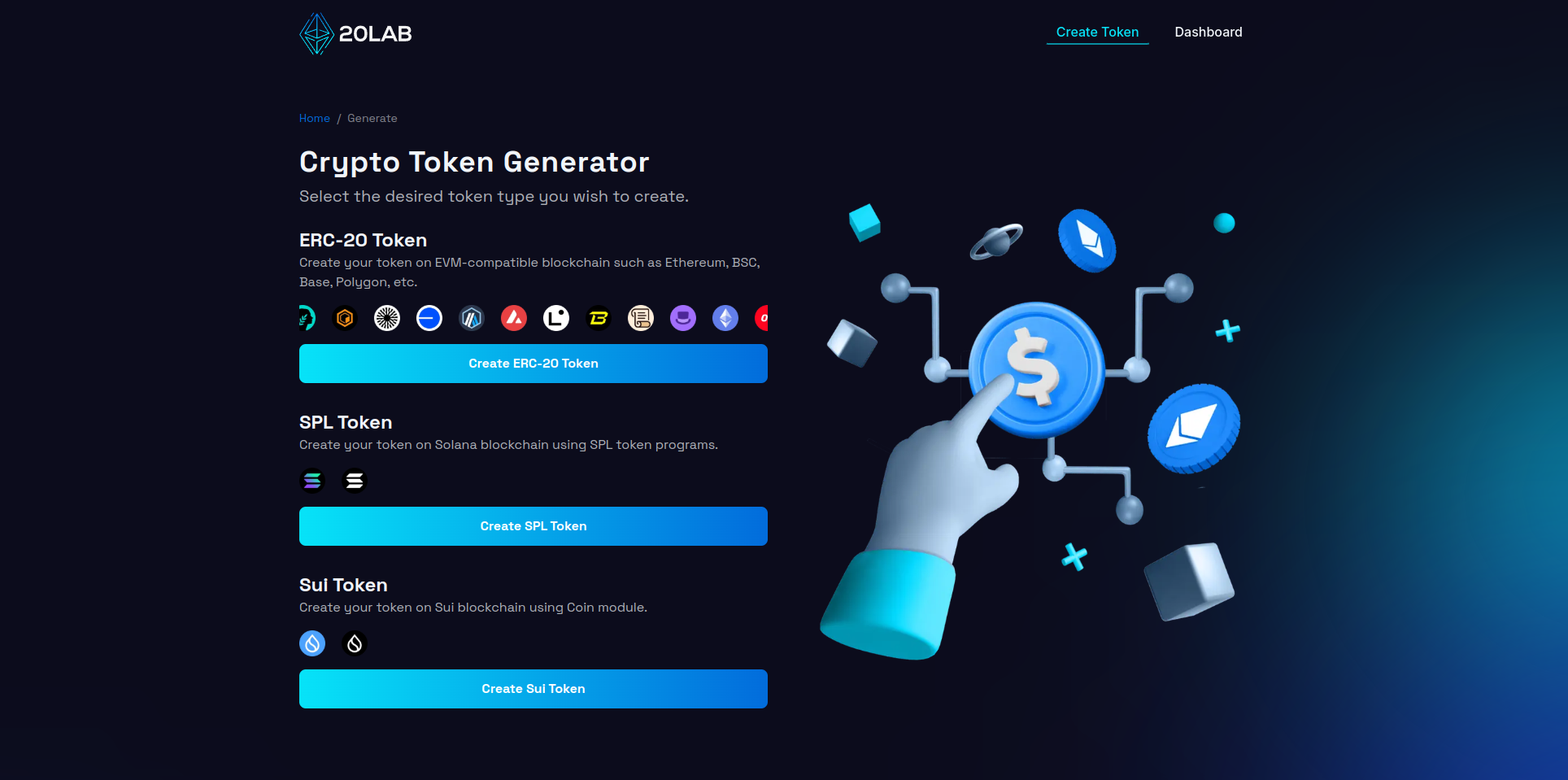
First, visit 20lab.app, navigate to the generator page and click on "Create Sui Token".
The next step is to connect your Sui wallet (e.g. Suiet wallet, Sui wallet or Stashed) to the platform. After successful connection you will automatically see your wallet address in the top right corner.
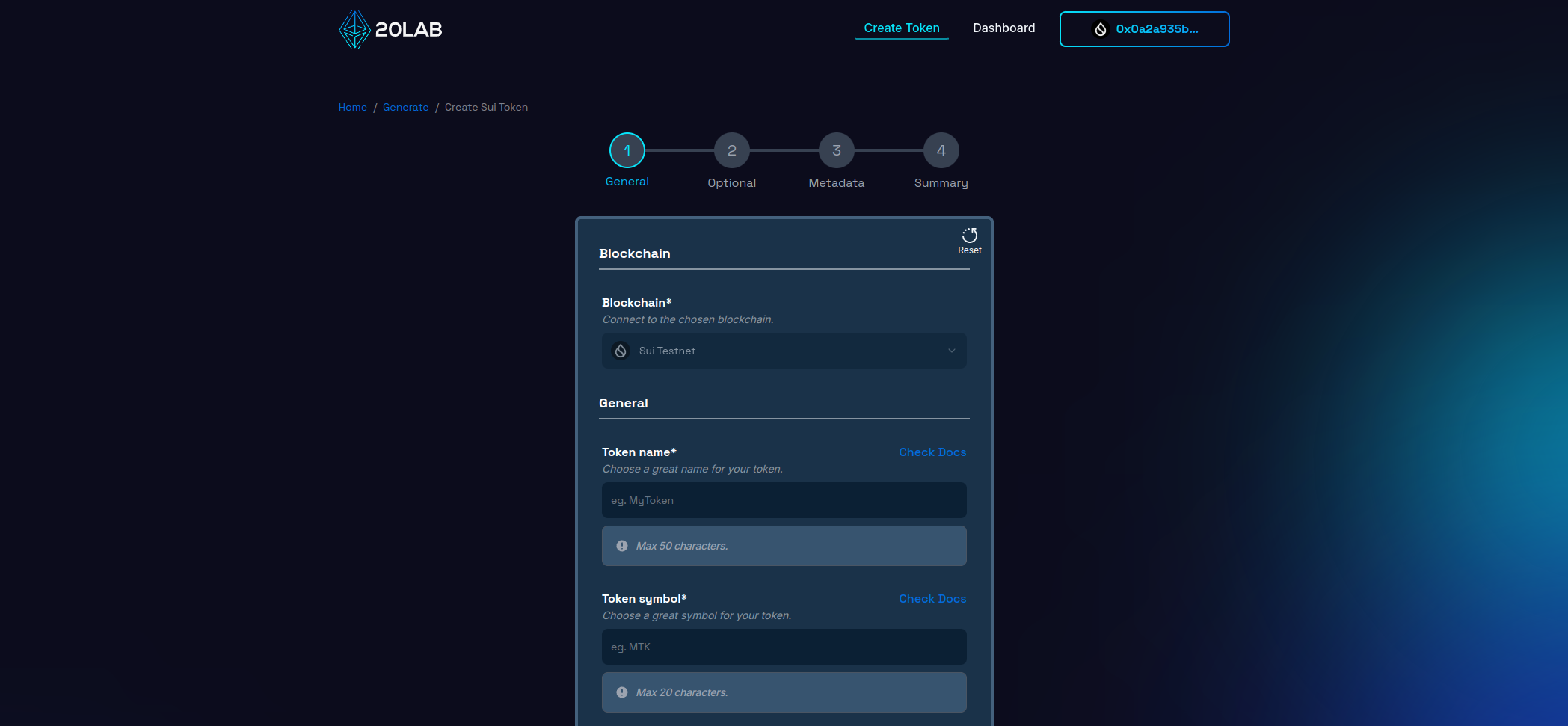
Make sure you're connected to the Sui Mainnet (or Sui Testnet if you're experimenting with your token). If you're using 20lab's token generator, you'll find the Sui network option among other blockchain choices in the platform. While 20lab supports multiple blockchains, for the purposes of this guide, we'll focus specifically on creating a token on the Sui network.
Step 2: Add General Token Information
When creating your token on the Sui blockchain, it's important to carefully configure the initial parameters that will define the characteristics of your token. Let's go through the basic configuration settings in 20lab's Sui Token Generator.
First, you'll need to set your token's name and symbol. The token name is the full name, while the symbol serves as a shorter identifier for your token. Unlike many other blockchains, Sui offers the flexibility to change both the name and symbol later if you have the treasury cap and metadata authority.
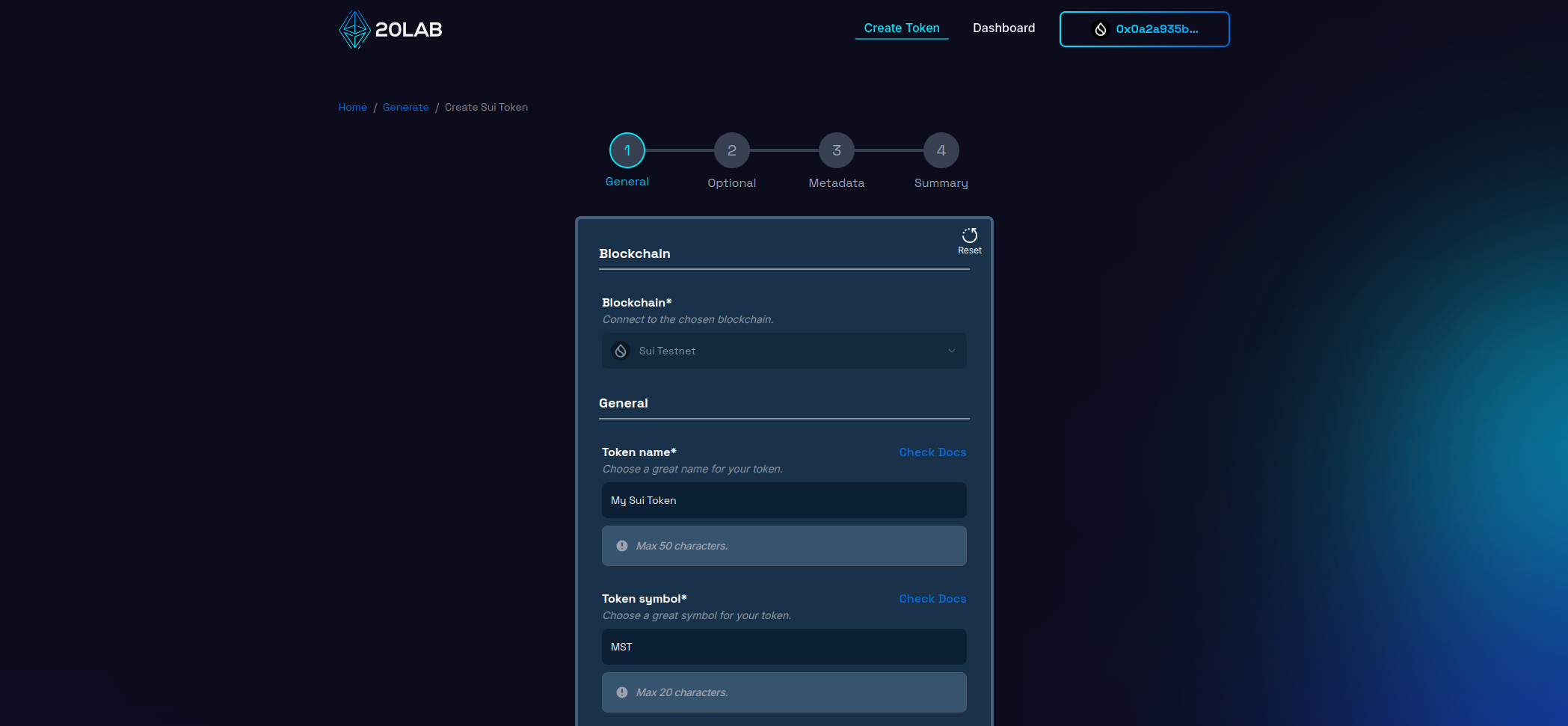
Your module name is a unique identifier that appears at the end of your Sui token address (coin type). While it doesn't need to match your token name, it must follow specific syntax rules:
- Must start with a lowercase letter.
- Can only contain lowercase letters, numbers and underscores (_).
- Cannot be changed after deployment.
If you're unsure what to use, 20lab can automatically generate a module name based on your token name.
Choose how divisible your token will be by setting the decimal places (0-9). For best compatibility within the Sui ecosystem:
- Most common values are 6 or 9 decimal places.
- Higher decimal places will limit your maximum initial supply.
- This setting is permanent and cannot be changed after deployment.
The initial supply determines how many tokens are created at launch. When setting this value, keep the following in mind:
- The maximum initial supply depends on the number of decimal places you choose.
- Lower decimal places allow for higher initial supply value.
- Without the mintable feature, this becomes your permanent total supply.
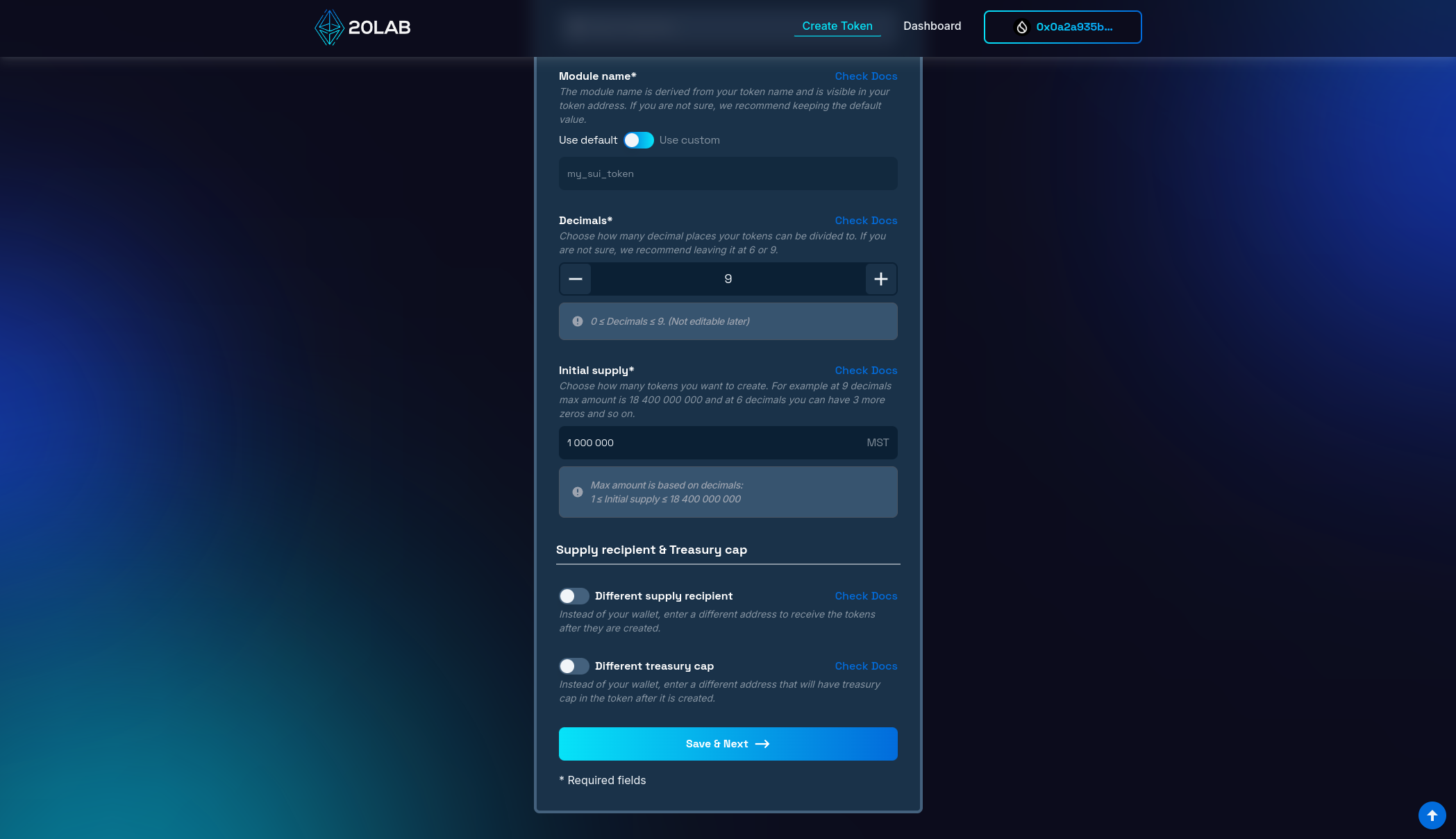
When you create your Sui token, you'll need to specify two important wallet addresses that will control different aspects of your token. The first is the supply recipient address, which will receive all tokens minted during the initial creation. By default, this is set to your currently connected wallet address. However, if you want these tokens to go to a different wallet, you can enable the "Different supply recipient" option and specify an alternative address.
The second important address is the treasury cap, which holds administrative control over your token's restricted functions. Like the supply recipient, this defaults to your connected wallet, but you can designate a different address by enabling the "Different treasury cap" option. This address is particularly important as it will maintain control over your token's administrative functions after deployment, so choose this address carefully based on your project's governance needs.
Step 3: Mintable Feature
One of the most important features you can have for your Sui token is the mintable feature, which allows you to flexibly manage the supply of tokens after deployment. In the next step of the generator you'll find the "Mintable" option which is automatically enabled to access this functionality.
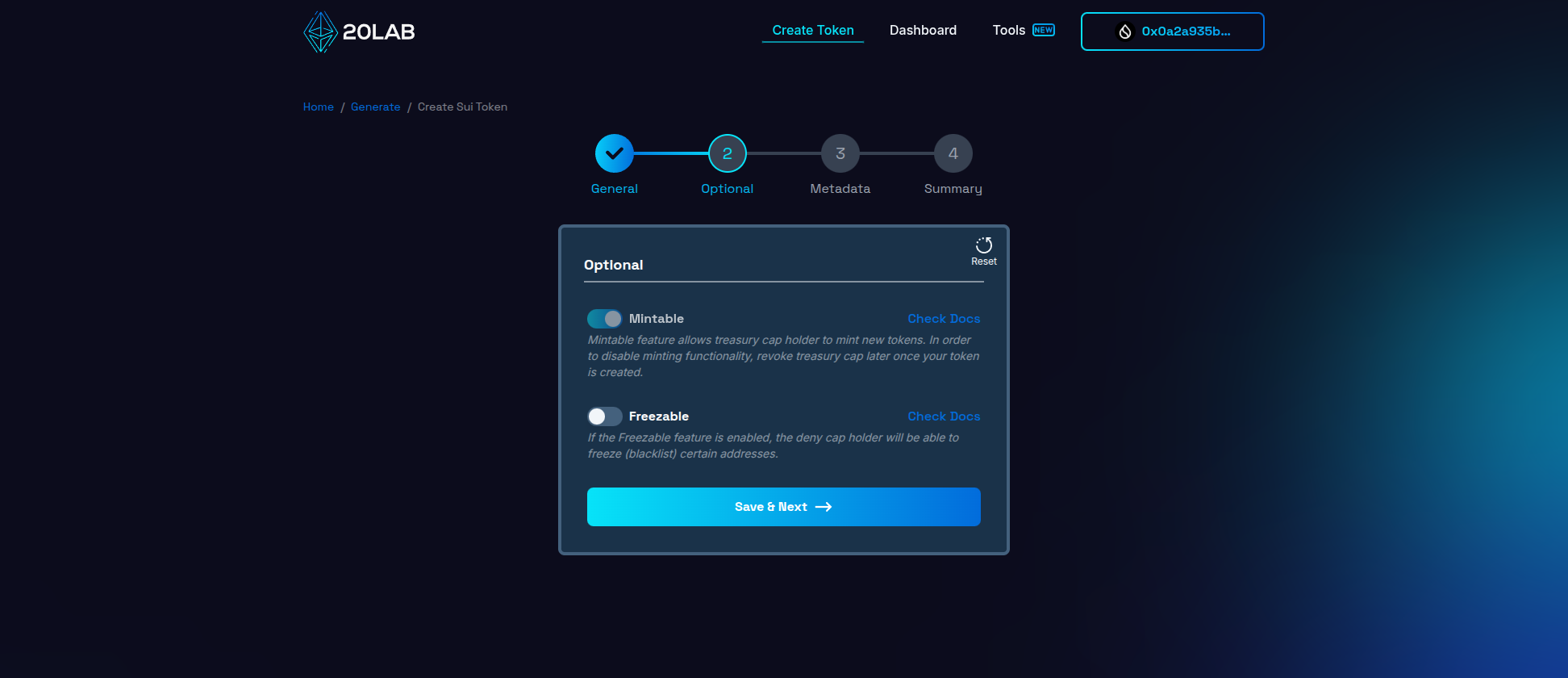
Along with this, the treasury cap holder gains the ability to mint new tokens to any address of their choice. On Sui, this minting capability comes with no maximum limit, allowing continuous token creation as long as the treasury cap is not revoked.
To disable this feature later, you can easily revoke the treasury cap object in the dashboard so that minting is no longer possible.
Step 4: Review and Deploy
Before deploying your mintable token on the Sui network, take the time to carefully review all of the configured settings on the "Summary" page. This final check is critical to ensure that your token will work as intended once deployed.
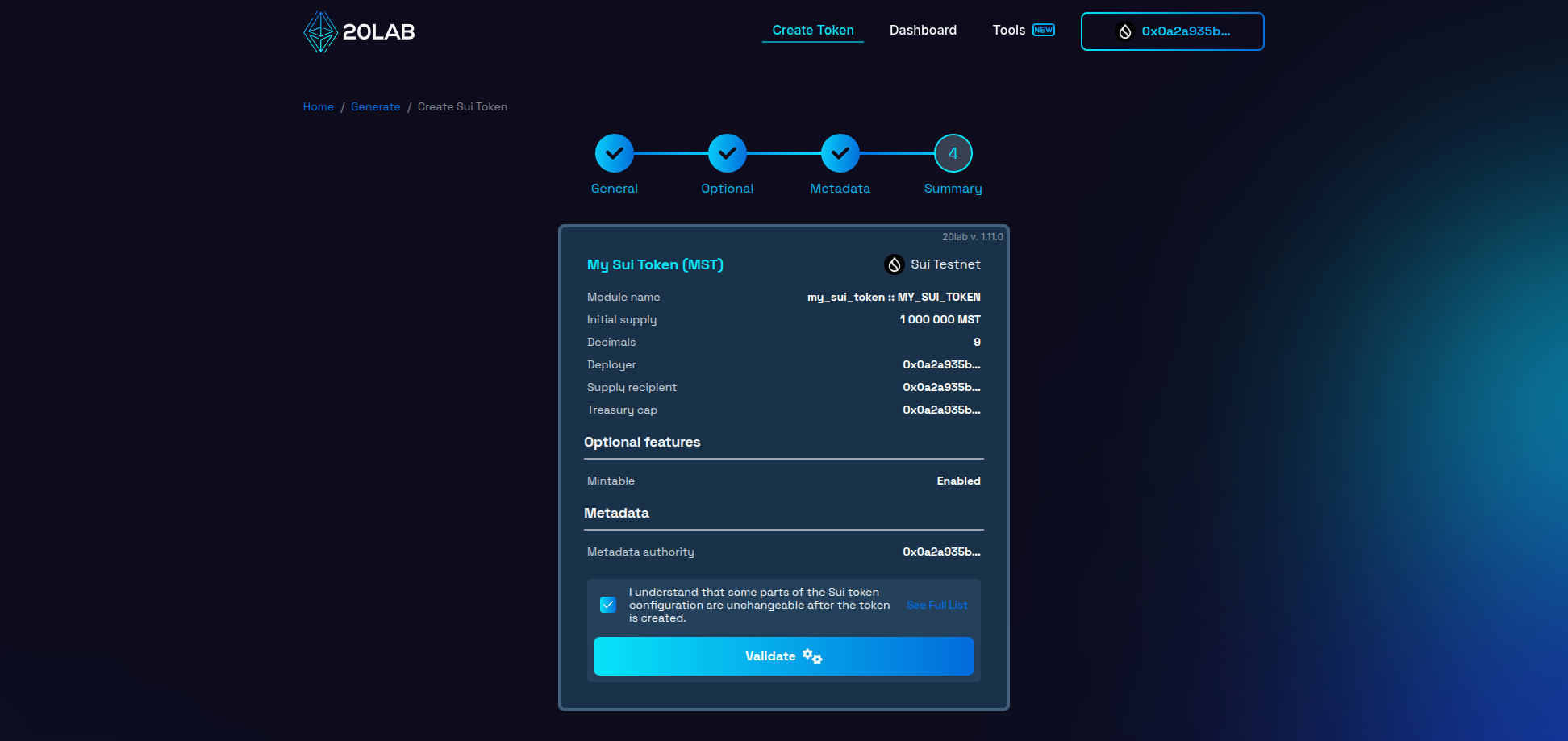
On this page you'll see all your chosen configurations:
- Token name and symbol,
- Module name,
- Initial supply and decimals,
- Supply recipient address,
- Treasury cap address,
- Mintable feature settings.
Click the "Validate" button to perform a technical review of your token configuration. This step ensures that all parameters meet Sui requirements and can help identify any potential issues prior to deployment.
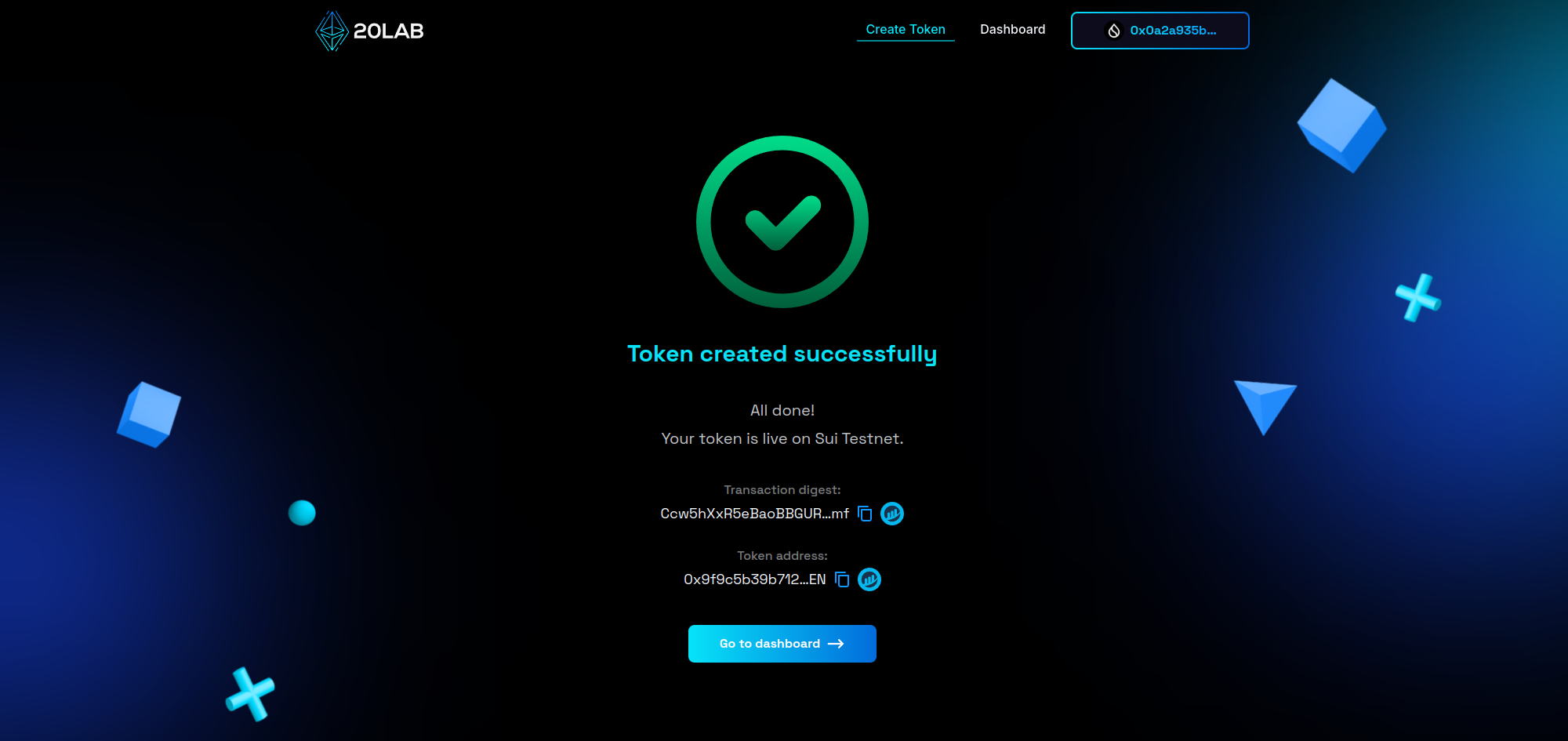
If validation is successful, click "Deploy" to create your token on the Sui network. Your connected wallet will prompt you to authorize the transaction and cover the necessary gas fees. After confirming the transaction, your token will be deployed on the Sui blockchain with all specified parameters and minting capabilities!
Managing Your Mintable Sui Token
After deploying your token on the Sui network, 20lab's dashboard provides an intuitive interface to monitor and manage your token. This comprehensive dashboard gives you full visibility and control over your token's operations.
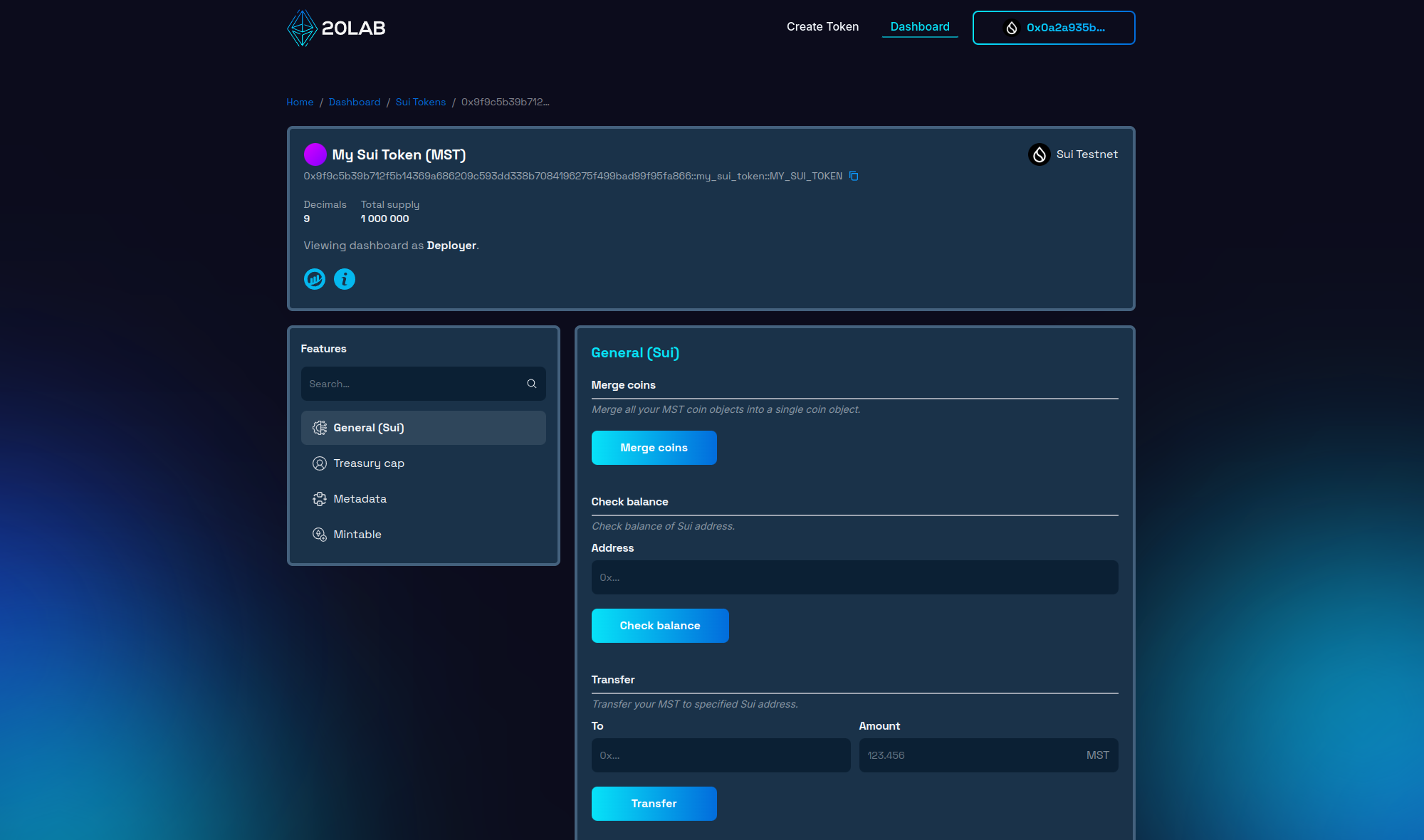
The dashboard displays essential token information, including your token's coin type (address), current supply, token name, symbol, and decimal places. You can also review other configured parameters such as the module name (displayed at the end of your token's address) and treasury cap holder.
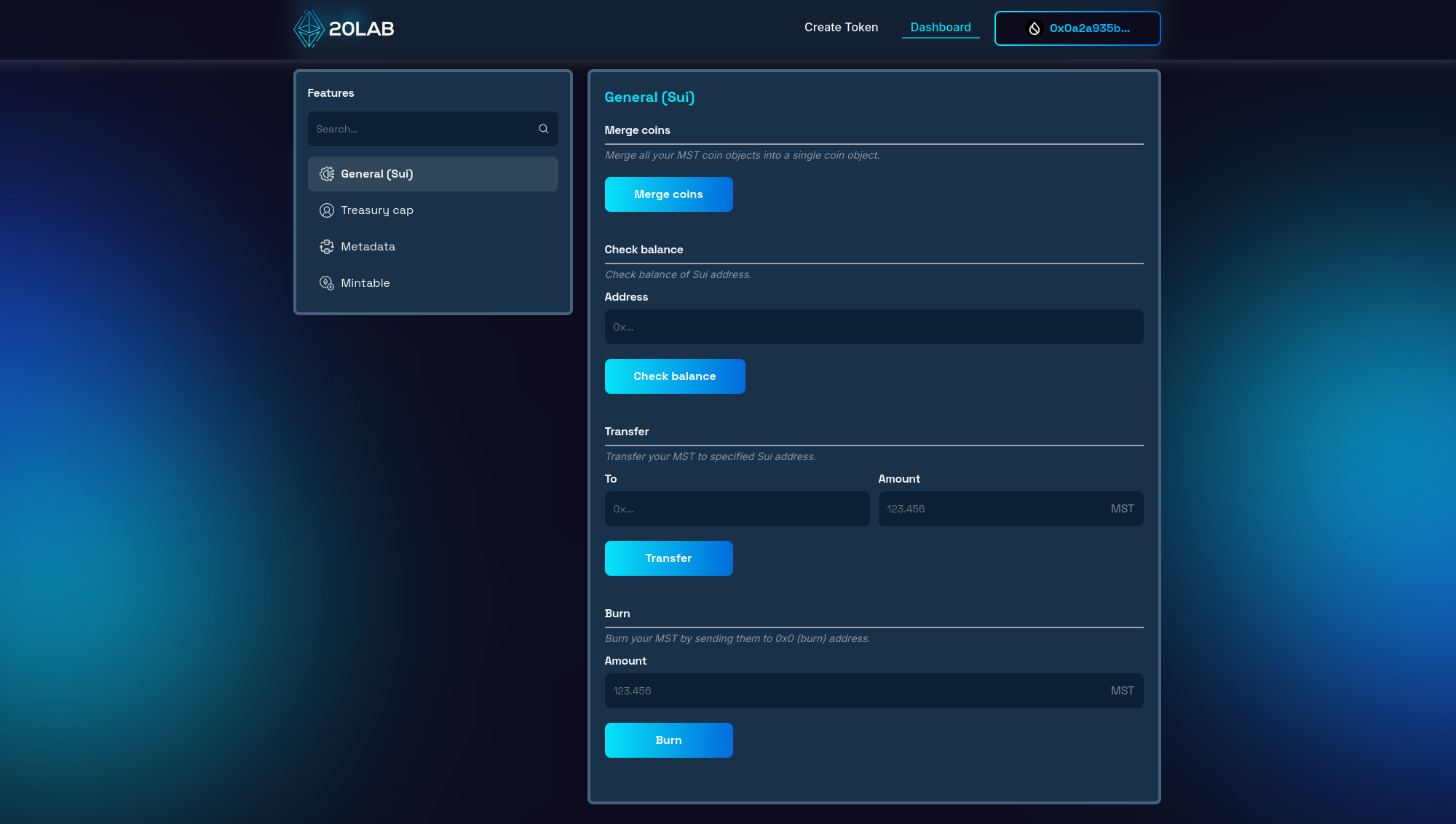
The "General (Sui)" section of the 20lab dashboard provides essential functions for managing your Sui token. Here you can merge your coin objects into a single one, check the balance of specific addresses, transfer and burn tokens.
A key feature available through the dashboard for mintable Sui tokens is the minting functionality accessible to the treasury cap holder. The "Mintable" section allows you to create and distribute new tokens as needed.
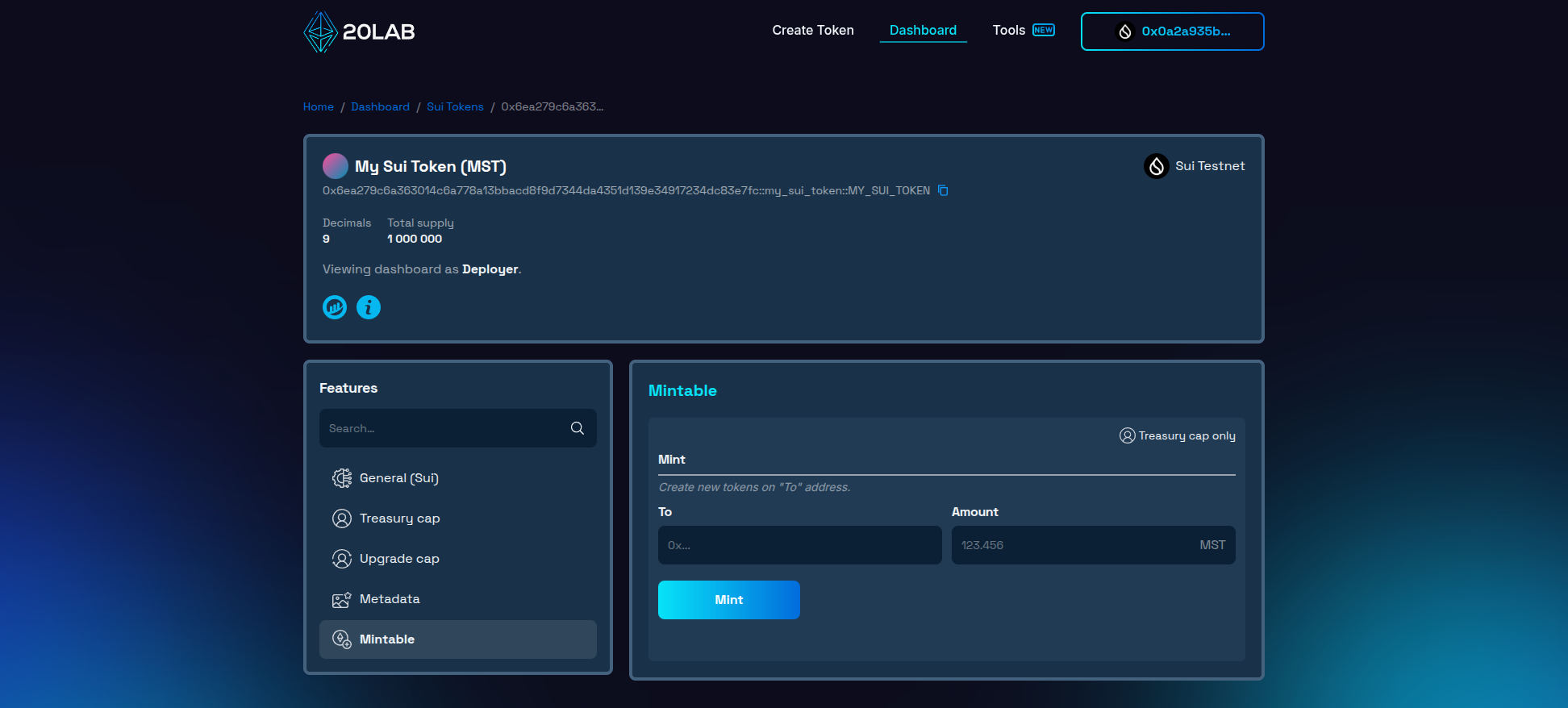
To mint new tokens, you'll need to provide the following information:
- Recipient address: The address of the Sui wallet that will receive the newly minted tokens.
- Mint amount: The amount of tokens you want to create.
After entering these details, click "Mint" to initiate the process. Your connected wallet will prompt you to approve the transaction and cover the gas fees. Once the transaction is confirmed on the Sui network, the dashboard will automatically update to reflect your token's new total supply.
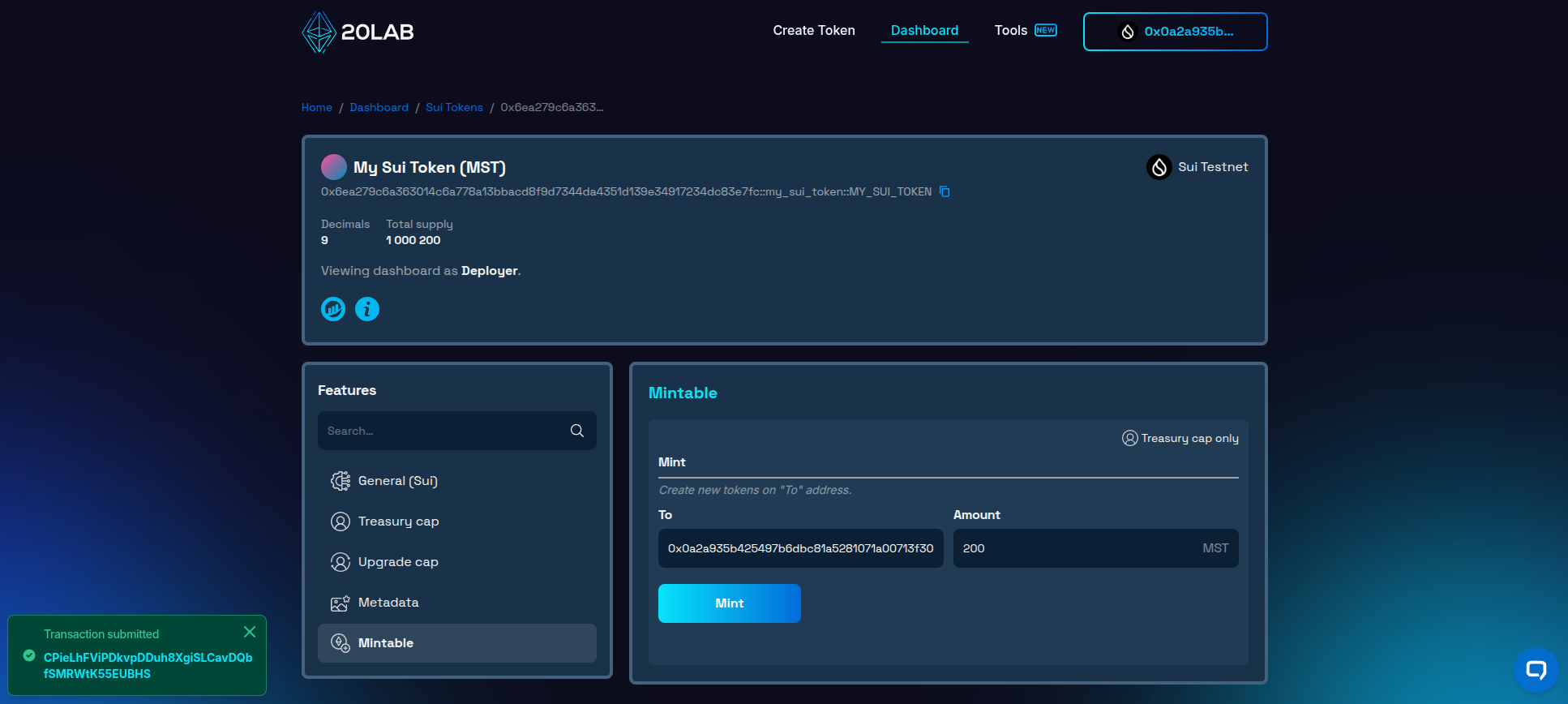
The dashboard also allows you to monitor other token activity and manage various aspects of your token, making it a central hub for the ongoing management of your token on the Sui network.
Conclusion
Creating a mintable token on the Sui network provides powerful flexibility for your project's growth and evolution. The ability to mint additional tokens as needed makes your token adaptable to changing needs, whether you're building a GameFi platform, a DeFi protocol, or a community-driven project.
20lab's Token Generator simplifies the entire process, from initial configuration to ongoing management. By removing technical barriers, it allows you to focus on what really matters - your project's vision and implementation. The intuitive interface and comprehensive dashboard make token creation and management accessible to everyone in the Sui ecosystem.
By leveraging the features of both the Sui blockchain and 20lab's platform, you'll be well-equipped to launch and manage a token that can grow with your project's success.
If you have any questions about creating or managing your mintable Sui token, don't hesitate to reach out to us via our Telegram channel.


