
Want to launch your token on Sui? To add liquidity to Cetus, you'll need a liquidity pool - without one, your token exists but can't be traded. Cetus stands out as the go-to DEX in the Sui ecosystem, bringing sophisticated concentrated liquidity features to token creators like you.
Think of Cetus as your token's launchpad - it combines advanced Uniswap V3-style concentrated liquidity with user-friendly features designed specifically for new token launches. Let's dive into how you can leverage Cetus to give your token the best possible start.
Understanding Your Options on Cetus
Unlike traditional AMMs, Cetus embraces the future with concentrated liquidity pools. Here's what makes it special:
The platform lets you spread liquidity across the entire price spectrum (called "Full Range"), essentially giving you traditional AMM-like behavior when you need it. You can choose from various fee tiers (e.g. 0.01%, 0.05%, 0.25%, 1%) to match your token's trading strategy. Later, as your token matures, you'll have the flexibility to focus your liquidity where it matters most.
The Power of Full Range for New Tokens
For your token's initial launch, we strongly recommend going with a full range position. Here's why:
Your token needs uninterrupted tradability across all price points - you don't want to accidentally create price ceilings. Full range positions provide exactly that while keeping things simple to manage. They're perfect for new tokens that haven't yet established clear trading patterns.
Doesn't matter which features you choose when creating your Sui token on 20lab, they will always be fully compatible for listing on Cetus exchange.
How to Add Liquidity to Cetus - Step by Step
Before diving in, make sure you have:
- Your token's object ID of Sui coin (also known as a token address)
- Enough tokens for meaningful initial liquidity
- SUI tokens for transaction fees
- SUI (or another established token) for pairing with your token inside liquidity pool
If you created your token on 20lab, you can easily copy the token's object ID from the dashboard.
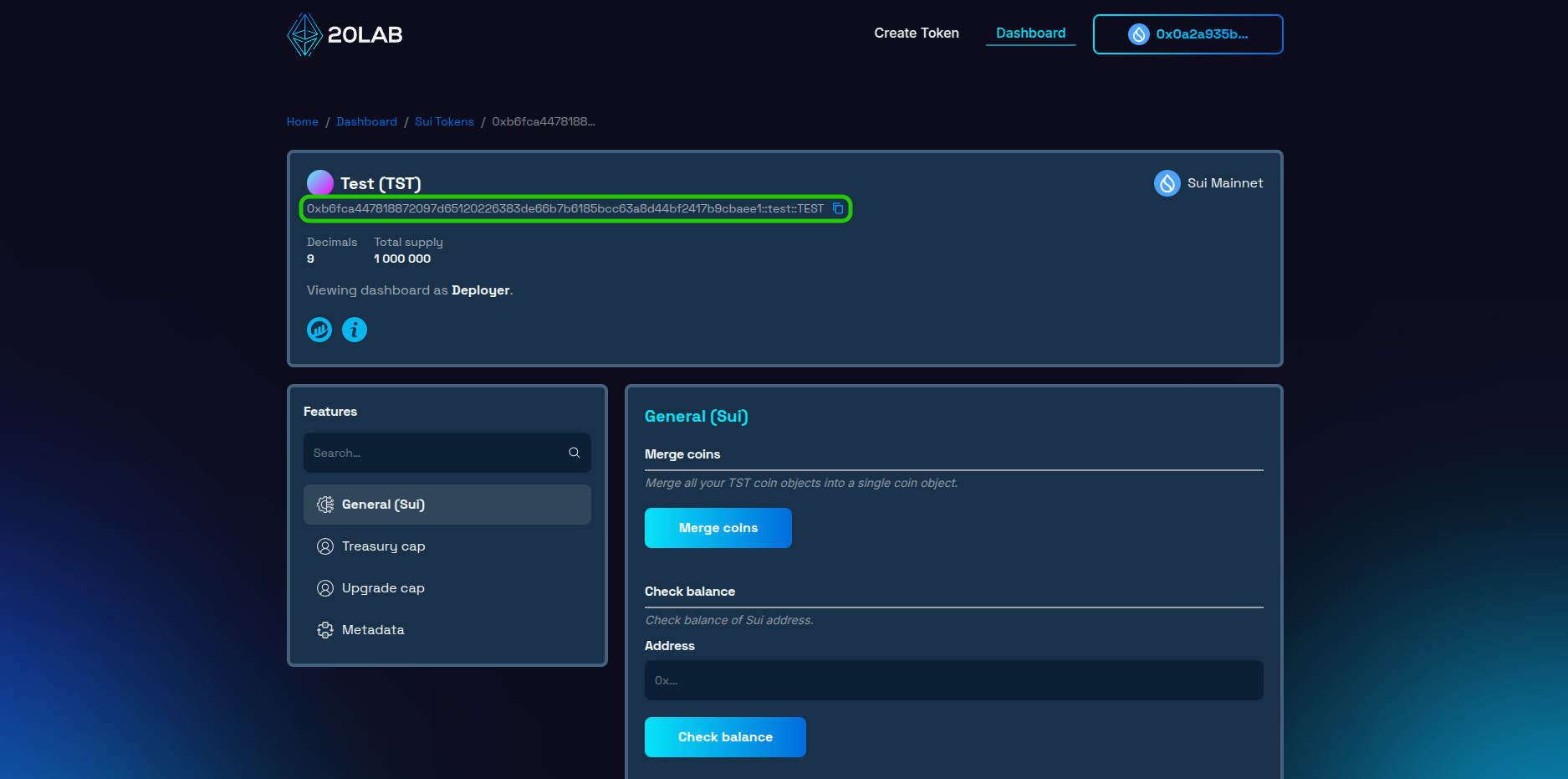
To start, follow these steps:
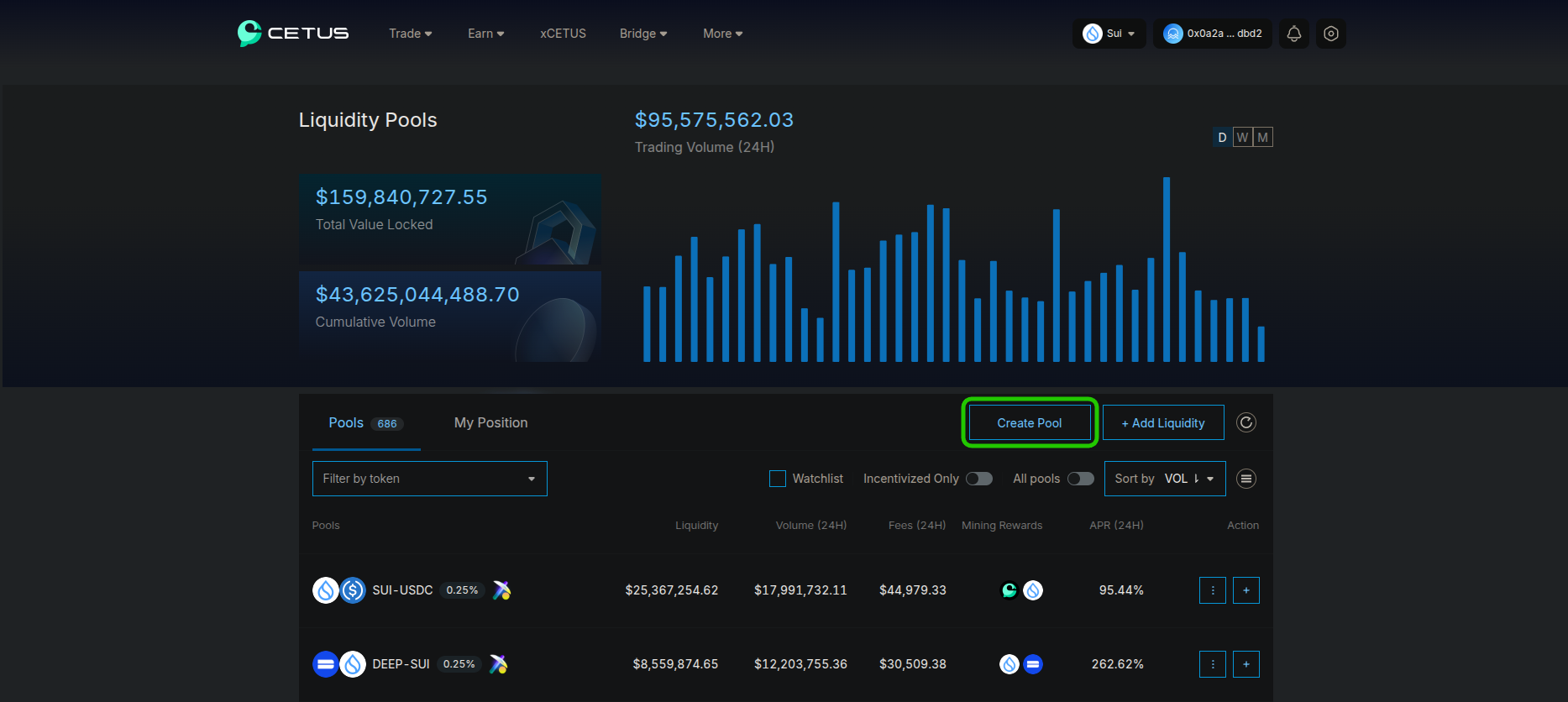
- Navigate to Cetus liquidity interface and click the "Create Pool" button in the top right corner.
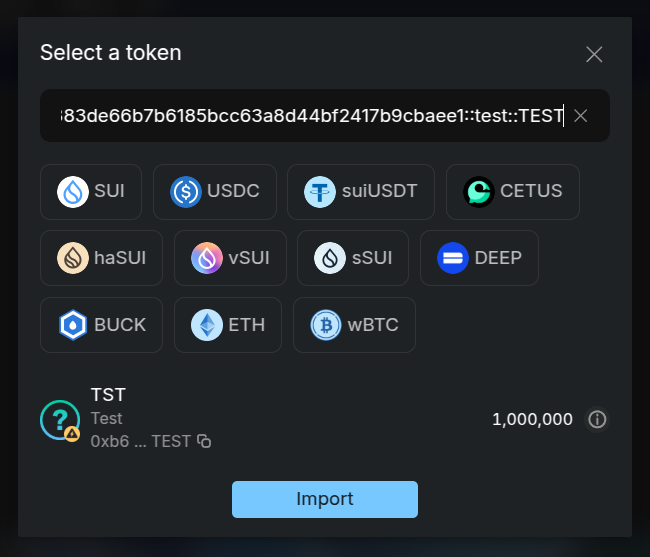
- Select your token pair - paste your token address to select it as a quote token and choose the base token e.g. SUI.
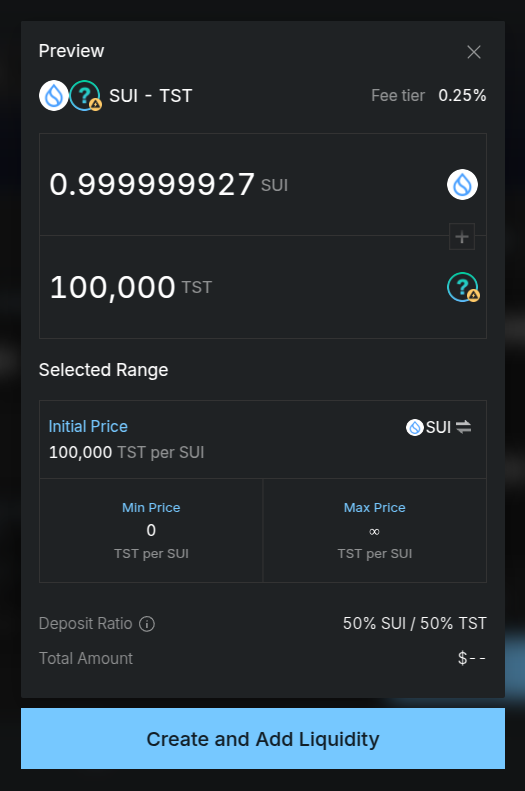
- Choose your fee tier from many available options. For most new tokens, 0.25% is recommended as it provides a good balance between trading activity and LP rewards.
- Set your initial price and position range. For new tokens, using "Full Range" is very recommended to provide consistent liquidity across all price points.
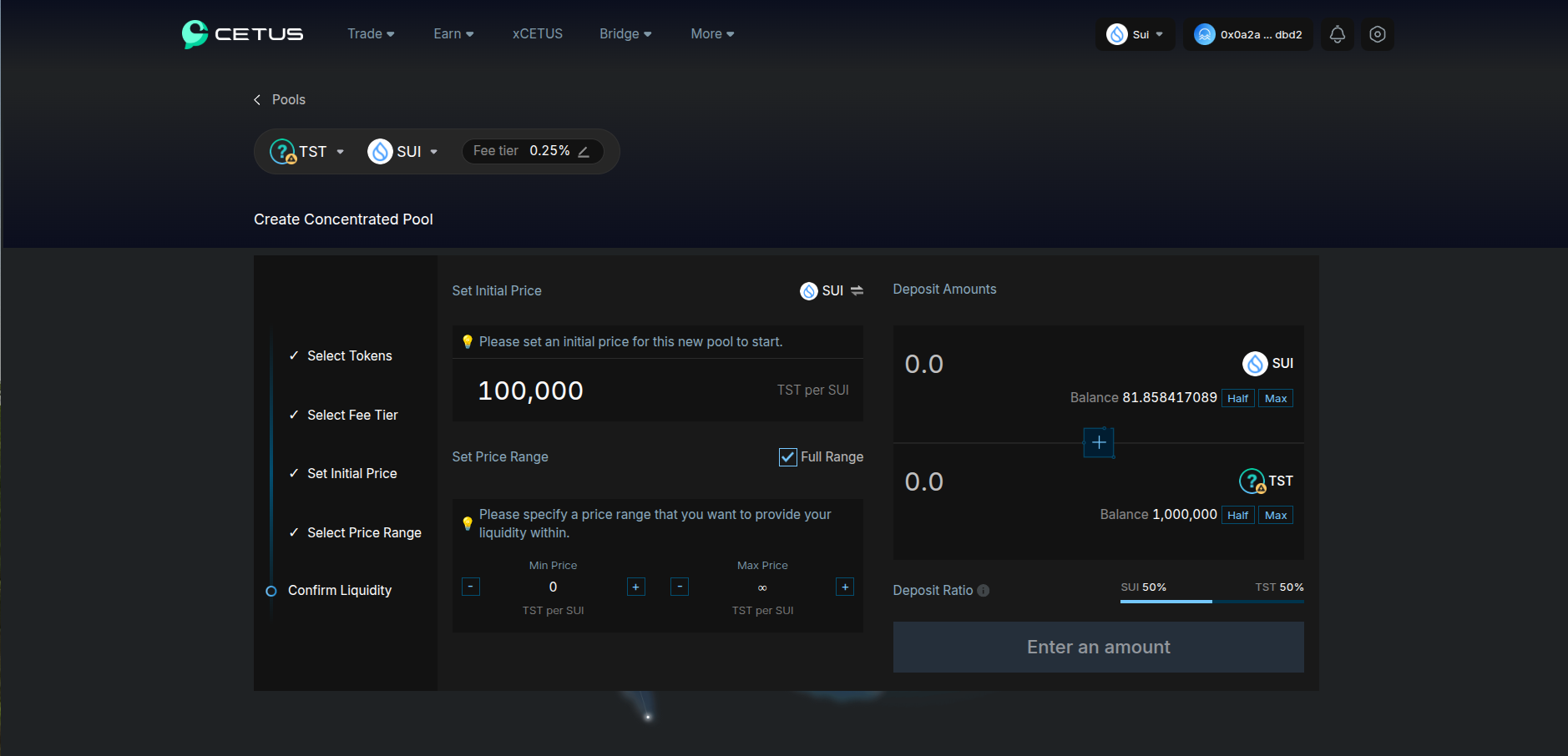
- Input the amount of tokens you wish to provide as initial liquidity. The amount of the second token will be automatically calculated based on your initial price.
- Review all parameters carefully and confirm the pool creation transaction. Upon success, you'll receive a position NFT representing your liquidity.
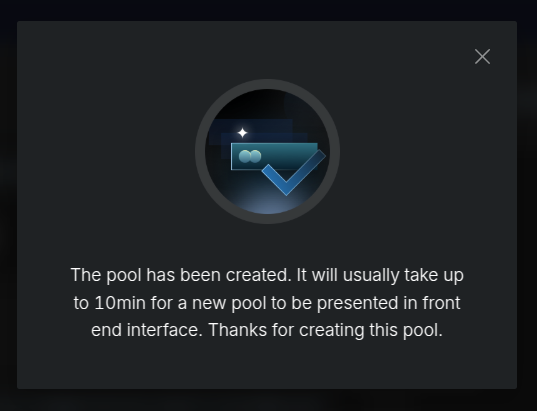
- Wait a few minutes for your pool to appear on Cetus interface and become available for trading.
Security and Launch Management
Establishing trust through secure liquidity management is fundamental to your token's success. After successfully creating your initial liquidity pool, the next crucial step is securing your LP NFT tokens.
Cetus offers an innovative eternal lock mechanism, often referred to as "burning", which enables permanent liquidity commitment while preserving your ability to collect earned fees.
Burn Feature Directly on Cetus
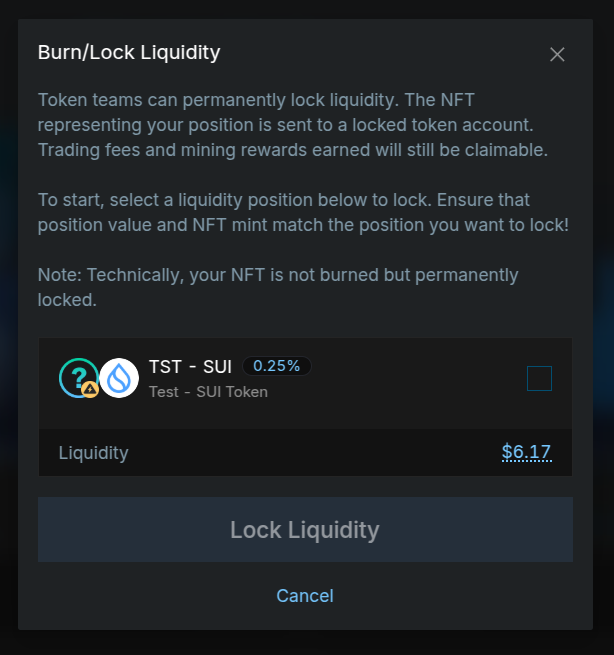
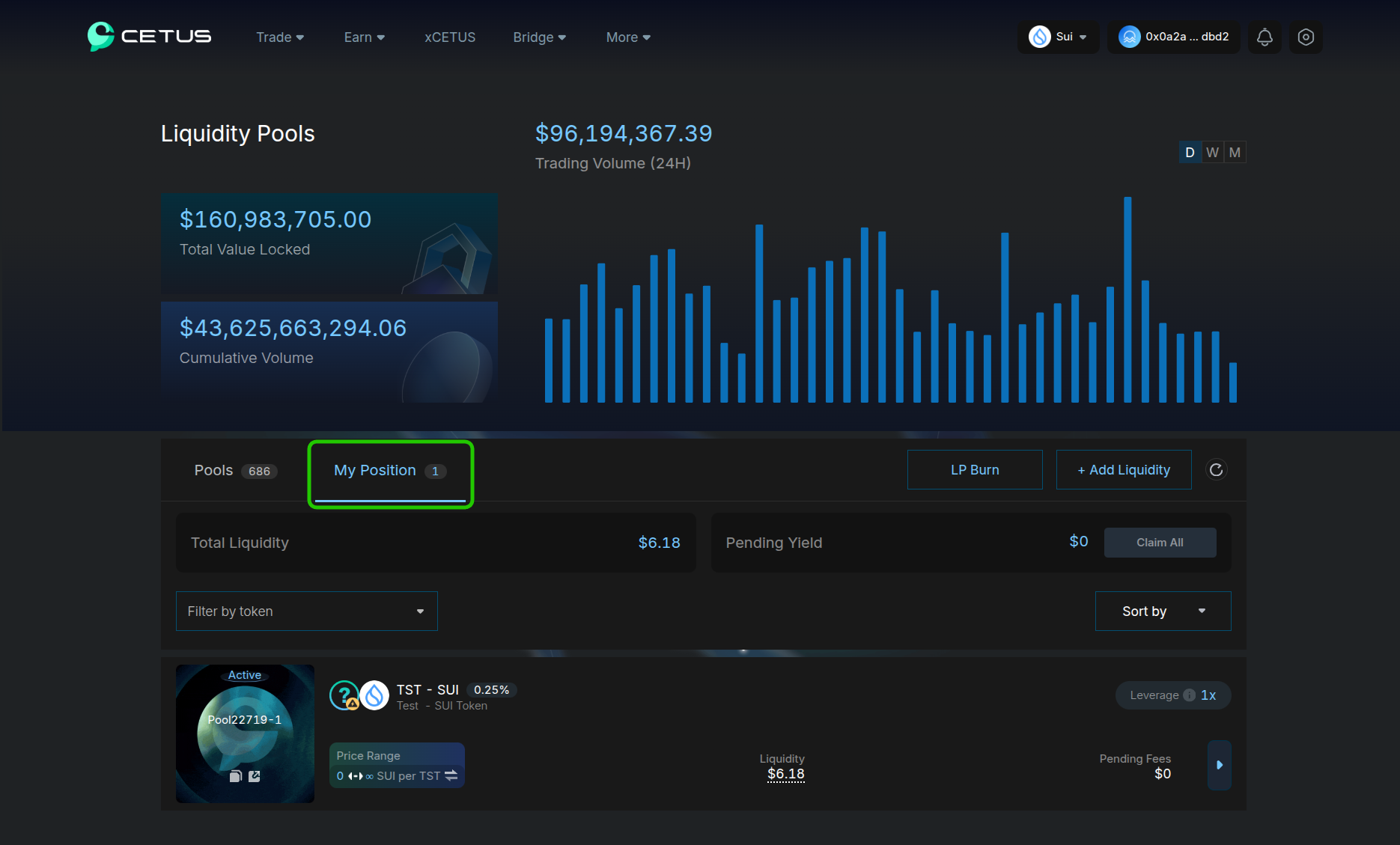
The burning of LP NFT tokens stands as the ultimate demonstration of project dedication. Through this sophisticated feature, you can irreversibly secure your liquidity position while maintaining your claim to trading fees. To implement this security measure, in Cetus' liquidity interface simply click on the "My Position" tab and then on "LP Burn" button.
This feature works the same as Raydium's "Burn & Earn" feature on Solana. You will be presented with the final modal window to confirm that you want to perform this irreversible action.
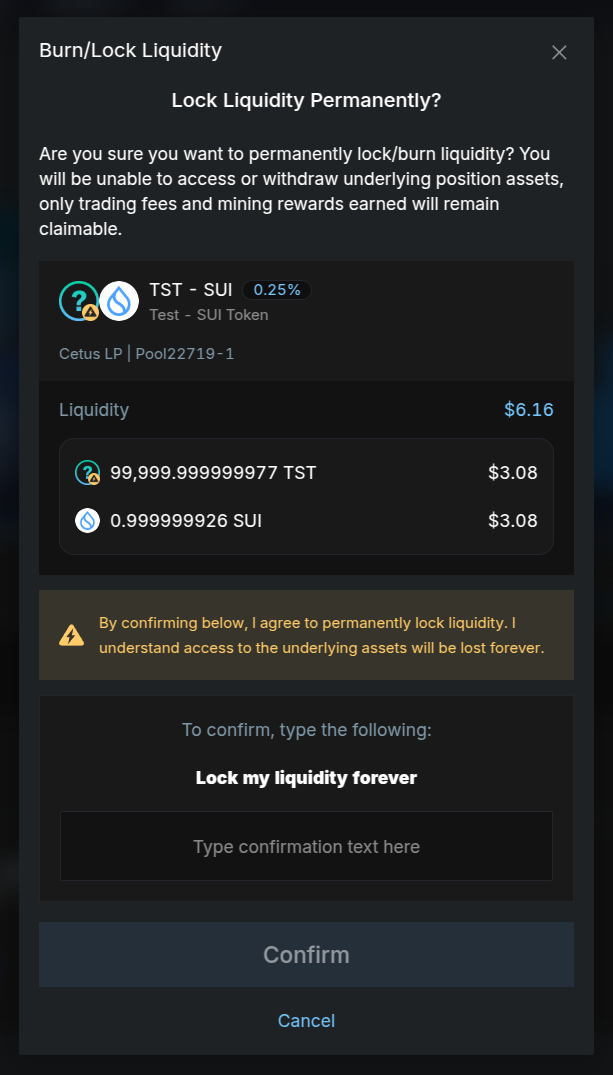
Implementing permanent lock on Cetus delivers several key benefits:
- Strongest security assurance for your investor community
- Clear demonstration of commitment towards the project
- Continuous access to generated trading fees
- Immutable on-chain verification of permanently secured liquidity
Keep in mind that while permanent locks send the strongest possible trust signal to your community, it's essential to thoroughly evaluate your project's long-term liquidity requirements before committing to this irreversible step.
Time-Based Token Locking
For projects seeking more flexibility, time-based locking through verified third-party services offers an alternative approach. With a recommended minimum lock period of 6 months, this option provides:
- Strategic flexibility for future liquidity adjustments
- Transparent, on-chain verification of lock duration
- Room for strategy evolution as market conditions change
Ongoing Pool Management
Post-launch, Cetus provides comprehensive monitoring tools through their interface, enabling you to track essential metrics for your liquidity positions:
- Comprehensive trading volume and fee analytics
- Real-time price movement tracking
- Detailed liquidity utilization analysis (particularly relevant for non-"Full Range" positions)
- Current Total Value Locked (TVL) statistics
- Fee earnings collection interface for permanently locked positions
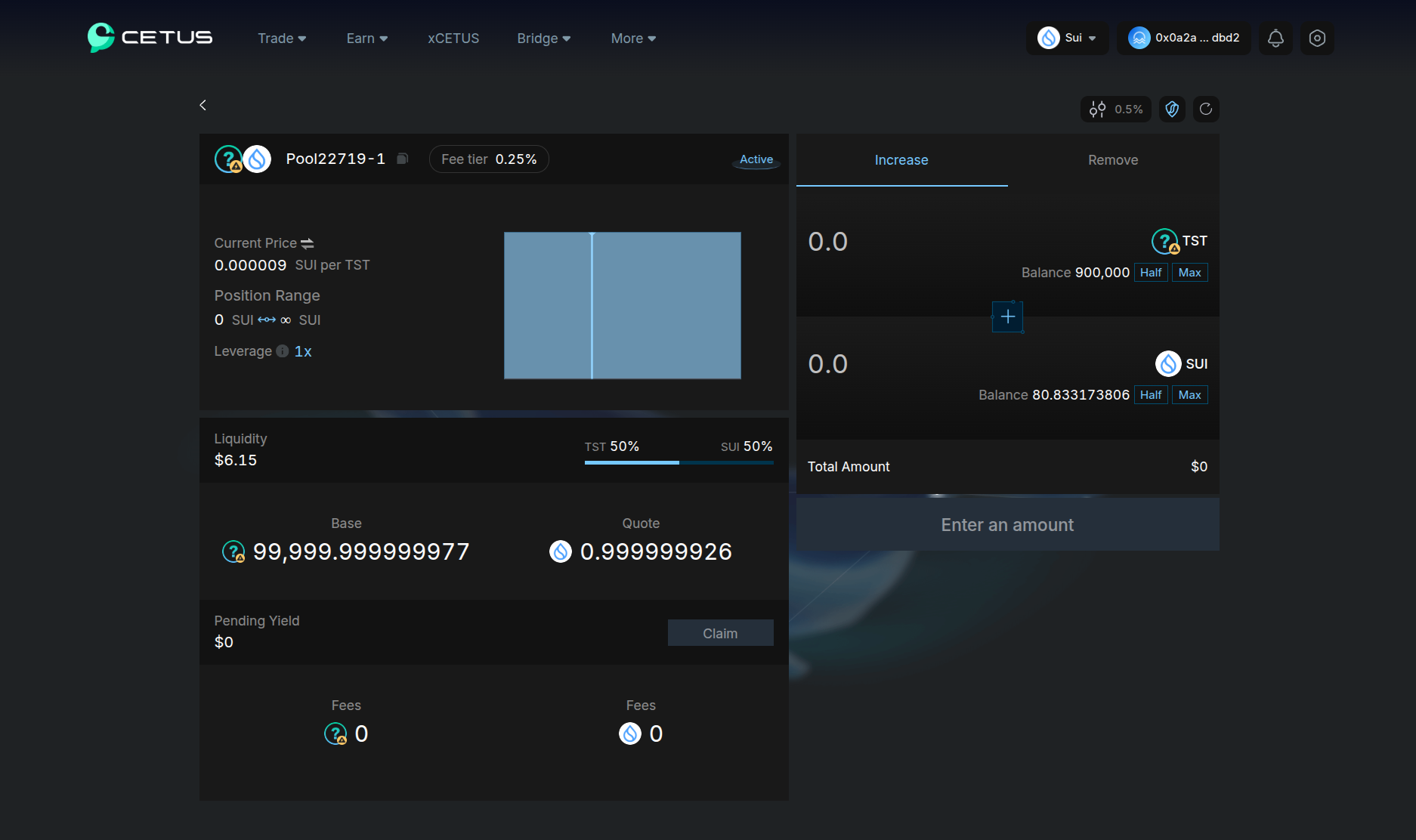
The platform supports seamless liquidity additions and position adjustments for any non-locked positions, ensuring you can maintain optimal pool performance as market conditions evolve.
Conclusion
When you add liquidity to Cetus, it marks a pivotal moment in your Sui token's development. While Cetus' concentrated liquidity framework offers sophisticated capabilities, beginning with a full range position establishes a robust foundation for new tokens.
Remember that adding initial liquidity is just the beginning. Make sure to maintain healthy liquidity levels, stay engaged with your community, and make good use of Cetus' security features.
For comprehensive support throughout your journey, connect with us in our Telegram channel. Our experienced team stands ready to assist your success.


