
In the competitive Solana ecosystem, keeping your SPL token metadata current and professional is essential for project success. 20lab's specialized metadata update tool makes this process seamless for SPL token creators without requiring technical expertise.
When and Why You Might Need to Update Metadata on Solana
Your token's visual and informational elements significantly impact user perception.
Project Evolution and Rebranding
As your project grows, you may need to transition from initial placeholder logos to more professional branding that reflects your mature vision. This often involves reflecting project pivots or new directions in your token's description to accurately represent current goals. Many successful projects regularly refresh their visual identity to align with emerging market trends, ensuring their token maintains a contemporary and relevant appearance in the ecosystem.
Error Correction and Information Updates
Even carefully launched tokens often require updates to fix typos or grammatical errors that appeared in the original description. Projects frequently need to update broken website links or change social media handles as their online presence evolves. Adding new communication channels to your metadata keeps token holders informed about all the ways they can connect with your team and stay updated on project developments.
Enhanced Marketplace Visibility
Optimizing your token's descriptions with relevant keywords significantly improves discoverability across the Solana ecosystem. Upgrading your visual elements ensures better presentation in wallets and marketplaces, creating a more professional first impression for potential holders. Establishing consistent branding across all platforms strengthens recognition and builds trust with your community, as users encounter the same professional presentation regardless of where they interact with your token.
Why 20lab's Metadata Update Tool Stands Out
What makes 20lab's authority management tools essential for metadata control? The platform offers several unique advantages that set it apart from other solutions:
- Simplified Technical Process - the tool handles all complex aspects automatically, from JSON formatting to IPFS storage and on-chain updates, eliminating the need for technical knowledge or manual file management.
- Authority Status Display - the tool automatically identifies and displays the current metadata update authority holder, providing immediate verification of your permissions before you attempt any changes.
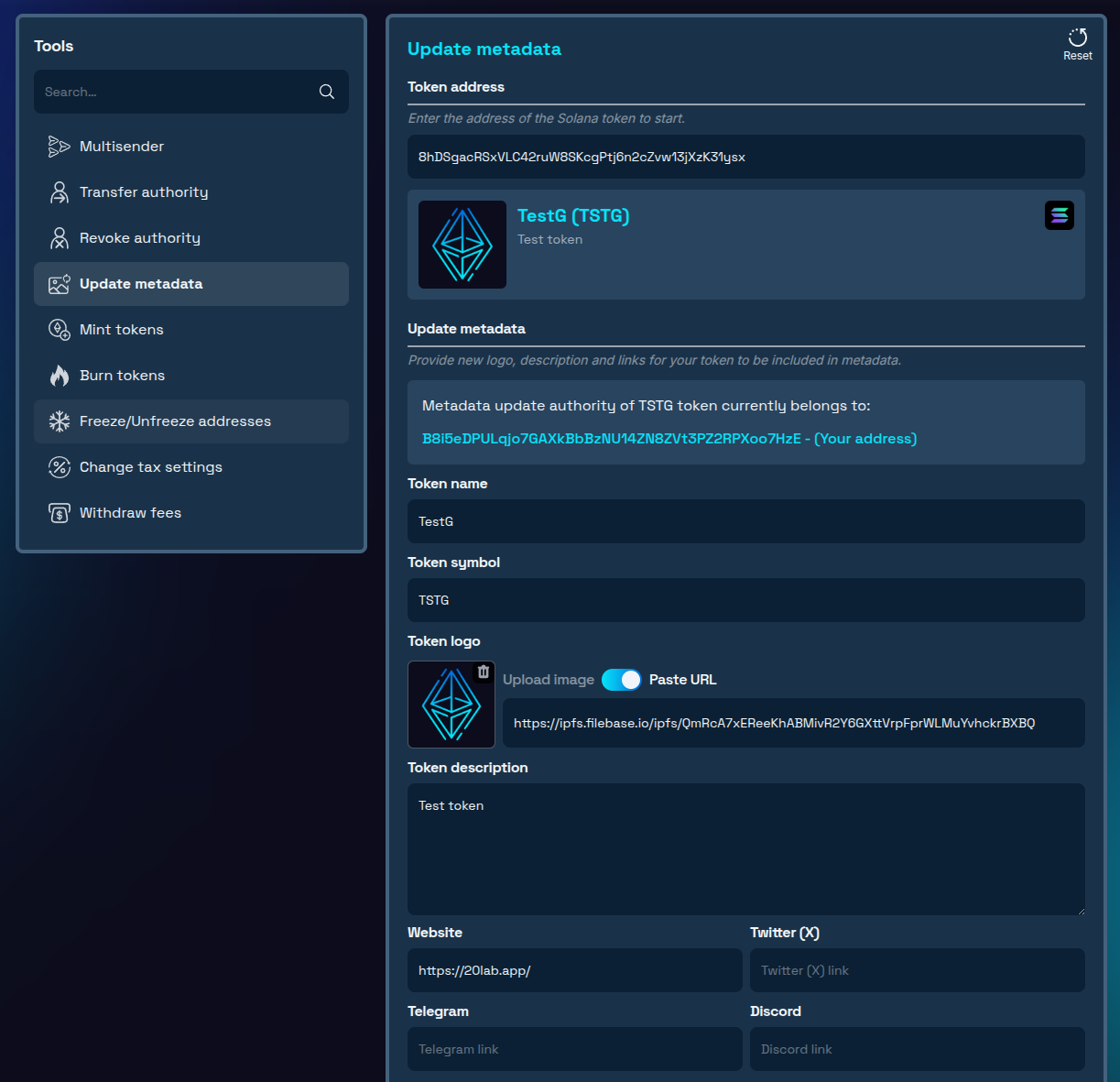
- Visual Preview Interface - unlike other token tools, 20lab provides full visual previews of current and proposed metadata, helping you confirm exactly what changes you're making before committing them.
- Unified Token Management - the metadata update tool is part of 20lab's comprehensive token management suite, allowing seamless integration with other functions like authority transfers, SPL token creation, and configuration updates.
- User-Friendly Design - the intuitive interface guides you through each step of the process, making metadata management accessible to both technical and non-technical team members.
How to Change Metadata for Your SPL Token Safely and Efficiently
Prerequisites
- Your token's mint address
- Access to wallet that has metadata update authority
- Prepared new token name, symbol, logo, description, and links (or only some of them that you wish to change)
- Solana wallet with sufficient SOL for transaction fees
Step-by-Step Update Process
- Access the Tool & Connect Wallet: Navigate to 20lab's update metadata tool and connect your wallet holding metadata update authority.
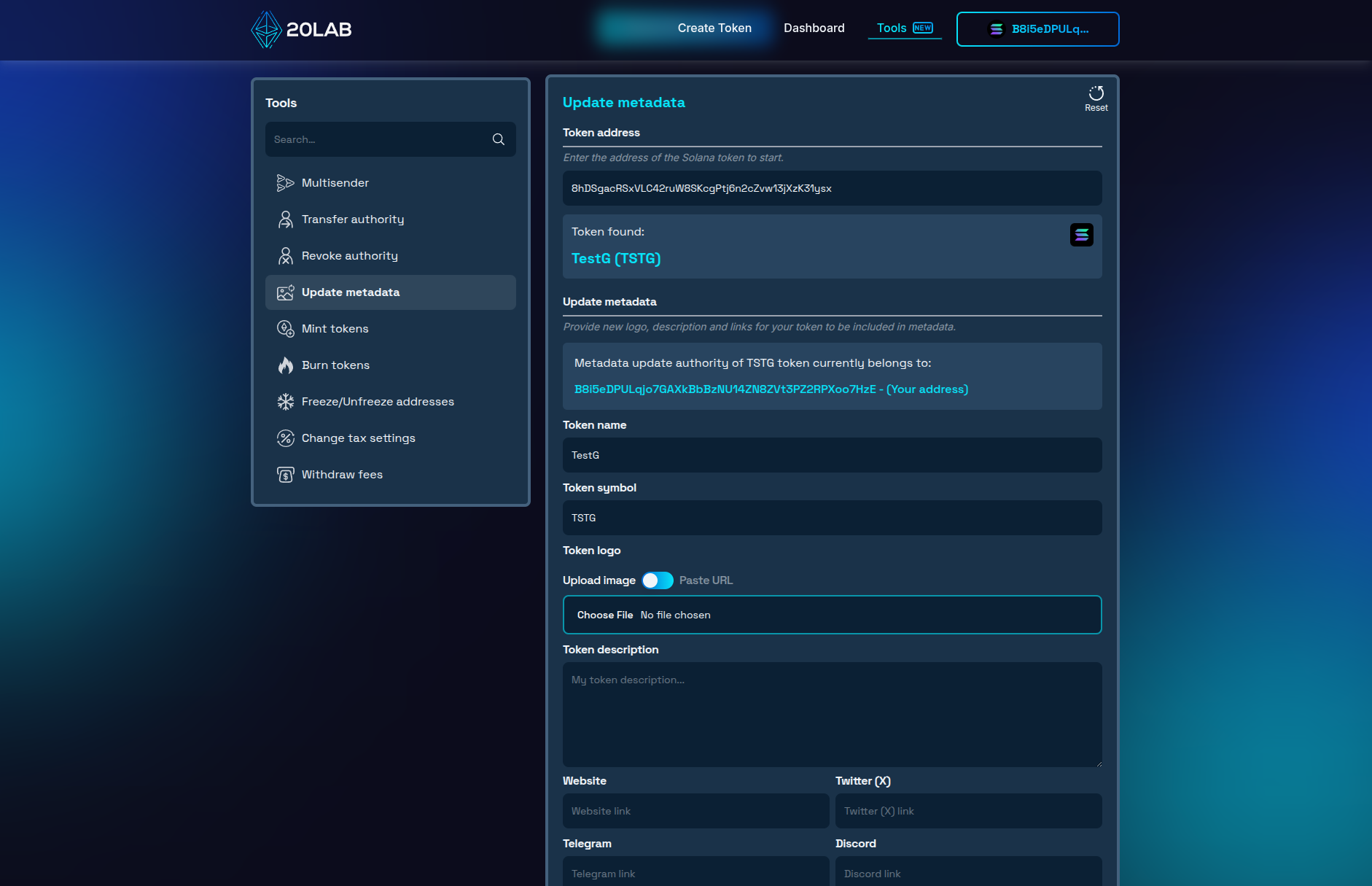
- Enter Token Information: Input your token's mint address. The tool automatically displays current metadata and metadata authority address.
- Update Your Metadata: Upload a new square logo, edit your token's name, symbol or description, update your official website URL, and modify social media links as needed.
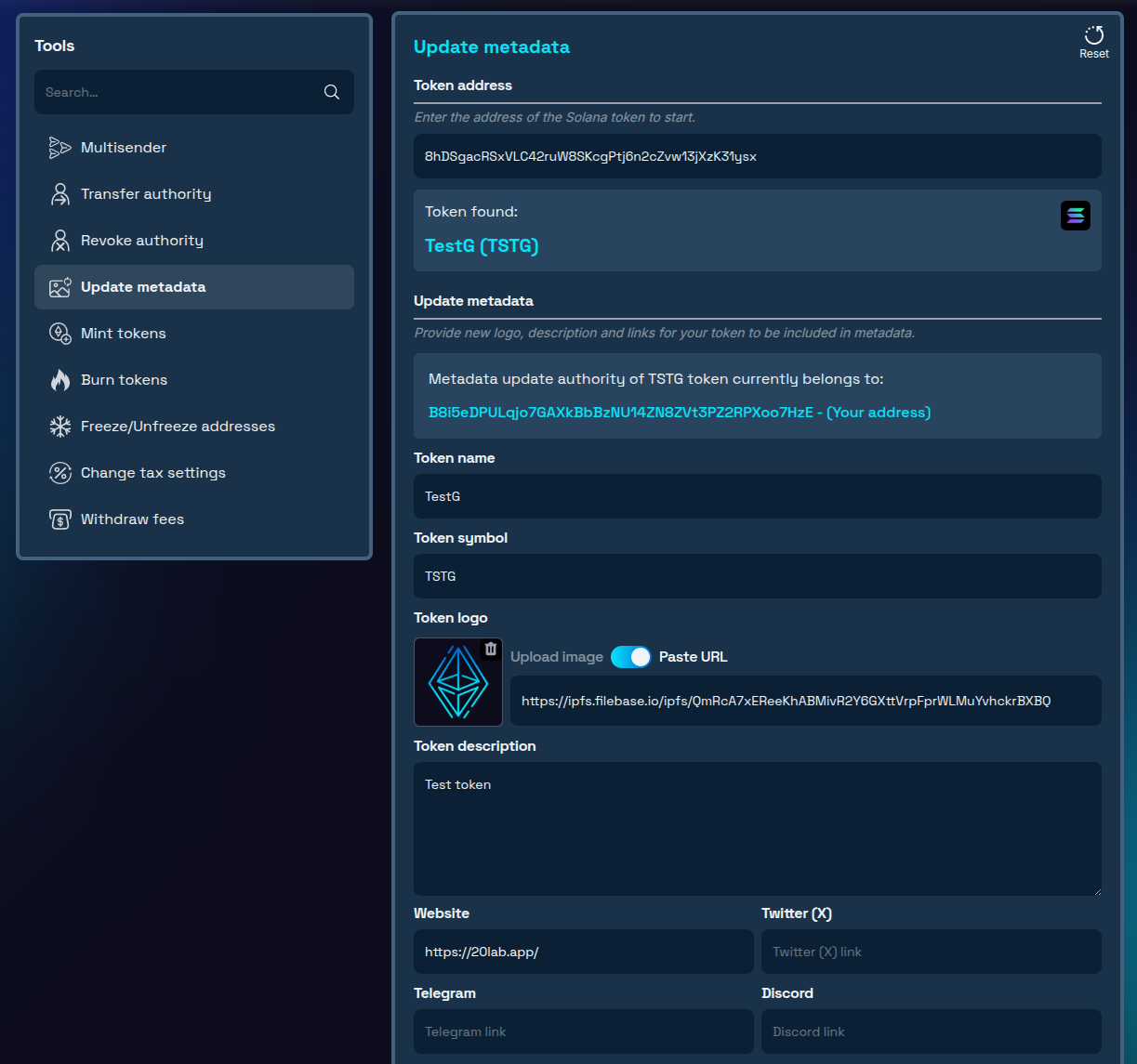
- Confirm Changes: Review all modifications and approve the transaction in your wallet.
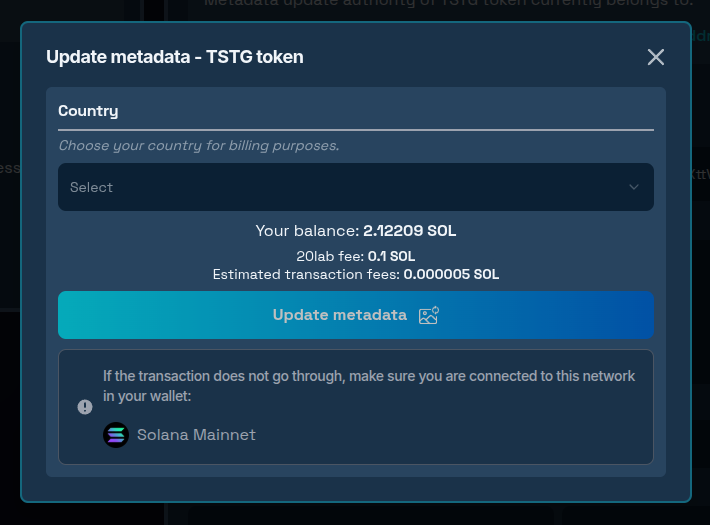
After approving a transaction your new metadata file with all updated values will be stored permanently on IPFS. The on-chain metadata URI updates automatically, and no manual JSON creation or technical work is required.
Conclusion
Effective Solana metadata management is crucial for professional token presentation. 20lab's tool removes technical barriers, making metadata updates accessible regardless of technical background. By maintaining current, accurate metadata, your token will present professionally across the Solana ecosystem.
Remember that your SPL token's metadata is often the first impression users have of your project. Regular updates that reflect your project's evolution demonstrate active management and attention to detail. As the Solana ecosystem continues to grow, tokens with clear, accurate, and professional metadata will naturally stand out in an increasingly competitive landscape.
Ready to manage your token's metadata? Explore our Solana tools today and experience professional-grade token management! If you have questions about using Solana tools, don't hesitate to reach out to us via our Telegram channel.


