
In the ever-evolving Solana ecosystem, token branding and identity have become increasingly critical for project success. At the heart of this identity lies the metadata authority - a powerful control that determines your token's visual and informational attributes. Whether you're collaborating with marketing teams or establishing permanent brand elements, understanding how to properly transfer or revoke metadata authority is essential for effective token management on Solana.
What Is Solana Metadata Authority and How Does It Work?
Metadata authority is a specialized control mechanism for SPL tokens that governs the visual and informational elements of your token. Unlike mint or freeze authorities which control economic and security aspects, metadata authority shapes how your token presents itself to the world.
Understanding Metadata Authority's Unique Role
Metadata authority grants the ability to modify a token's identifying information, including:
- Token Name & Symbol: The official display name and ticker symbol
- Token Image: The logo or icon displayed in wallets and exchanges
- Token Description: Information about the token's purpose and project
- External Links: Official website and social media URLs
When you first create an SPL token on Solana with metadata extension enabled, metadata update authority is usually assigned to the wallet that initiated the creation. This gives the creator control over the token's brand identity and informational elements.
What Makes 20lab's Authority Management Tools Essential for Metadata Control
The 20lab transfer and revoke authority tools offer several unique advantages that make metadata authority management seamless:
- Metadata Preview - unique to metadata management, our tools display current metadata elements with visual previews, helping you confirm exactly what aspects you're controlling.
- Authority Status Display - the tools automatically display the current metadata authority holder, providing immediate verification of your token's branding governance.
- Multi-Authority Management - easily manage 5 authority types (mint, freeze, metadata update, transfer tax config and transfer tax withdrawal) from a single unified interface.
- User-Friendly Interface - the intuitive design guides you through each step of the process, making complex authority management accessible to both technical and marketing team members.
When to Consider Modifying Metadata Authority
Unlike economic and security authorities, metadata authority often follows different management patterns based on your project's specific needs:
- Brand Evolution Support: Maintaining metadata authority allows your project to evolve its branding and information as the project matures and pivots.
- Marketing Team Collaboration: Transferring to a dedicated marketing wallet enables specialized team management of token presentation.
- Establishing Brand Consistency: For established projects, revoking metadata authority locks in permanent branding elements, preventing future changes.
- Community Governance Integration: Transferring to DAO or multisig enables community-driven decisions about token presentation.
As one project lead explained:
"Unlike mint authority which we revoked early, we maintained metadata authority through our rebranding phase, allowing us to align our token presentation with our evolving project vision. Only after establishing our permanent brand identity did we consider revocation."
How to Make Your Token's Metadata Immutable by Revoking Authority
Whether you need to transfer metadata authority to specialized team members or permanently lock your token's presentation and make immutable metadata, 20lab provides intuitive token tools for both scenarios.
Option 1: Transferring Metadata Update Authority
Transferring metadata authority is ideal when you want to:
- Delegate branding management to marketing specialists
- Implement governance structures for token presentation
- Separate technical and marketing responsibilities
- Enable collaborative brand management workflows
Step-by-Step Transfer Process:
- Connect Your Wallet: Visit 20lab's transfer authority tool and connect your wallet by clicking the "Connect Wallet" button. The platform supports major Solana wallets including Phantom, Solflare, and Backpack.
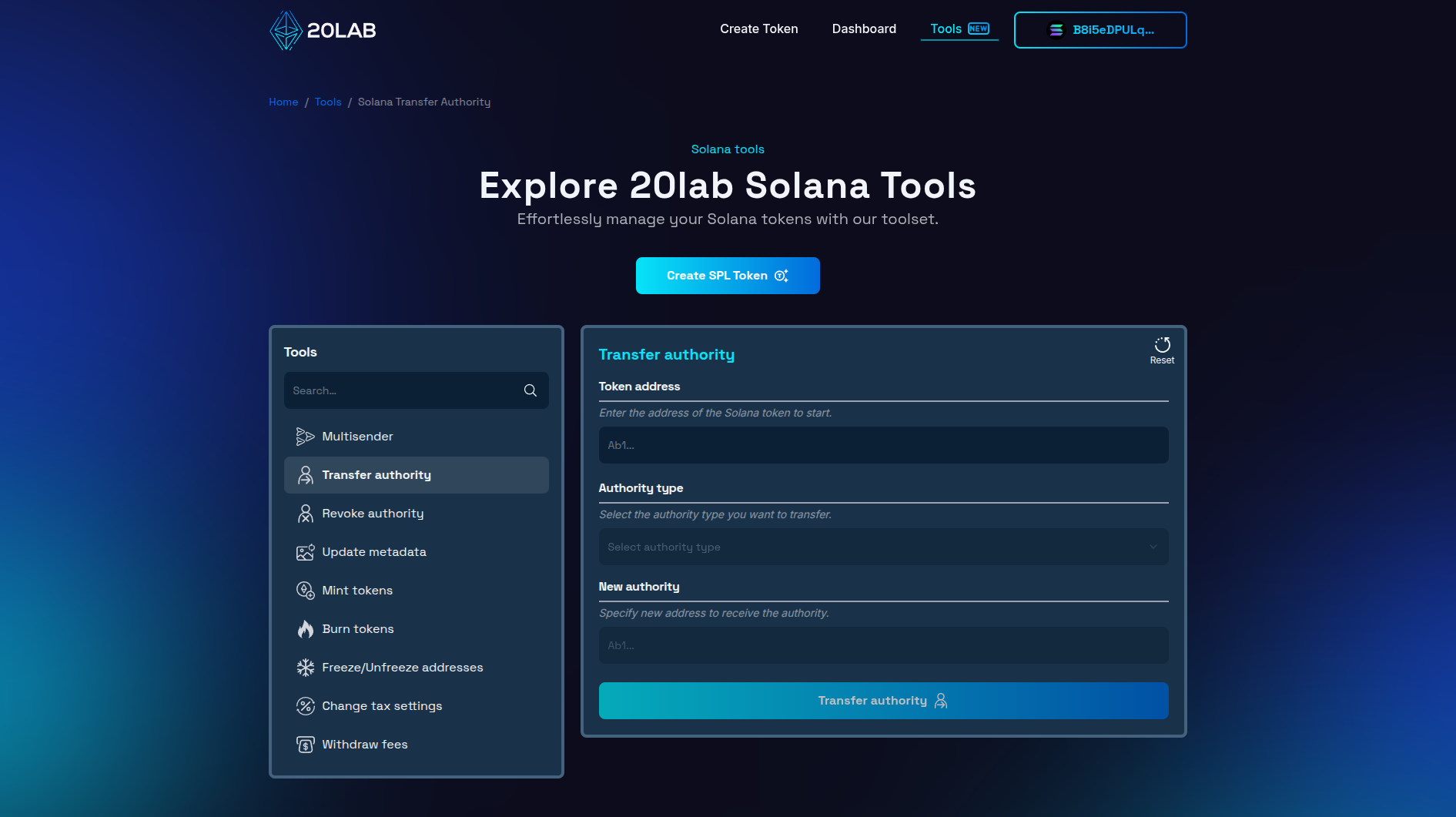
- Select Your Token: Enter your SPL token's address. The tool works with all SPL tokens on the Solana blockchain that have metadata extensions enabled.
- Choose Authority Type: Select "Metadata update authority" from the available authority options in the dropdown menu. After that, you will see the current holder of this authority, if it matches your connected wallet address, you are able to continue with authority transfer.
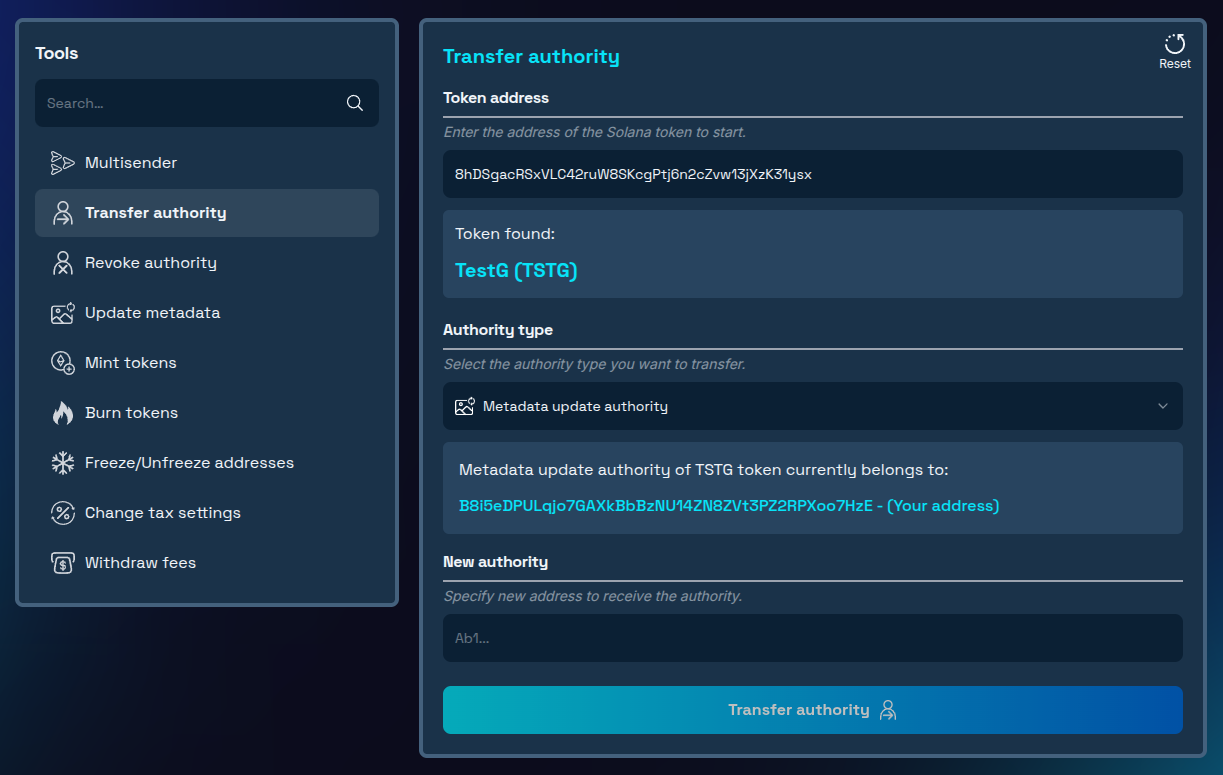
- Enter Recipient Address: Carefully input the wallet address that will receive the metadata authority. Double-check this address to avoid irreversible errors - remember that authority transfers cannot be reversed without the cooperation of the recipient.
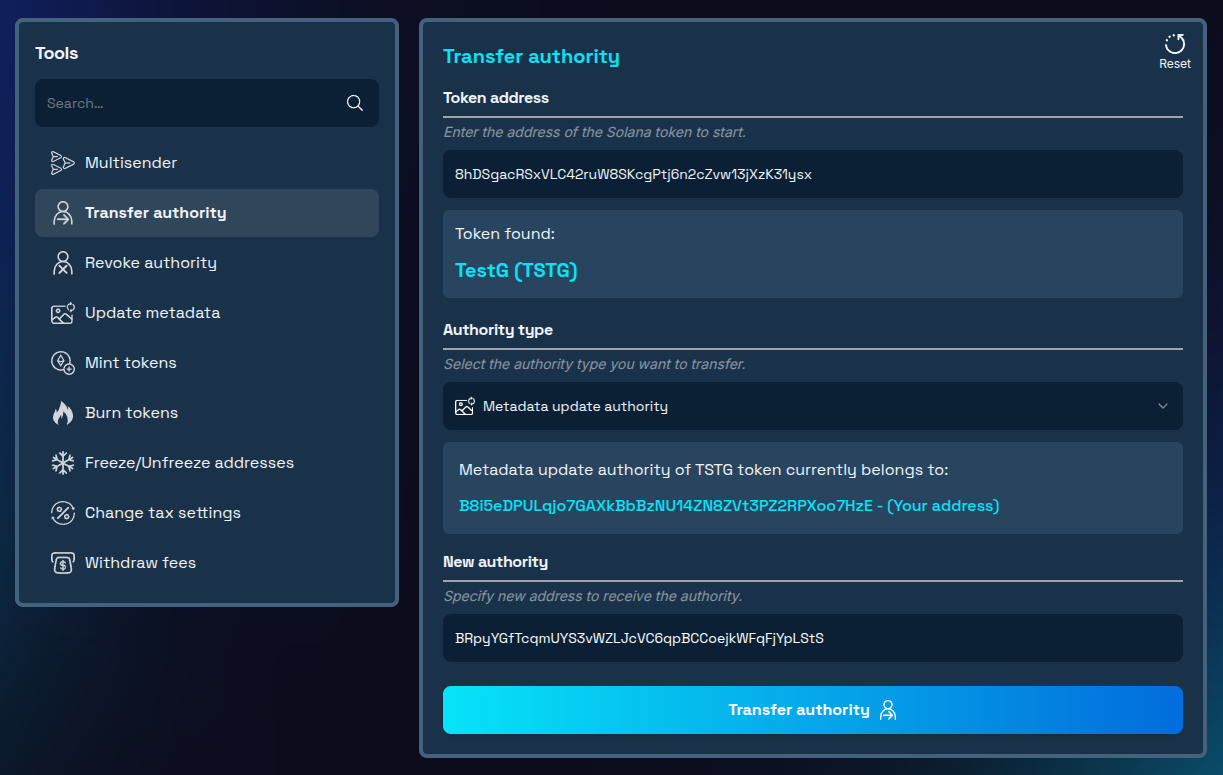
- Confirm Transfer: Review all details and confirm the transaction in your wallet when prompted.
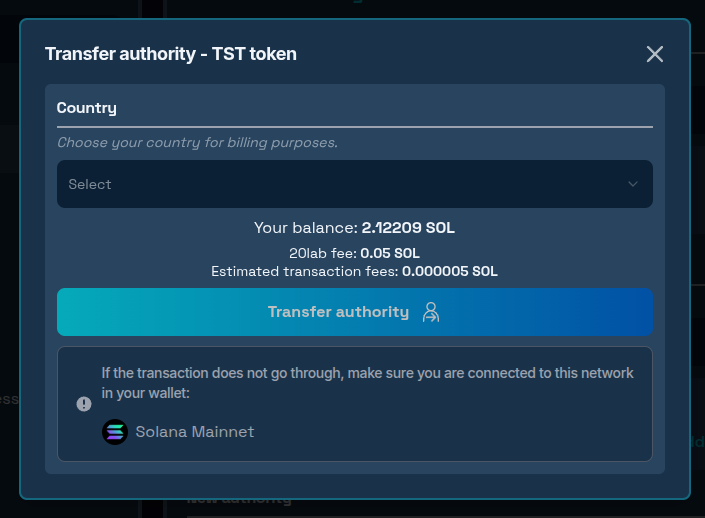
- Verify Transfer: Once the transaction completes, verify that the authority has been properly transferred by checking the token's information on a Solana explorer. Also, the section with the current authority holder in the tool interface will be automatically updated if transfer was successful.
Option 2: Permanently Revoking Metadata Authority (Immutable Metadata)
Revoking metadata authority (making immutable metadata) permanently locks your token's name, symbol, and visual elements, creating an immutable brand identity.
Step-by-Step Revocation Process:
- Connect Your Wallet: Visit 20lab's revoke authority tool and connect the wallet that currently holds metadata update authority.
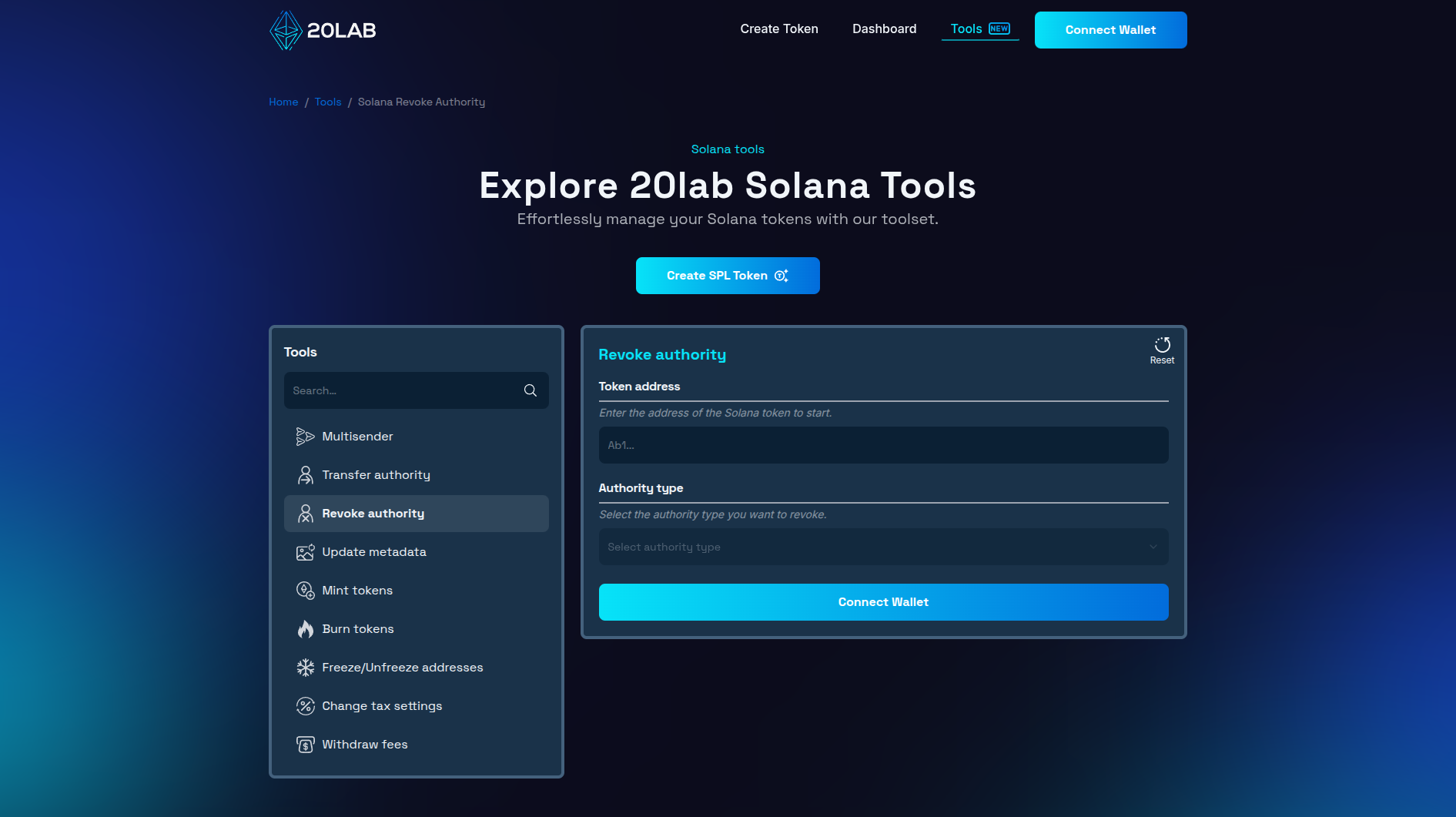
- Select Your Token: Enter your SPL token's address. The tool is compatible with all SPL tokens on Solana that have metadata extensions.
- Choose Authority Type: Select "Metadata update authority" from the available authority options in the dropdown menu. After that, you will see the current holder of this authority, if it matches your connected wallet address, you are able to continue with authority revocation.
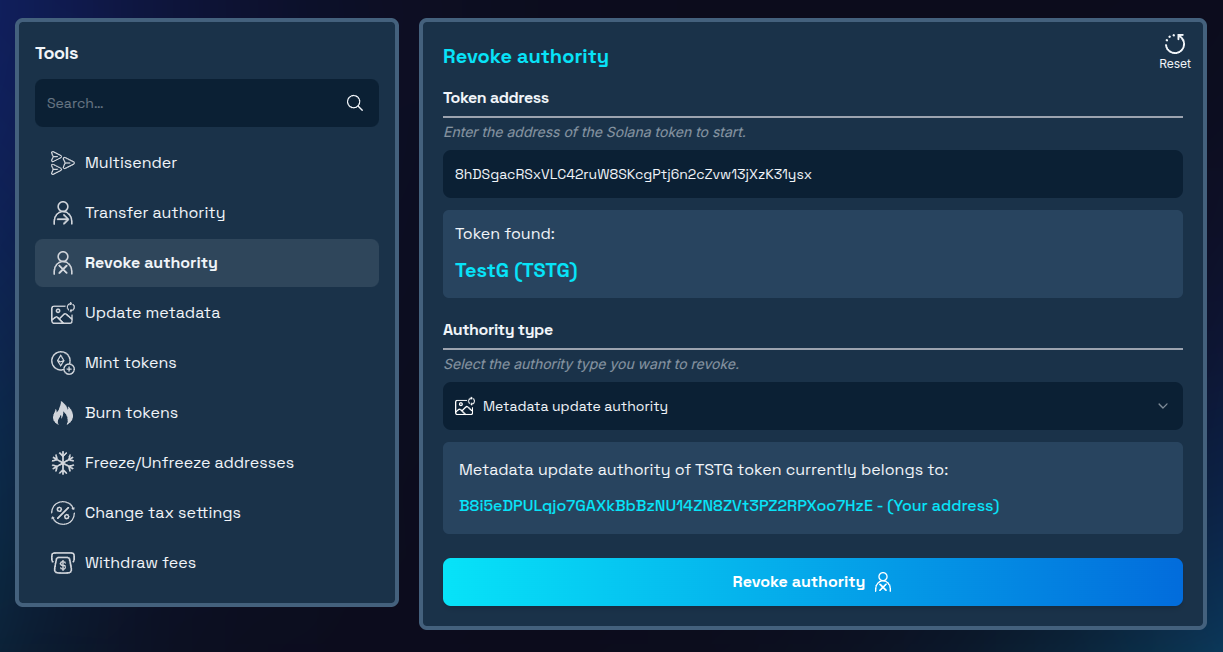
- Execute Revocation: Approve the transaction in your wallet when prompted.
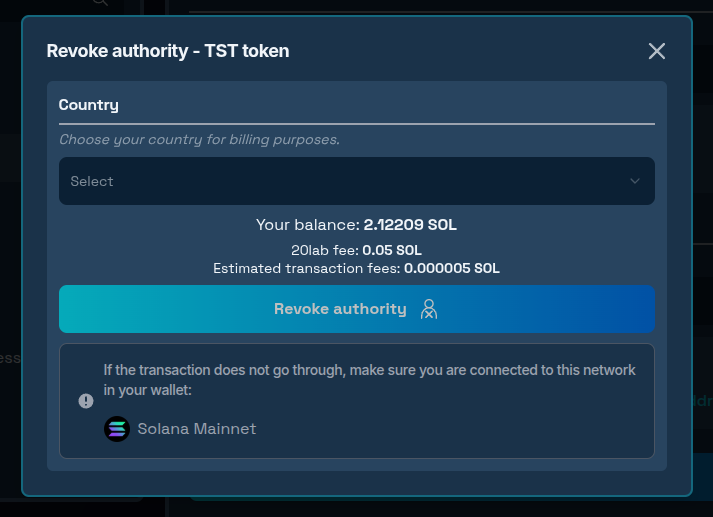
- Verify Revocation: Once the transaction completes, verify that the authority has been properly revoked by checking the token's information on a Solana explorer. Also, the section with the current authority holder in the tool interface will be automatically updated if revocation was successful.
Important Consideration: Unlike mint or freeze authority which can often be revoked early in a project's lifecycle, metadata authority revocation should typically happen only after your brand identity is fully established. Once revoked, no future branding updates or corrections will be possible.
Conclusion
Whether you choose to transfer metadata authority to specialized team members or permanently lock in your token's identity through revocation, these decisions significantly impact how your token presents itself to the world. By following the steps outlined in this guide, you can navigate these important branding governance changes with confidence.
For established projects with mature branding, revoking metadata authority creates permanence in your token's market identity and builds deeper trust with your community. However, this decision should be made only after careful consideration of future branding needs.
Remember that while transfers provide flexibility for brand evolution, only revocation guarantees that your token's visual and informational elements remain permanently unchanged.
Ready to manage your token's metadata authority? Explore our Solana tools today and experience professional-grade token management! If you have questions about using Solana tools, don't hesitate to reach out to us via our Telegram channel.


